14
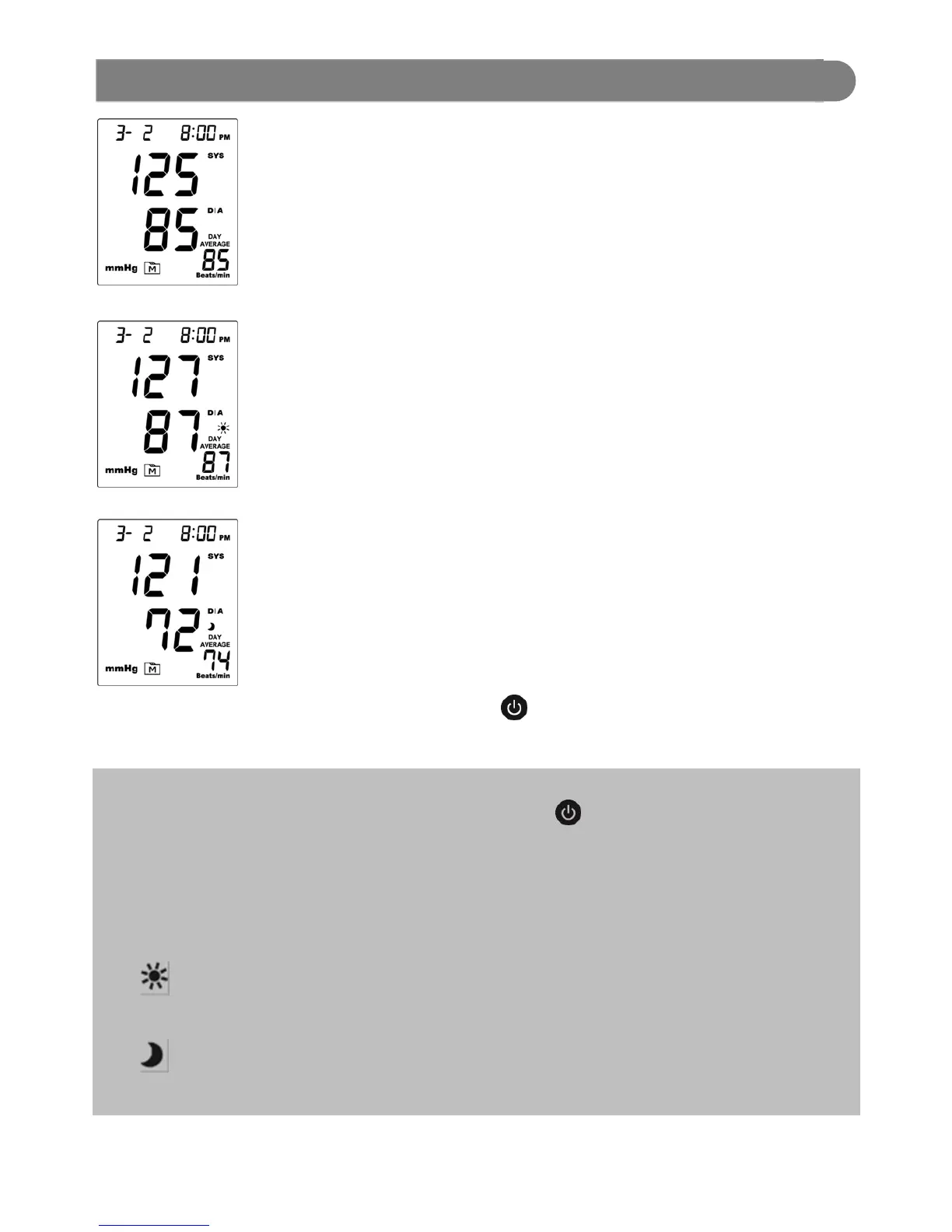
1. Press and hold M button until the
monitor turns on.
Release M button and then the days
average result measured in general
mode will appear on the display.
2. Press M button again to review the
Day-time average result
3. Press M button again to review the
Night-time average result
4. Exit the monitor memory
Press button and the monitor will
turn off.
NOTE:
Any time you wish to exit the memory, press button or leave the monitor
idle for 3 minutes. The monitor will turn off automatically.
If there are no records in memory, “---“displays when you recall the test
results or review the average results. This indicates that there is no test
result in the memory.
Day-time average means the average records for measurements taken
between 4:00 A.M. and 11:59 A.M.
Night-time average means the average records for measurements taken
between 6:00 P.M. and 11:59 P.M.
Reviewing Day Average Results


 To Next Page