STEP 02
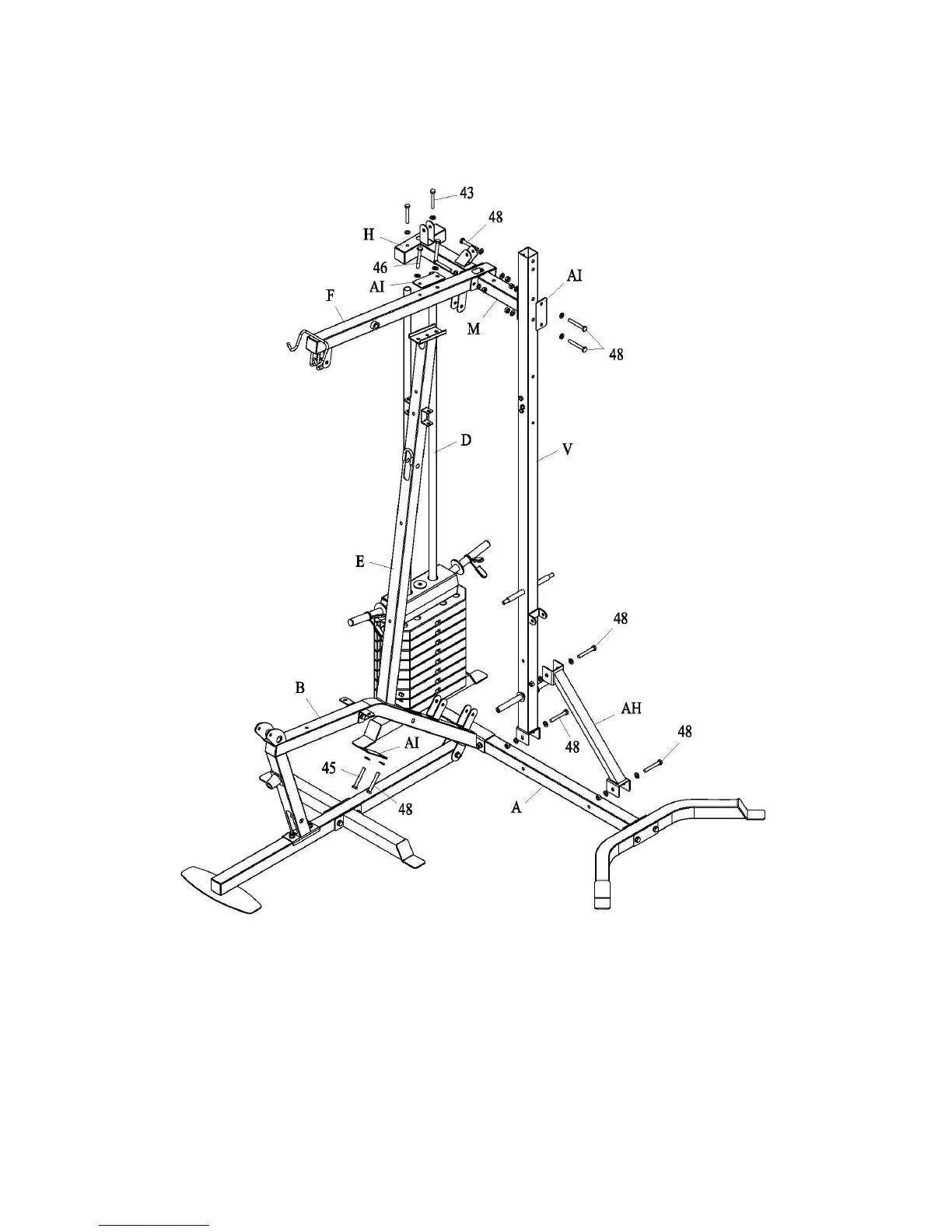
1. Attach part (E) and part (AI) to part (B) with bolt assembly (45) and (48).
2. Attach part (V) and part (AH) to part (A) with bolt assembly (48). Attach part (AH) to part
(V) with bolt assembly (48).
3. Attach part (M) and part (AI) to part (V) with bolt assembly (48).
4. Attach part (F) and part (AI) to part (E) with bolt assembly (46).
5. Attach part (H) to part (D) with bolt assembly (43). Attach part (H) and part (M) to part (F)
with bolt assembly (48).



 To Next Page