15. ON/OFF/Volume: Press to turn
on/off. Turn to increase/decrease
volume.
If the volume is set above a certain
level and the ignition is turned off,
the volume will come back on at a
“nominal” listening level when the ignition switch is turned back on.
16. CD: Press to enter CD/MP3
mode. If a CD is already present in
the system, the disc will begin to
play.
17. CD slot: Insert a CD label side
up.
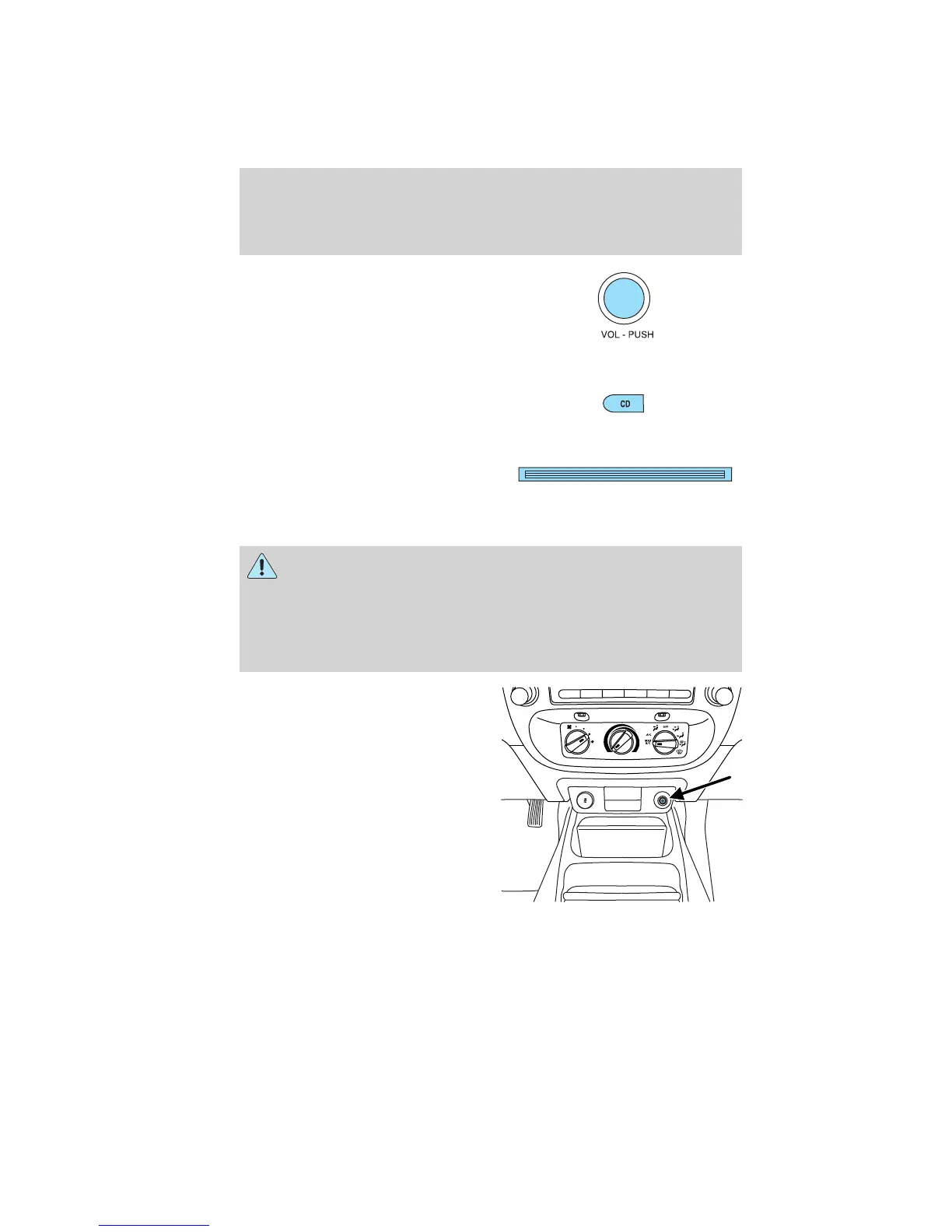
Auxiliary input jack (Line in)-(if equipped)
WARNING: Driving while distracted can result in loss of vehicle
control, accident and injury. Ford strongly recommends that
drivers use extreme caution when using any device or feature that may
take their focus off the road. Your primary responsibility is the safe
operation of the vehicle. We recommend against the use of any
handheld device while driving and that you comply with all applicable
laws.
Your vehicle may be equipped with
an auxiliary input jack (AIJ). The
auxiliary input jack provides a way
to connect your portable music
player to the in-vehicle audio
system. This allows the audio from a
portable music player to be played
through the vehicle speakers with
high fidelity. To achieve optimal
performance, please observe the
following instructions when
attaching your portable music
device to the audio system.
Entertainment Systems
26
2011 Ranger (ran)
Owners Guide, 1st Printing
USA (fus)



 To Next Page
 Loading...