EasyManua.ls Logo

Ford Connected Wall Box - User Manual

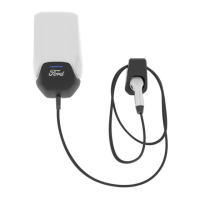
Ford Connected Wall Box
242 pages
Print Icon
To Next Page IconTo Next Page
Loading...
Operation manual
16A Three Phase/ 32A Single Phase
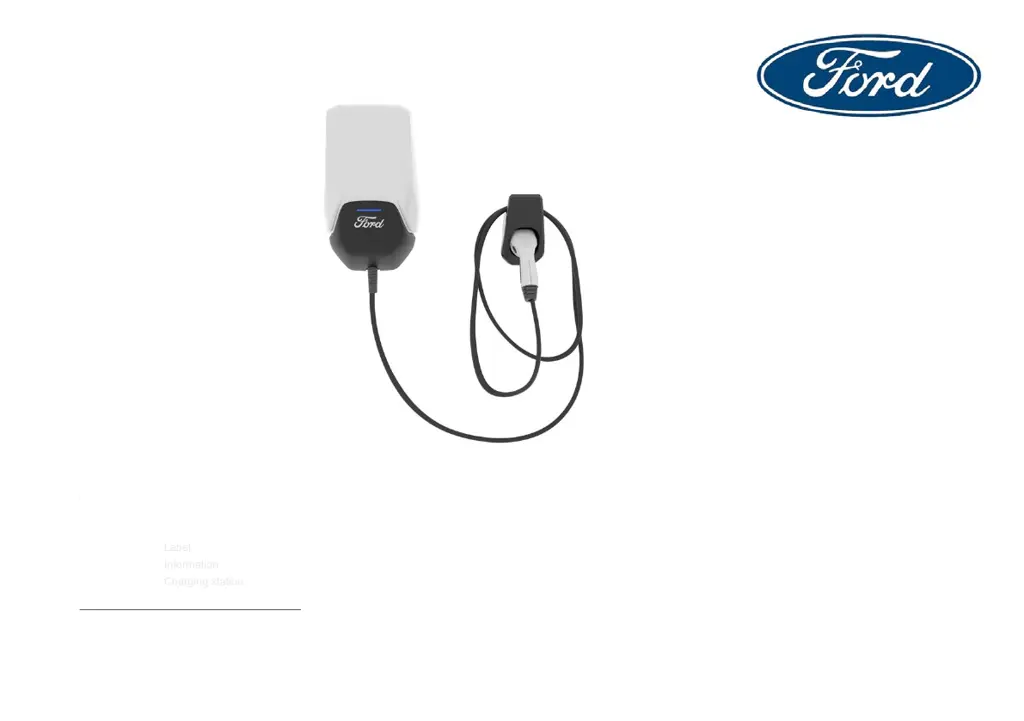
Ford Connected Wall Box
Label
Information
Charging station

Table of Contents

Questions and Answers

  • W
    William GarciaAug 15, 2025
    What to do if my Ford Automobile Accessories is constantly updating/rebooting?
    • M
      mholderAug 15, 2025
      If your Ford Automobile Accessories is updating or rebooting, wait for the wall box to finish its updates. Unplug the vehicle coupler before cycling the breaker off and back on, then plug the vehicle coupler back into the vehicle. If the issue continues, contact Ford Customer Service.
  • J
    Jacob GilbertAug 18, 2025
    How to connect Ford Connected Wall Box Automobile Accessories in pairing mode?
    • S
      Sheila BrooksAug 18, 2025
      To connect to the wall box of your Ford Automobile Accessories in pairing mode, use the Installation application or FordPass App™.
  • A
    Amber CabreraAug 22, 2025
    What to do if my Ford Connected Wall Box is not charging?
    • D
      Daniel BrooksAug 22, 2025
      If your Ford Automobile Accessories station isn't charging, ensure it is not in a locked state. Also, check that the vehicle coupler is properly inserted into the vehicle. Verify and adjust your vehicle charge scheduling or time preferences and confirm that the vehicle isn't already fully charged.
  • D
    Donna BrooksAug 25, 2025
    Why does my FordPass™ App lose communication with Ford Connected Wall Box?
    • S
      swashingtonAug 26, 2025
      If the FordPass™ App loses communication with your Ford Automobile Accessories, ensure there is a strong WiFi signal at the charge station location. Try switching the modem and router off and back on, then reconnect to the WiFi network. You can also close and restart the FordPass™ App. If a user invited by the owner has lost connection, verify the user’s access status.
  • A
    Anthony SimpsonAug 27, 2025
    What to do if my Ford Connected Wall Box is unpowered?
    • J
      James MillerAug 27, 2025
      If your Ford Automobile Accessories is unpowered, ensure the circuit is operational and the circuit breaker is switched on. If the problem continues, contact Ford Customer Service.
  • C
    Caitlin EvansAug 31, 2025
    How to troubleshoot Ford Automobile Accessories in general?
    • J
      James LeblancAug 31, 2025
      For general troubleshooting with your Ford Automobile Accessories: * Unplug the wall box from the vehicle. * Switch the wall box off and back on at the circuit breaker. If the issue persists, contact Ford Customer Service.
  • D
    Donald MirandaSep 2, 2025
    What to do if charging is reduced on my Ford Connected Wall Box?
    • D
      Denise MccannSep 2, 2025
      If your Ford Automobile Accessories is experiencing reduced charging, unplug the wall box from the vehicle. Next, switch the wall box off and back on at the circuit breaker. If the issue continues, contact Ford Customer Service.
  • M
    Margaret LoweSep 5, 2025
    Why does my Ford Connected Wall Box Automobile Accessories go into unexpected standby?
    • J
      Joyce RodriguezSep 5, 2025
      If your Ford Automobile Accessories enters standby unexpectedly, make sure the vehicle coupler is properly inserted into the vehicle. Also, verify and adjust your vehicle charge scheduling or time preferences, and confirm the vehicle is not fully charged.
  • J
    James MillerSep 8, 2025
    What to do if setup mode stopped on Ford Connected Wall Box Automobile Accessories?
    • M
      Marilyn HebertSep 8, 2025
      If the setup mode stops on your Ford Automobile Accessories, ensure there is a strong Wi-Fi signal at the charge station location. Try switching the modem and router off and back on, and then reconnect to the Wi-Fi network. Restart the setup process and unplug the wall box from the vehicle.
  • C
    Christopher RobinsonSep 12, 2025
    How to unlock Ford Connected Wall Box?
    • J
      Jeffrey AcevedoSep 12, 2025
      If your Ford Automobile Accessories is locked, use the FordPass™ App to unlock the wall box.

Summary

Quick Start Guide

General Information

Purpose of this document

Explains the document's primary function and target audience.

Using this document

Provides guidance on how to effectively read and utilize the manual.

Intended Use

Details the specific applications and operational parameters for the wall box.

Symbols and Highlighting

Explains the meaning of various symbols and text highlighting used in the manual.

Software Licenses

Information regarding the open-source software used within the product.

Important Safety Information

General Safety Information

Covers essential safety precautions and compliance with regulations.

Warnings and Precautions

Details critical warnings, handling, and operational safety guidelines.

Unit Description

Wireless Interface Connections (Bluetooth & Wi-Fi)

Describes Bluetooth and Wi-Fi connectivity for setup and operation.

Installation Considerations

Operation

Start Charging

Step-by-step instructions for initiating a vehicle charging session.

Stop Charging

Procedures for safely ending an ongoing charging session.

Features

Outlines the various functionalities and capabilities of the wall box.

Status Indicator

Explains the meaning of different LED indicators and their states.

Troubleshooting

Provides guidance for diagnosing and resolving common operational problems.

Commissioning the Product

Preparing to Setup the Product

Steps required before commencing the product's initial setup process.

Setting Up the Product

Detailed instructions for configuring the wall box for use.

Displaying Software License Information

Guide on how to access and view the product's open-source software licenses.

Decommissioning the Product

Maintenance, Cleaning, and Repair

Maintenance Procedures

Guidelines for performing routine maintenance by qualified personnel.

Cleaning Instructions

Proper methods for cleaning the wall box safely.

Repair Policy

Information on unauthorized repairs and replacement policies.

Disposal Guidelines

Instructions for environmentally responsible disposal of the device.

Declaration of Conformity

Warranty Information

Warranty Content and Requirements

Details the scope, duration, and conditions of the product warranty.

Warranty Exclusions

Lists conditions or damages not covered by the manufacturer's warranty.

Warranty Claim Processing

Outlines the procedure for submitting and processing a warranty claim.

Warranty Remarks and Limitations

Provides additional notes, legal remarks, and liability limitations for the warranty.

Warranty Providers

Lists authorized warranty service providers by country.

Ford Connected Wall Box Specifications

General IconGeneral
BrandFord
ModelConnected Wall Box
CategoryAutomobile Accessories
LanguageEnglish

Related product manuals