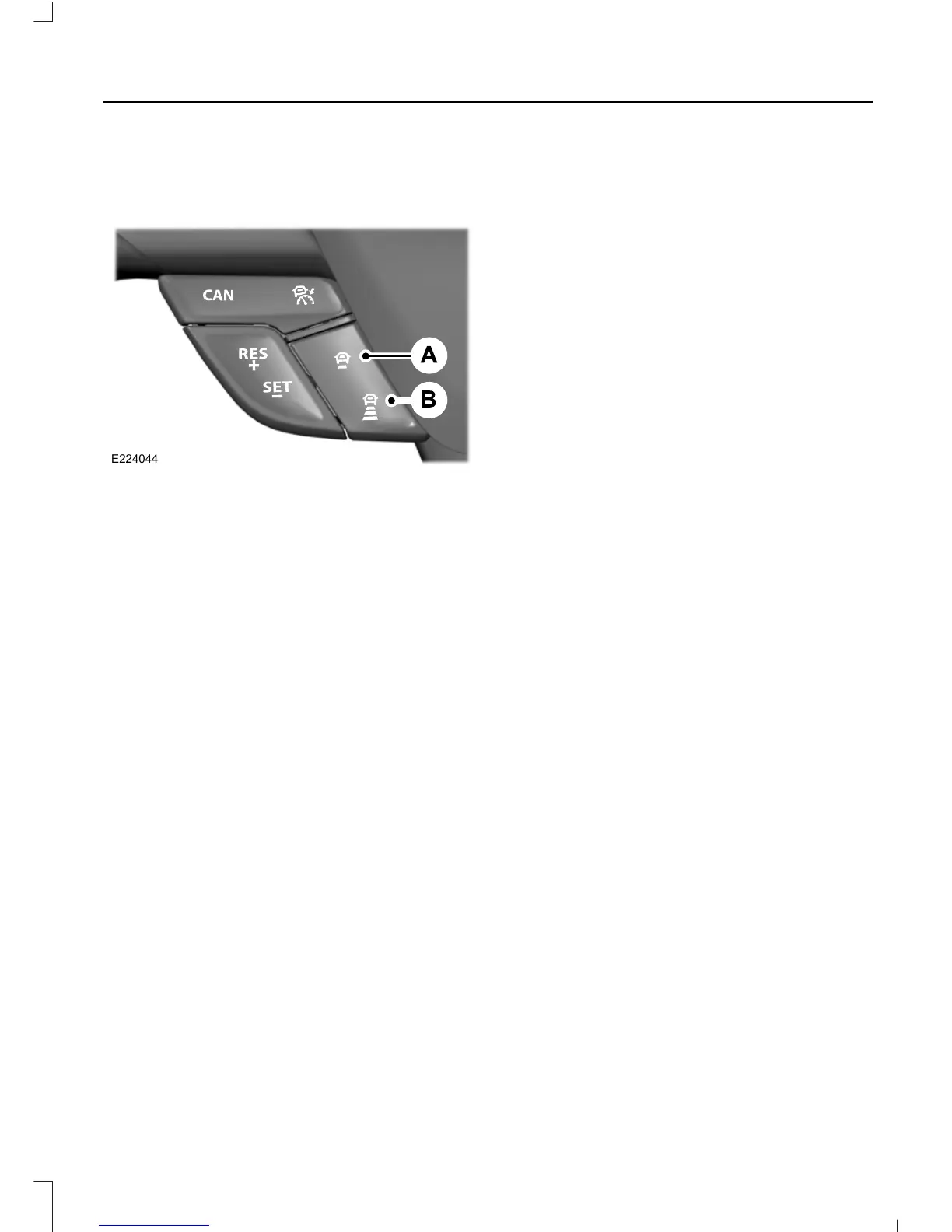
Set distance decrease.A
Set distance increase.B
Switching the System On
Press the cruise control button to switch
the system on. The system is set to
standby mode.
Setting a Speed
Note: The system must be in standby
mode.
Press switch RES+ or SET- to select your
desired cruise speed. The speed is
displayed in the information display and
stored as the set speed.
Changing the Set Speed
• When you select km/h as the display
measurement in the information
display the set speed changes in
approximately 2 km/h increments.
When you select mph as the display
measurement in the information
display the set speed changes in
approximately 1 mph increments.
• Press the accelerator or brake pedal
until you reach the desired speed. Press
and release RES+ or SET-.
• Press and hold RES+ or SET-. Release
the control when you reach the desired
speed. The set speed changes in
approximately 5 mph/10 km/h
increments.
The system may apply the brakes to slow
the vehicle to the new set speed. The set
speed displays continuously in the
information display when the system is
active.
Setting the Vehicle Gap
Note: Use the appropriate gap setting in
accordance with local traffic regulations.
Note: The gap setting is time dependent
and therefore the distance will
automatically adjust with your speed. For
example on a gap setting of four bars, the
time gap is 1.8 seconds. This will mean that
at a speed of 62 mph (100 km/h), the
distance to the vehicle in front of you will
be maintained at 164 feet (50 meters).
Note: If you depress the accelerator for a
short period of time, for example when
overtaking, the system will temporarily
switch off. It will switch back on when you
release the accelerator pedal. A message
will be shown in the display.
Note: The gap setting will remain
unchanged each time you switch the ignition
on.
177
Escape/Kuga (TM2), enUSA, First Printing
Cruise Control











 To Next Page