Trip Computer
Resetting the Trip Computer
Press and hold OK on the current screen to reset the respective trip,
distance, time and fuel information.
Trip Odometer
Registers the mileage of individual journeys.
Distance to E
Indicates the approximate distance the vehicle will travel on the fuel
remaining in the tank. Changes in driving pattern may cause the value to
vary.
Average fuel
Indicates the average fuel consumption since the function was last reset.
Fuel Used
Shows the amount of fuel used for a given trip.
Total Odometer
Registers the total mileage of the vehicle.
Information Messages
See Information Messages later in this chapter for more information.
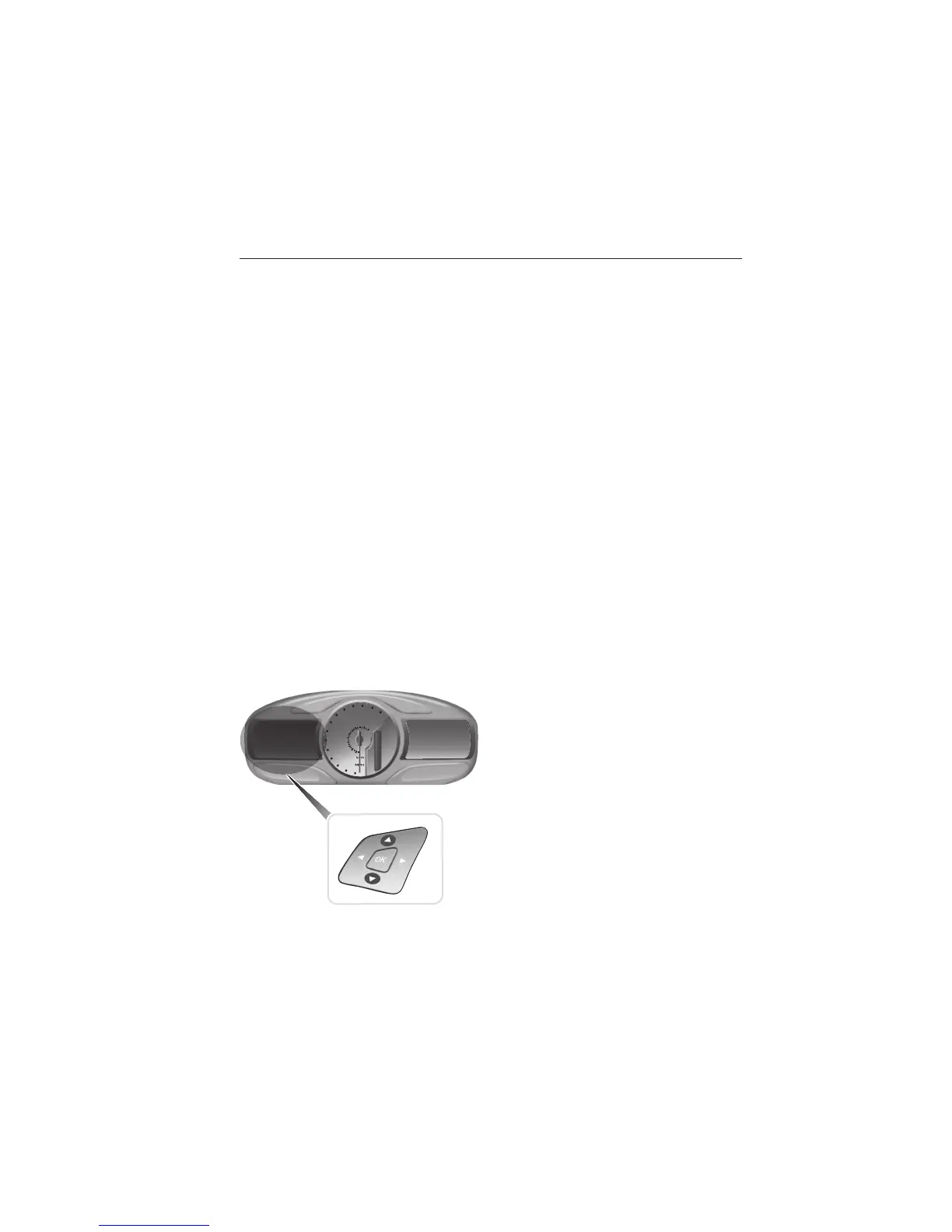
Information Display Controls (Type 2)
• Press the up and down arrow
buttons to scroll through and
highlight the options within a
menu.
• Press the right arrow button to
enter a sub-menu.
• Press the left arrow button to exit
a menu.
• Press the OK button to choose
and confirm a setting/messages.
The menu travel icon in the upper left corner displays the available
button options.
128 Information Displays
2014 Explorer (exp)
Owners Guide gf, 3rd Printing, September 2013
USA (fus)















 To Next Page