5
HOW TO ANSWER AND END A CALL
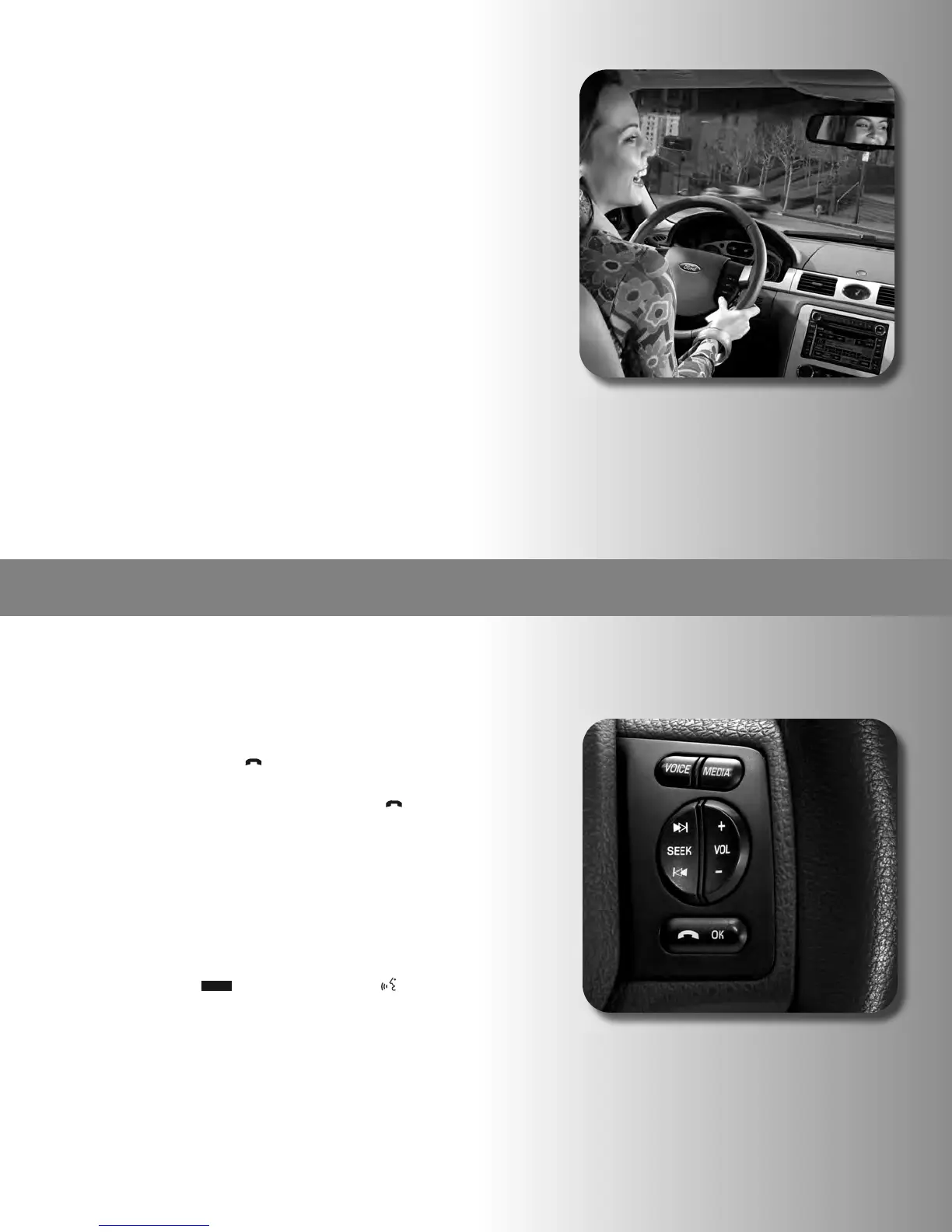
1. Press the telephone icon [ ] on the steering wheel. You
can now talk hands-free.
2. To end the call, press and hold the telephone icon [ ] on
the steering wheel. The call disconnects.
HOW TO MAKE A CALL
There are two ways to make a call. You can tell SYNC to DIAL a number
or CALL a contact.
First, we’ll DIAL a number.
1. Press the VOICE [ ] icon or the talking head [ ] on the
steering wheel controls.
2. Say, “Phone.”
3. After the tone, say, “Dial.”
4. After the system asks for the number by saying, “Number
please,” say the number you want dialed. Speak the number
exactly as you would press the buttons on the Bluetooth-enabled
mobile phone.
5. The number appears in the display, and the system reads the
number back to you and asks you to confirm that it is correct. To
confirm the number, say, “Dial.” The display now reads DIALING
and shows the number being dialed.
(HOW TO ENTER AND LEAVE THE VEHICLE DURING A CALL CONT.)
3
. When you reach your destination, but your conversation isn’t
complete, all you have to do is turn off the vehicle and SYNC
d
oes the rest. Then you can continue your conversation on
your Bluetooth-enabled mobile phone.
Note that if you were connected to a Bluetooth earpiece,
S
YNC will not take over the call automatically. People using ear
pieces should transfer the call back to their Bluetooth-enabled
m
obile phone prior to starting the vehicle. When the ignition is
t
urned on, SYNC will pick up the call.
HOW TO ENTER PRIVACY MODE DURING A HANDS-FREE CALL
When you’re in hands-free mode on a call and you need privacy, it’s
e
asy to switch to the privacy mode. During an active phone call with SYNC,
y
ou can transfer the call to your Bluetooth-enabled mobile phone for a
private conversation.
1. Press PHONE on the navigation screen (if not in the PHONE
m
enu).
2
. Press PRIVACY MODE to activate privacy mode.
3
. To return to hands-free mode, press PRIVACY MODE again.
N
ote: This is a phone-dependent feature.
20
SYNC with Navigation
VOICE



 To Next Page