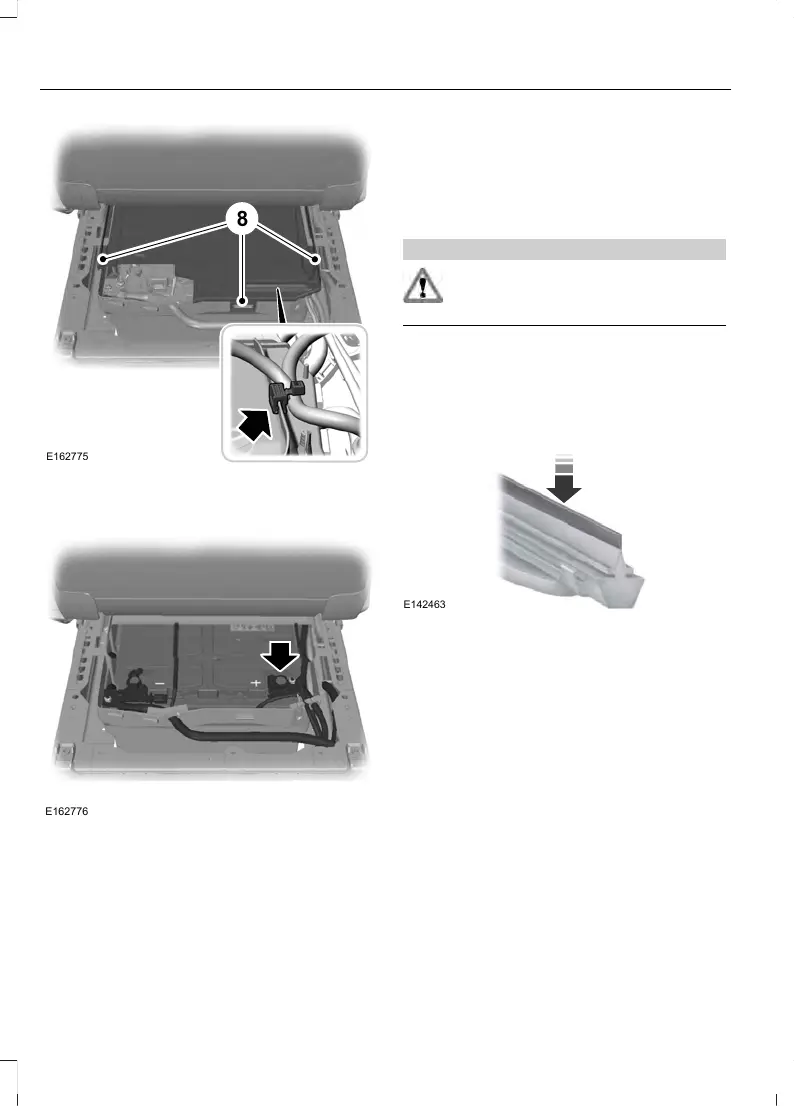
8. Remove the cable securing clips from
the cover. Release the retaining clips
and remove the cover.
9. Remove the positive (+) terminal and
remove the battery.
10. Move the second battery toward the
rear of the vehicle. Disconnect the
battery terminals and remove the
battery.
Note: Single batteries are mounted the
opposite way around in the battery tray. The
negative terminal is toward the rear of the
vehicle.
Installing the Battery
WARNING
Make sure that you securely fasten
the seat runner bolts before installing
the covers.
Install in the reverse order.
CHECKING THE WIPER
BLADES
Run the tip of your fingers over the edge of
the blade to check for roughness.
Clean the wiper blades with washer fluid
or water applied with a soft sponge or
cloth.
CHANGING THE FRONT WIPER
BLADES
Note: Do not hold the wiper blade when
lifting the wiper arm.
Note: Make sure that the wiper arm does
not spring back against the glass when the
wiper blade is not attached.
240
2018 Transit (TTH) Canada/United States of America, JK3J 19A321 AA enUSA, Edition date: 201705, First Printing
Maintenance












 To Next Page