9
FAQs
UFO
™
BASICS
1. WHAT SHOULD I DO AFTER I RECEIVE MY UFO
™
3?
Congratulations on discovering smarter skincare! First things first - download the FOREO For You app for free, to unlock and
register your device. (For more information, please refer to the section below titled ‘THE APP’).
2. HOW DO I START MY FIRST TREATMENT?
First, clean and dry your face and neck carefully - we recommend cleansing with LUNA
™
first for best results. Next, attach a
UFO
™
Activated Mask to your UFO
™
3 device, or place a FOREO sheet mask on your face. Then press the universal button
on your device to turn it on, and select your preferred treatment by pressing the universal button again, or via the app. For
more information, please refer to the How To Use guide above.
3. HOW DO I TURN MY UFO
™
3 DEVICE ON / OFF?
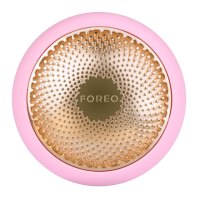
Press the universal button on your UFO
™
3 device to turn it on. To turn your device off, press and hold the universal button
for 3 seconds. After completing a pre-set mask treatment, the device will turn off automatically.
4. WHAT COMES WITH MY UFO
™
3?
UFO
™
3, USB Charging Cable, Device Stand, Quick Start Guide, User Manual.
THE UFO
™
DEVICE
5. HOW OFTEN CAN I USE MY UFO
™
3?
UFO
™
3 has been developed for twice-a-day use, morning and evening. However, depending on your skin’s needs and your
personal preferences, you can use it less often.
6. IS EACH UFO
™
3 PRE-PROGRAMMED MASK TREATMENT THE SAME?
No. Each UFO™ Activated Mask and FOREO Sheet Mask pairs with a unique treatment for optimal results.
7. IS MY UFO
™
3 SAFE TO USE ON SENSITIVE SKIN?
UFO
™
3 devices are safe to use and suitable for all skin types. Furthermore, depending on your skin’s specific needs,
you can choose from a range of different FOREO masks that cater to different skincare desires.
8. CAN I USE MY UFO™ 3 DEVICE AFTER HAVING PLASTIC SURGERY, BOTOX, OR DERMAL FILLERS?
UFO
™
3 devices offer a gentle facial treatment, suitable for all skin types. However, you should consult your doctor before
use if you have had any recent medical procedures.
9. CAN I USE MY FOREO LUNA
™
WITH MY UFO™ 3?
Yes! UFO
™
3 & LUNA
™
work better together - the LUNA
™
facial cleansing massager gently exfoliates dead skin cells, unclogs
pores, and removes up to 99% of dirt and oil, giving you the perfect canvas for a UFO
™
3 treatment.
10. WHAT IS THE DIFFERENCE BETWEEN UFO
™
3 AND UFO
™
2?
Unlike UFO
™
2 where you had 8 slots to save your favorite mask routines, UFO
™
3 will be pre-set with 8 customized
treatments - which you can adjust to your preferences via Settings on the app. You will still have the option to go back to
setting mask routines for each slot if you prefer. For more information, please refer to the Settings guide above
THE APP
11. WHY DO I NEED TO DOWNLOAD THE FOREO APP BEFORE USING MY UFO
™
3?
All app-enabled FOREO products need to be activated and unlocked via the FOREO For You app the first time they are
turned on. This helps protect against fake/copied FOREO products and makes it easier to register the warranty and protect
your investment.
12. HOW DO I PAIR MY UFO
™
3 WITH THE FOREO APP?
Download the FOREO For You app to your smartphone or tablet and turn on Bluetooth. Press the universal button on your
device once to turn it on. A blinking light indicates your device is in pairing mode. Follow the instructions in the app to
register and pair your UFO
™
3 device.
13. DOES MY UFO
™
3 WORK WITHOUT THE APP?
Yes, you can manually access 8 pre-set treatments on your device, without the app. Simply turn on UFO
™
3 by pressing the
universal button. Then press the universal button again (up to 8 times) to select one of eight pre-set treatments.


 To Next Page