Quick Installation Guide Single Appliance
Version 8.1 21
7. Select User Configuration.
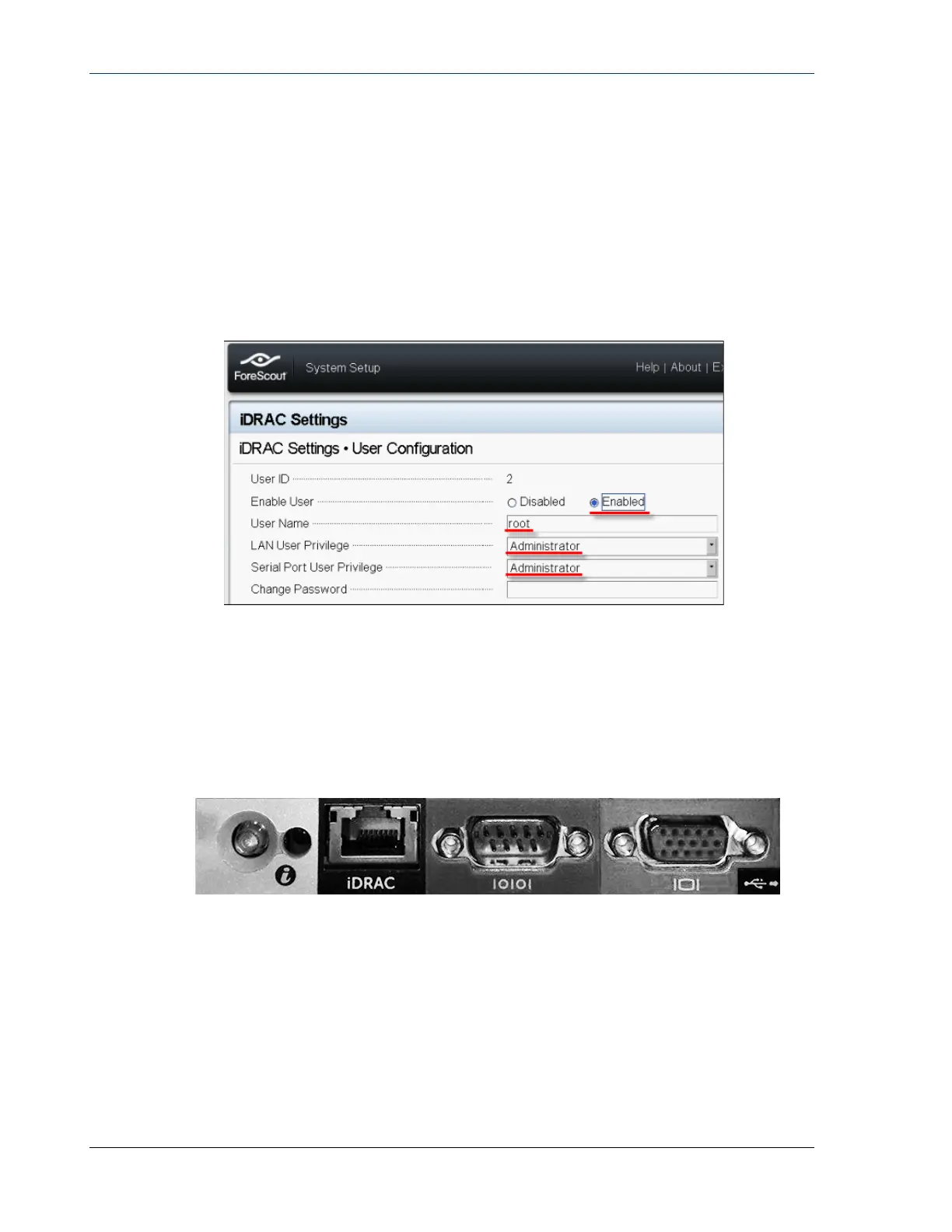
8. Configure the following User Configuration fields for the ‘root’ user:
− Enable User. Verify that this field is set to Enabled.
The user name configured here is not the same as the Forescout user
name.
− LAN and Serial Port User Privileges. Set privilege levels to
Administrator.
− Change Password. Set a password for user login.
−
9. Select Back and then select Finish. Confirm the changed settings.
The configured settings are saved and the system reboots.
Connect the Module to the Network
The iDRAC connects to an Ethernet network. It is customary to connect it to a
management network. The following image shows the iDRAC port location on the
rear panel of the CT-1000 appliance:
Login to iDRAC
To log in to iDRAC:
1. Browse to the IP Address or domain name configured in iDRAC Settings >
Network.


 To Next Page