Connecting to Software
Connecting your Foresight Sports Falcon to our gaming and performance software is
necessary to see your shot data. Once you have completed the overhead calibration process,
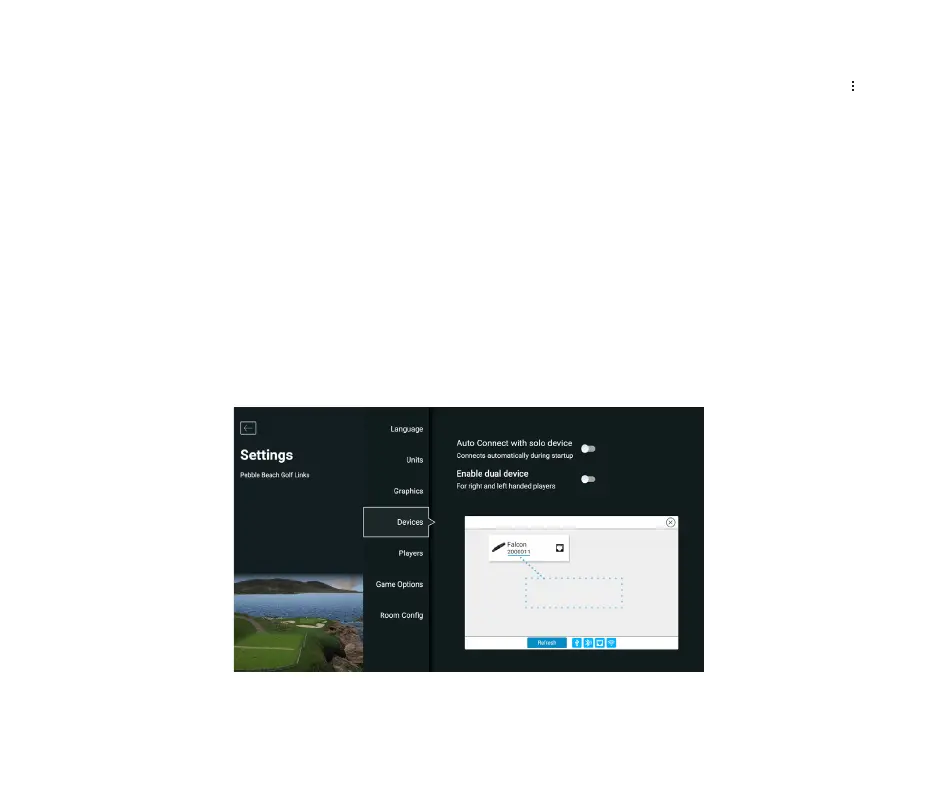
launch either FSX Play or FSX Pro and navigate to the device connection screen. Your device
will appear on screen once it’s recognized.
*Note: Serial number is underlined in blue on the image below. Locate your device by serial
number and click the connect button. You are now connected to software! If your device is not
recognized, check your connection and click the refresh button to try again.
FALCON QUICK START GUIDE
10
2000011



 To Next Page