10
EN
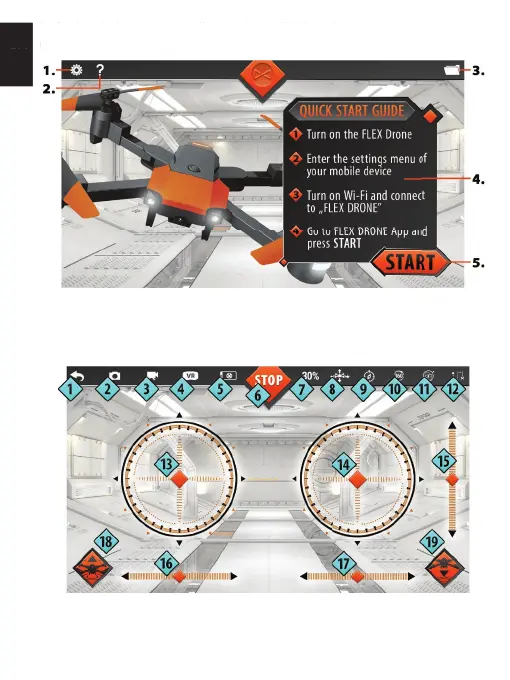
5. After launch, the start screen will appear. Select “START” on the start screen
Use of application
1. Application settings
2. Application instruction manual.
3. Viewing recorder materials using the application in the phone’s memory
4. Quick start instructions
5. Drone control mode.
1. Back
2. Shooting a photo and saving it in the phone’s memory
3. Recording a video and saving it in the phone’s memory
4. VR mode
5. After launch, the start screen will appear. Select “START” on the start screen
Use of applicationUse of application
2. Application instruction manual.
3. Viewing recorder materials using the application in the phone’s memory
4. Quick start instructions
2. Shooting a photo and saving it in the phone’s memory
3. Recording a video and saving it in the phone’s memory


 To Next Page