How to use
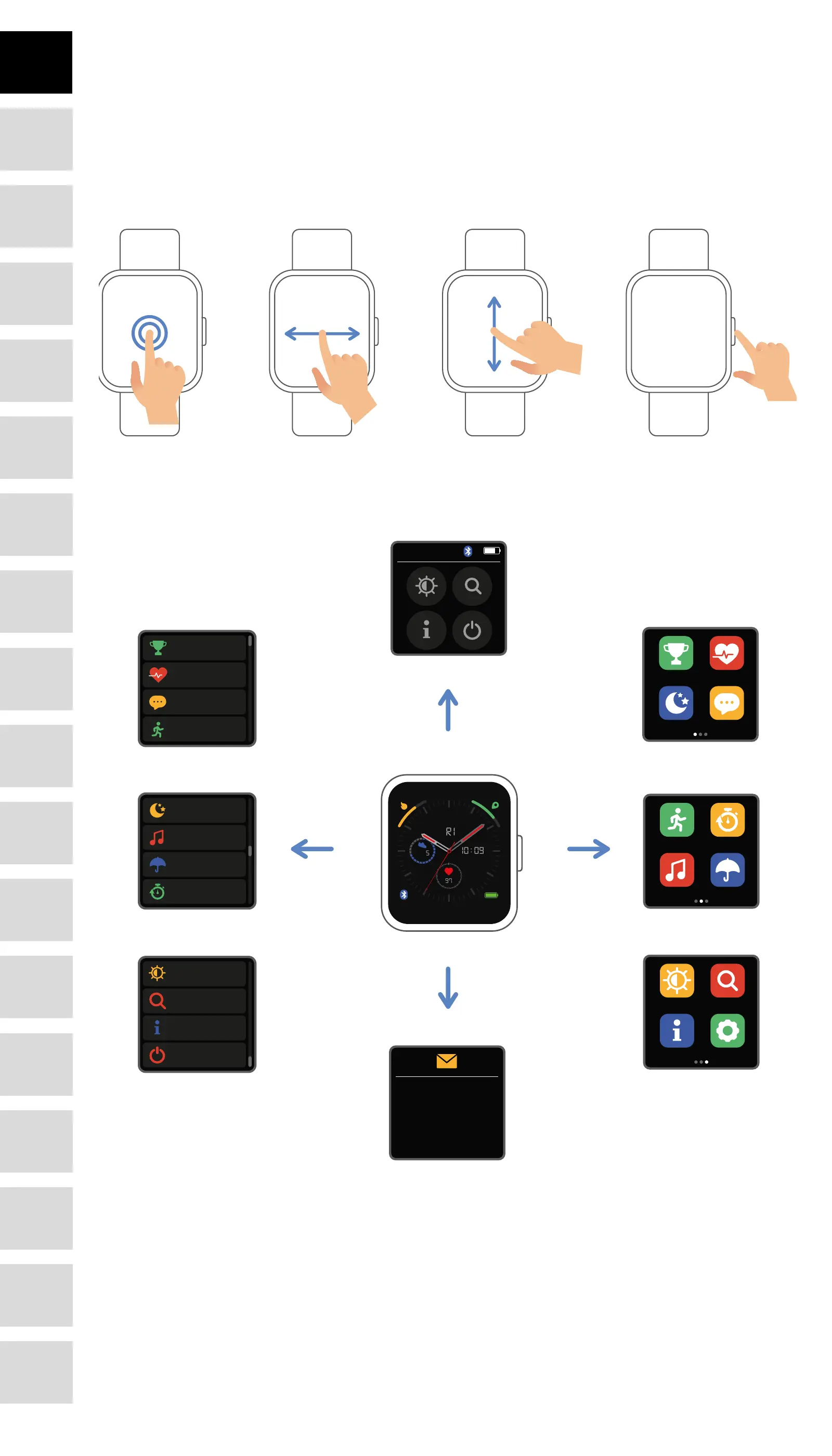
Turn on: Press and hold the function button for 3 seconds.
Go to menu: Slide from left to right in the watch face interface.
Select a function: Slide up/ down or right/left in the watch face and then tap the icon.
Conrm: Tap the icon.
Exit the menu: Slide the interface from left to right.
Return to the watch face: Briey press the function button in any interface.
Check messages: Slide from bottom to top in the watch face interface.
Menu navigation
After turning on the smart watch, the watch face interface is displayed.
Sports Timer
WeatherMusic
Sport data Heart rate
MessagesSleep
Brightness Find phone
SettingsSystem info
Sport data
Heart rate
Message
Sports
Sleep
Music
Weather
Timer
Brightness
Find phone
System info
Shut down
Thu30/07
Alex: Hi, I have some
good news for you!
10:09
19/10
FRI
97
7645
When the watch face interface is displayed:
1, Go to the menu interfaces:
» Slide from left to right in the watch face interface to enter the menu interfaces.
» Slide up and down to switch the menu interfaces.
» Tap the icon to enter the sub menu. Slide from left to right to return to the previous menu.
2. Go to the messages shortcut interface
» Slide from bottom to top in the watch face interface.
3. Go to other shortcuts interface
» Slide from top to bottom in the watch face interface.
4
DE
FR
IT
EE
GR
ES
PL
CZ
SK
RU
LT
BG
RO
PT
HU
LV
EN
NL








 To Next Page