3
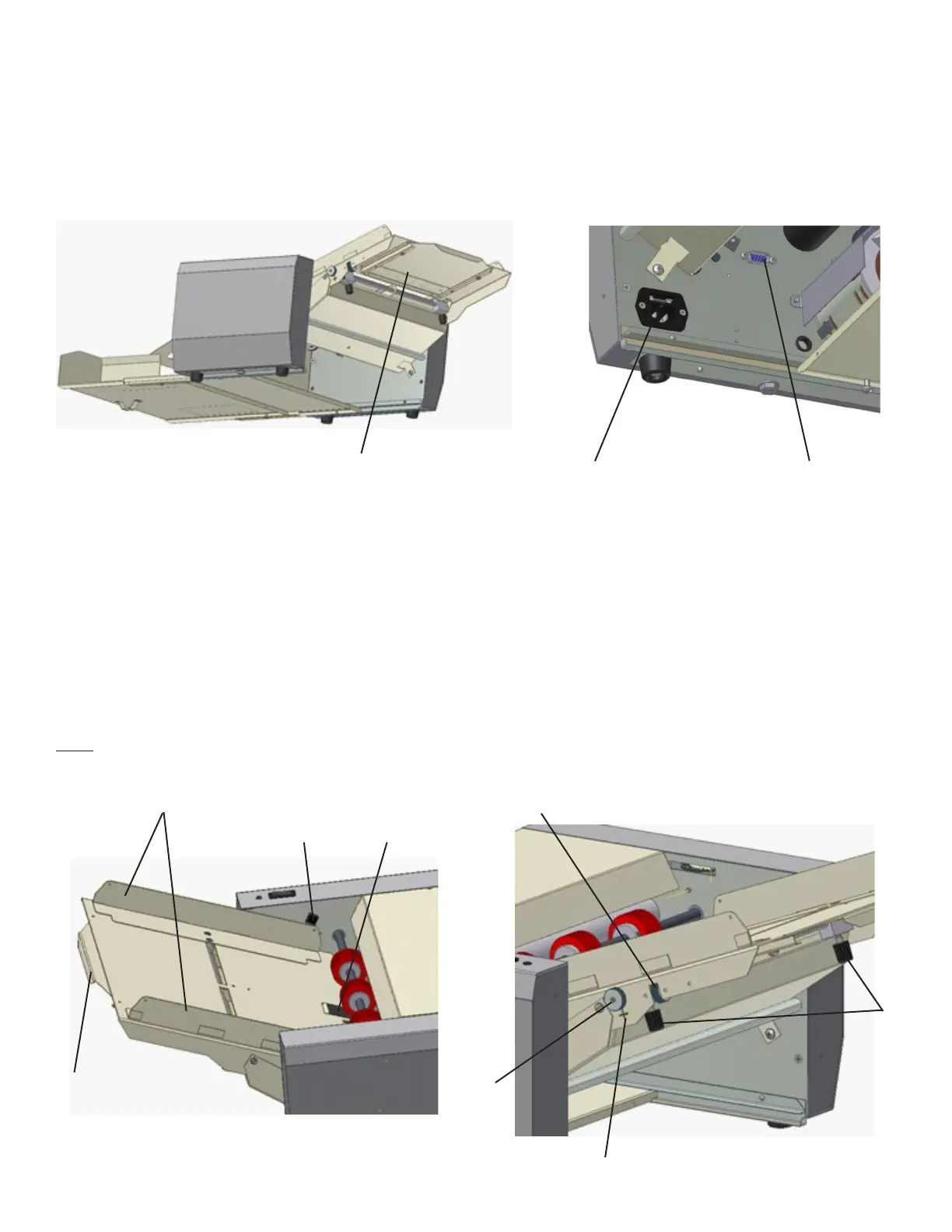
After unpacking the FD 90 / FD 95, place it on a solid surface and slide the infeed table into the machine and secure with
enclosed screws. Connect the male part of the cable into the female part of the connector that is located on the inside of
theleftsidecoverofthemachine.ConnectthepowercordintotheFD90/FD95andplugintoanappropriateelectrical
outlet.Donotturnonpoweruntiladjustmentshavebeenmade.
Infeed table
Connector inputElectrical input
Infeed table adjustment
Pushthefeedtraydownuntilthelever(13)lockstosecurethetableintheopenposition.Setthesideguides(8)tothewidth
of the paper being used and secure the position of the side guides using the thumb screws (14). When feeding small-size
sheets, remember to align the paper to the center of the table. The center of the sheet should always make contact with the
centeroftherubbersingulatorpad(15).Tomakeneadjustmentstothesideguides(±5mm),usethescrewadjustment
knob (16).
The squareness of the feed table to the infeed can be adjusted using the skew adjustment knob (17). Check the ideal center
position by aligning the cross position mark (18). The feed table extension can be used to support large paper sheets (9).
Note: Sheets weighing 180 g/m² and more must be inserted one at a time.
INSTALLATION AND OPERATION
14
18
16
17
9
15
13
8


 To Next Page