4
Startthemachinebypressingthepowerswitch(7).Besuretheuppercover(5)isclosed.Whentheuppercoverisclosed
and paper is loaded correctly on the infeed table, the machine will automatically begin to feed paper and the red LED (12)
willlist.Whenthepaperrunsoutortheuppercoverisopened,theLEDwillblink.FD 95 only: Speed can be adjusted for
variouspaperweightsbyusingvariablespeedknob.Counterwilldisplaysheetsprocessed.PressresetbuttontoZERO
the counter.
Outfeed table adjustment
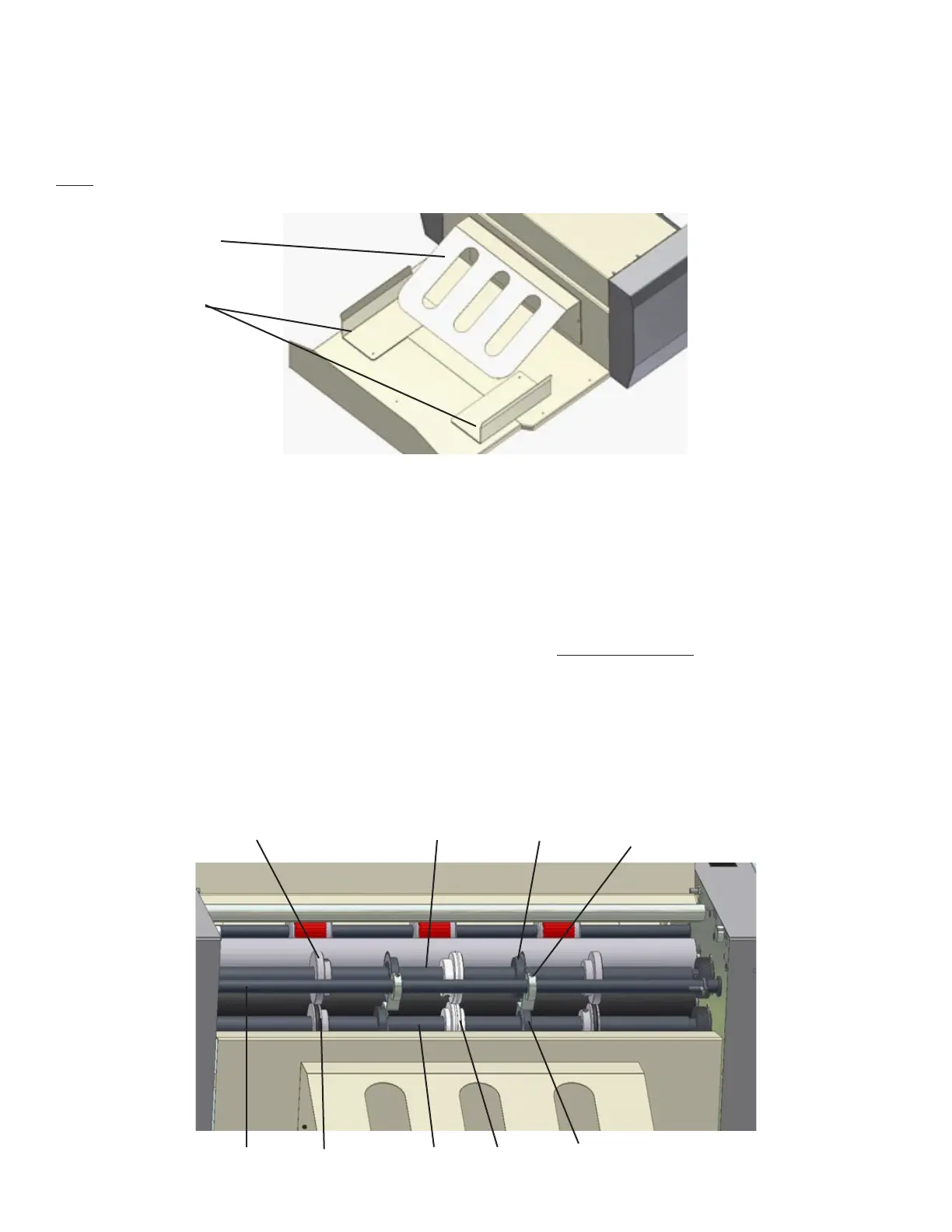
Adjust the output table (2) by sliding the table outward, depending on the size of the sheet being processed.
For easier stacking of larger sheets attach the bridge (11) and magnetic side guides (10). These facilitate sheet stacking and
substantially reduce paper jamming.
Note: If the table is not extended above the pad, do not overload it, as the table might become damaged or bent.
11
10
Operation
Replacing & Adjusting Perforating Tools or Creasing Wheels
Toadjusttheperforatingtools(21,27)orthecreasingwheels(26),rstunplug the machine.Openthecover(5)anduse
anAllenwrenchtoloosenthescrewsonthehubsofthebladeguides(22)andremovetheshaft(23)withthebladeguides
from the machine.
Loosenthescrewsonthehubsofalltoolsyouwanttoadjustorremove.Loosetoolscanbemovedfreelyalongtheshafts.
When the tools are positioned, the screws must be tightened and the tools secured in the required position. Return the shaft
with the blade guides into the machine to its working position near the perforating wheels.
It is possible to install a maximum of 5 perforating tool sets including the blade guide (28). (Two sets of perforating tools are
included.)
19
2726252423
22
21
20


 To Next Page