Sync with NTP server: Network Time Protocol will synchronize your camera with an Internet time server.
Choose the one that is closest to your camera.
Use DST: Select the use DST (Daylight Saving Time, to set the clock ahead of the real-time), then set
the start time and end time of the DST, select the daylight saving time from the drop-down menu at last.
Click Save button and submit your settings.
4.6.2.3 User Accounts
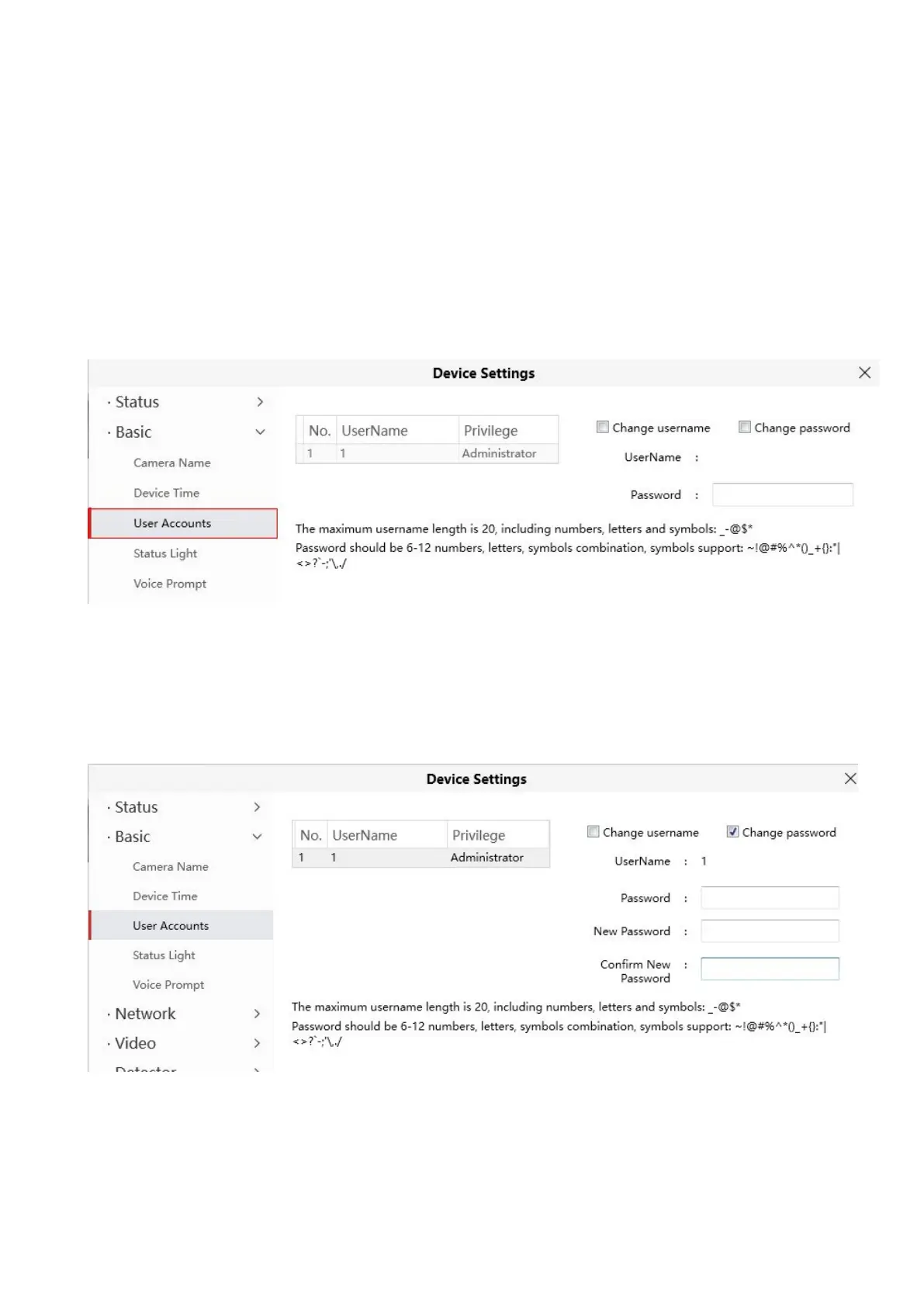
Here you can create users and set privilege, visitor, operator or administrator. The default administrator
user accounts are administrator with a blank password.
How to change the password?
Firstly, select the account which you want to change the password, then select Change password,
enter the old password and the new password, lastly click modify to take effect.
How to change the username?
Select the account which you want to change the username, then select Change username, enter the
new username and the password, lastly click modify to take effect.


 To Next Page