There are two options: Yes or NO. Select Yes and you can see the system date on the video.
Display Camera Name
There are two options: Yes or NO. Select Yes and you can see the device name on the video.
4.5.3 Privacy Zone(Only R2, C2)
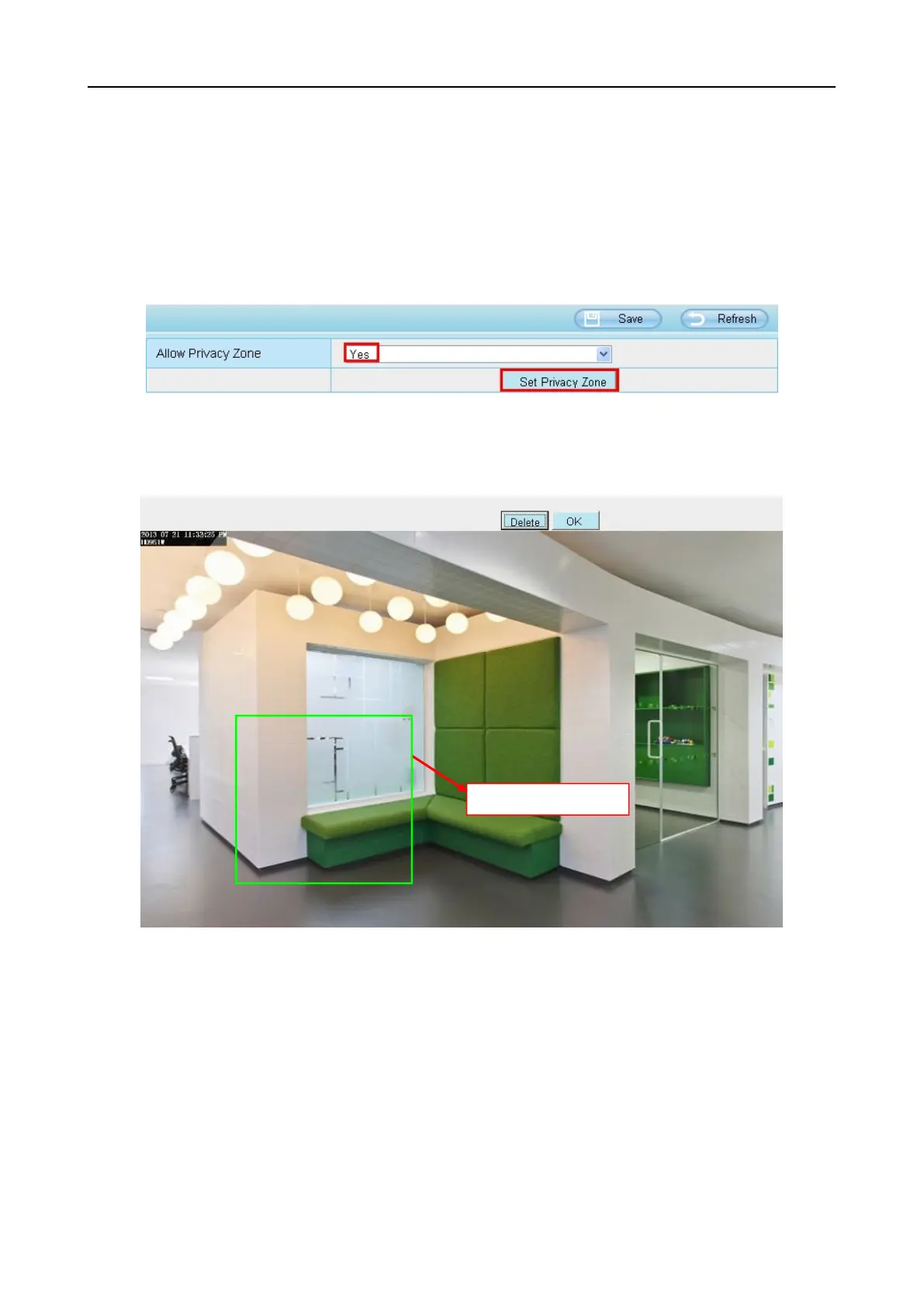
This page is used to set some mask as privacy zone on the video.
Allow On Screen Display Mask
There are two options: Yes or NO. Select yes and draw a mask area on the video, the mask area will be
black on the video.
Click OK button and return to the OSD page, click Save to take effect.
Back to the surveillance window, you can see the mask area as the following picture:



 To Next Page