5 Playback
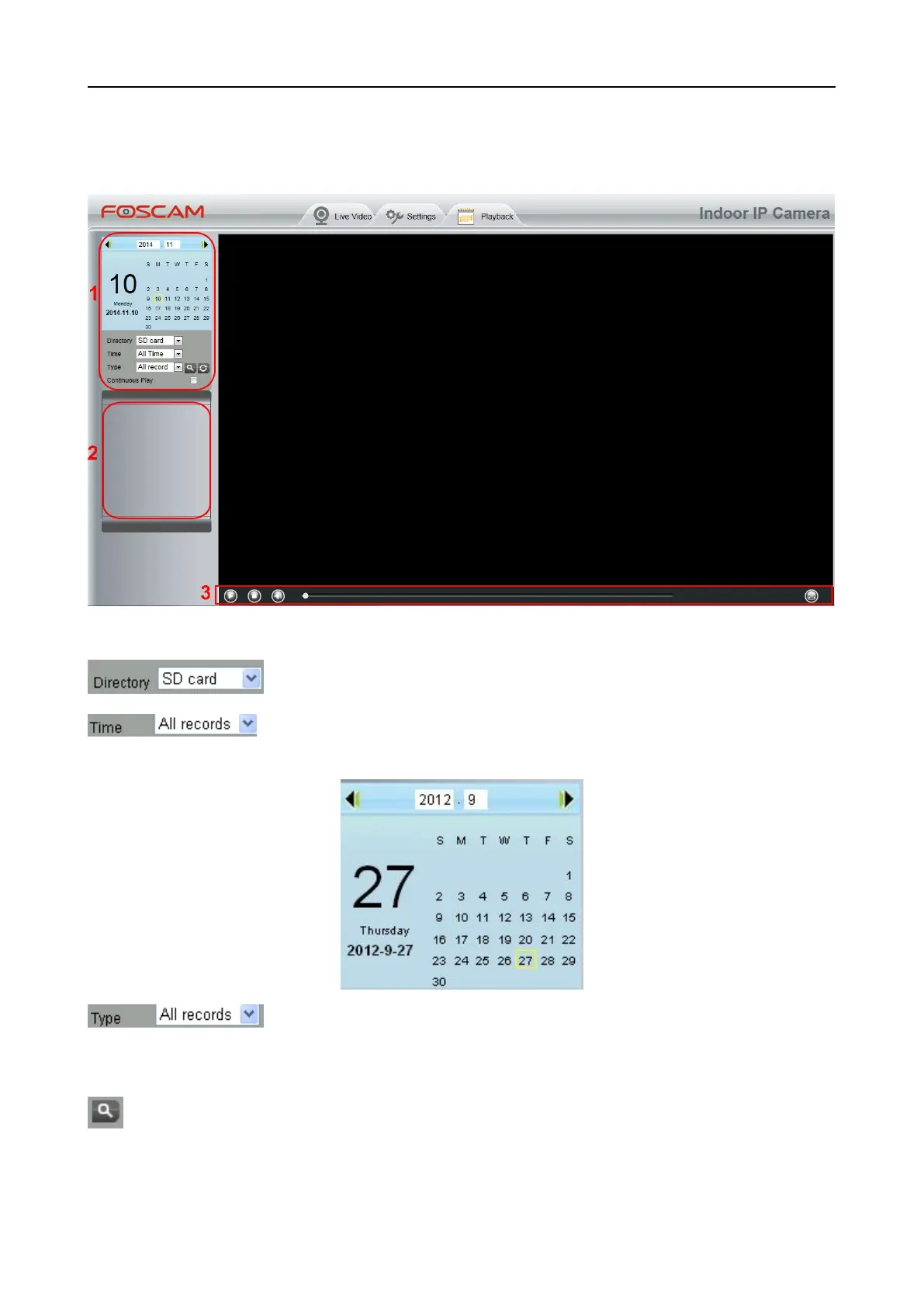
On this page you can view the record files stored in the SD card.
Section 1 Define the Record files time and Type
: The storage path of record files
: Here supports three types: current day, current month and All records. Another
way, select the time on the time&date manually.
: The type of records files, Here supports two typs: Normal record, Alarm record
and All records.
: Click this button to search all record files satisfy the conditions you selected.
Continuous Play: Select the checkbox to play continuously all the record files.



 To Next Page