4.8.2 Cruise Settings
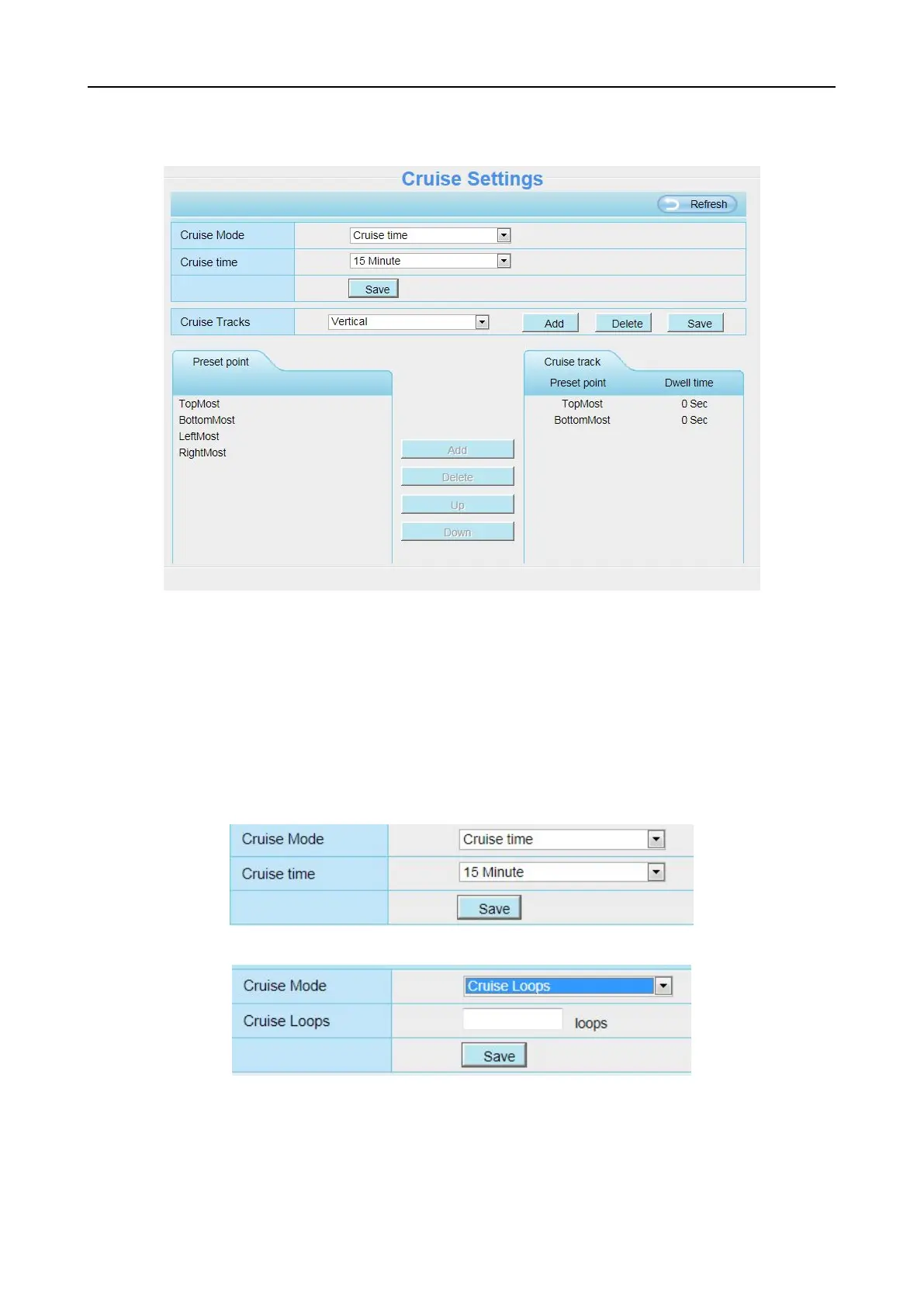
This section explains how to add/ delete/ alter one cruise track.
Setting the Cruise Mode
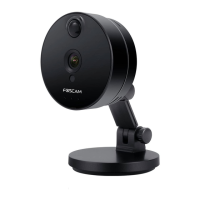
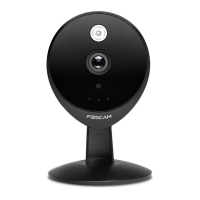
There are two cruise mode: Cruise time and Cruise Loops.
Cruise time: Select Cruise time from Cruise Mode drop-down, then you can set the Cruise time of the
camera.
Cruise Loops:Select Cruise Loops from Cruise Mode drop-down, you can set the Cruise Loops of
the camera.
Click Save to take effect.
Manage the Cruise Track
There are two default cruise tracks: Vertical and Horizontal.
Vertical: The camera will rotate from up to down



 To Next Page