1.4 Physical Description
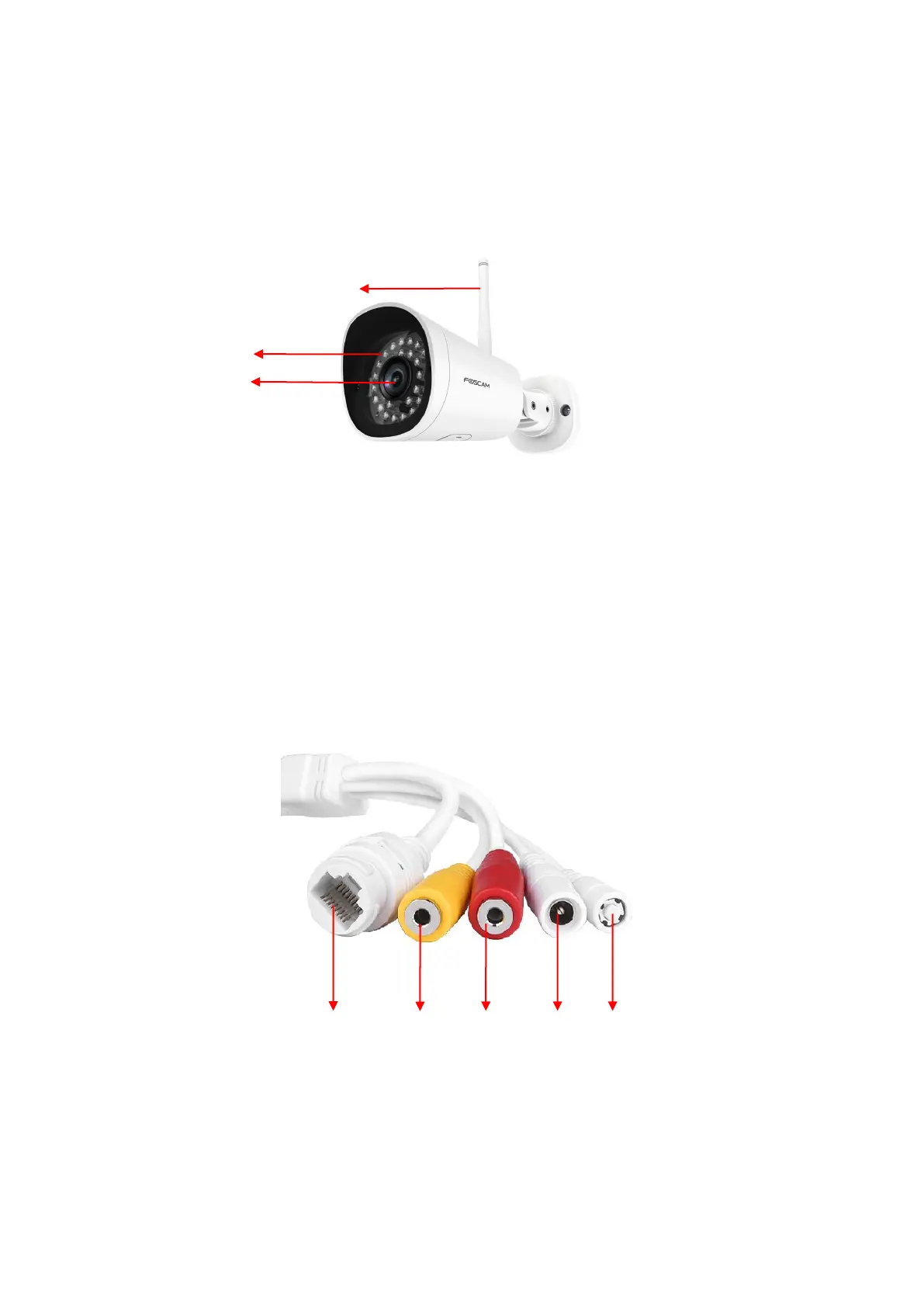
1.4.1 Front Panel
1 WIFI Antenna: Wireless Antenna
2 Infrared LED: 30 IR LEDs
3 LENS: All Glasses Material
1.4.2 Interface
1 LAN
10/100M adaptive Ethernet interface. Through this interface, IP camera can be connected with various network
devices, such as hub, router, etc.
2 Audio input interface
The jack is used to plug external input device such as sound pick up device directly. Here microphone cannot
directly insert to the interface, it must connect to adapter first.



 To Next Page