Ensure that rain or water will not reach the connector ports at the end of the pig tail wiring. These connectors
are not weather-resistant.
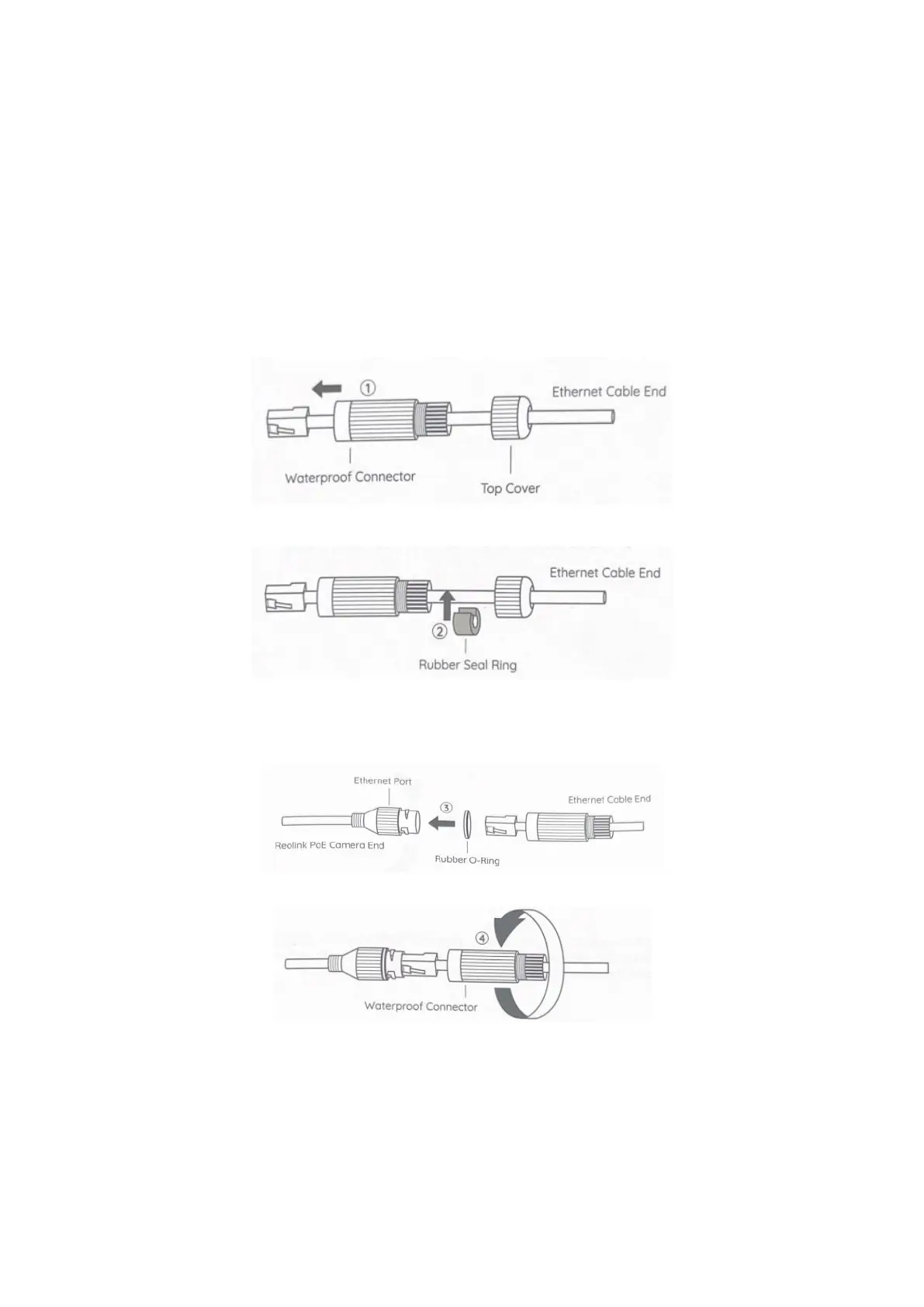
1.8 Waterproof Lid Installation Guide
When mounting your PoE camera outdoors, you are suggested to install the waterproof lid for it. You may
follow the steps for installation.
1. Thread the Ethernet cable through the top cover and then the waterproof connector.
2. Put the rubber seal ring around the Ethernet cable between the top cover and the waterproof connector.
Note: The rubber seal ring provided has been cut. If not, you may manually cut it.
3. Put on the rubber O-ring to the Ethernet port of the camera and plug the Ethernet cable into the Ethernet
port.
4. Align the waterproof connector with the Ethernet port, then twist it clockwise to tighten the two parts.
5. Push the rubber seal ring into the waterproof connector, then screw the top cover and lock it into position
firmly to finish installation.



 To Next Page