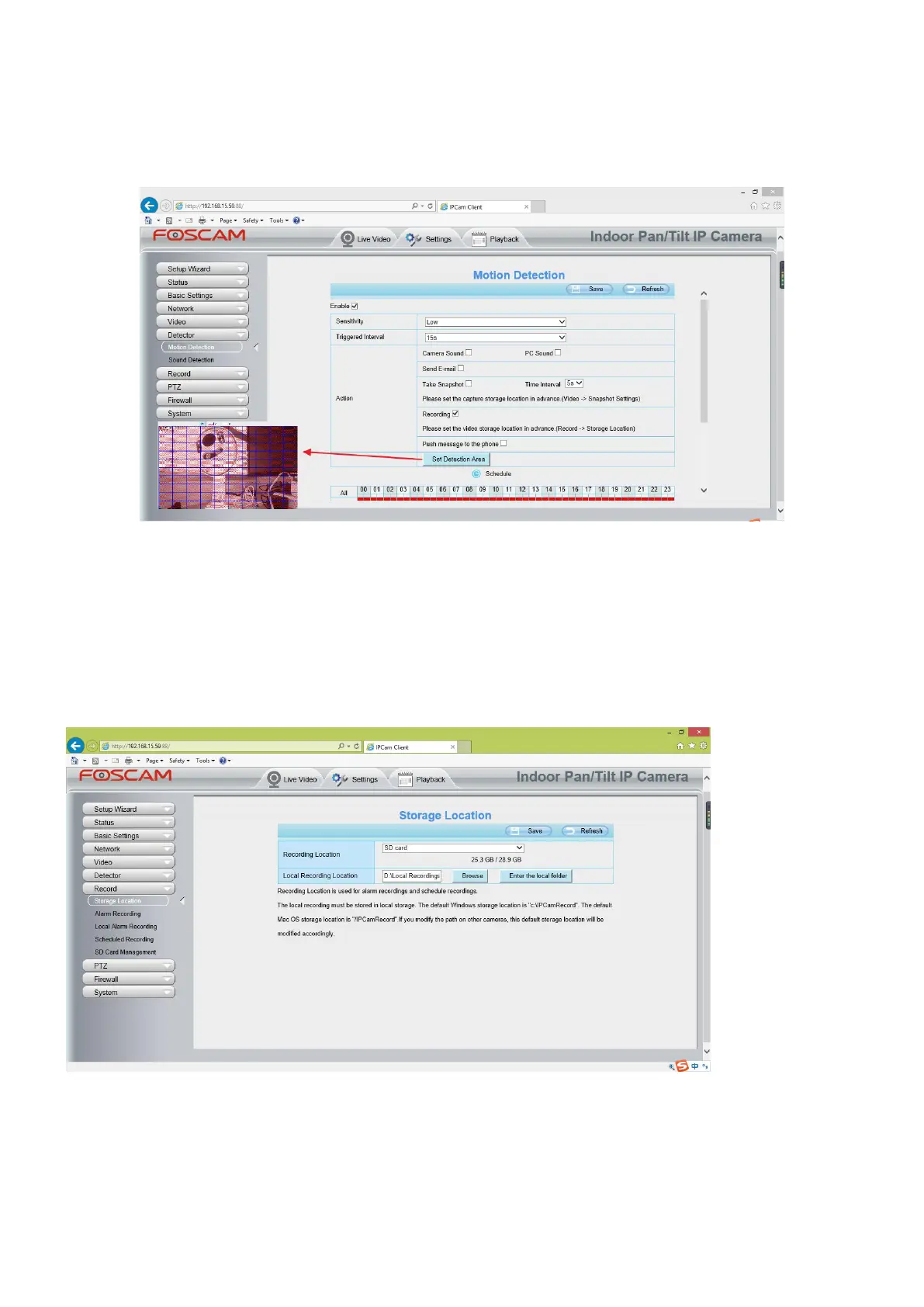
(2) Choose Recording for the alarm action.
(3) Set the Detection Area
(4) Set a Schedule.
(5) Click Save to save the settings.
Note:
1) Please DO NOT forget to set the alarm schedule, the alarm schedule is red.
2) Please make sure your camera time is correct.
3) Please DO NOT forget to set the alarm area, the detected area is covered by the red grids. Or for some
models you can setup 3 detection zones in total.
Step 2: Setup the Storage Location
Go to Settings > Record > Storage Location, and set the “Recording Location” to “SD card and click Save.
Note:
SD card needs format correctly so it’ll be identified by camera, and has enough space for saving the recordings.
It’s suggested to use FAT32 for 4G~32G SD card and exFAT for 64G and above SD card.



 To Next Page