6.1.6 How to setup alarm Emails
Setup alarm Emails, when camera detects a motion it’ll send Email with snapshot to inform about the motion
alarm. Steps as below.
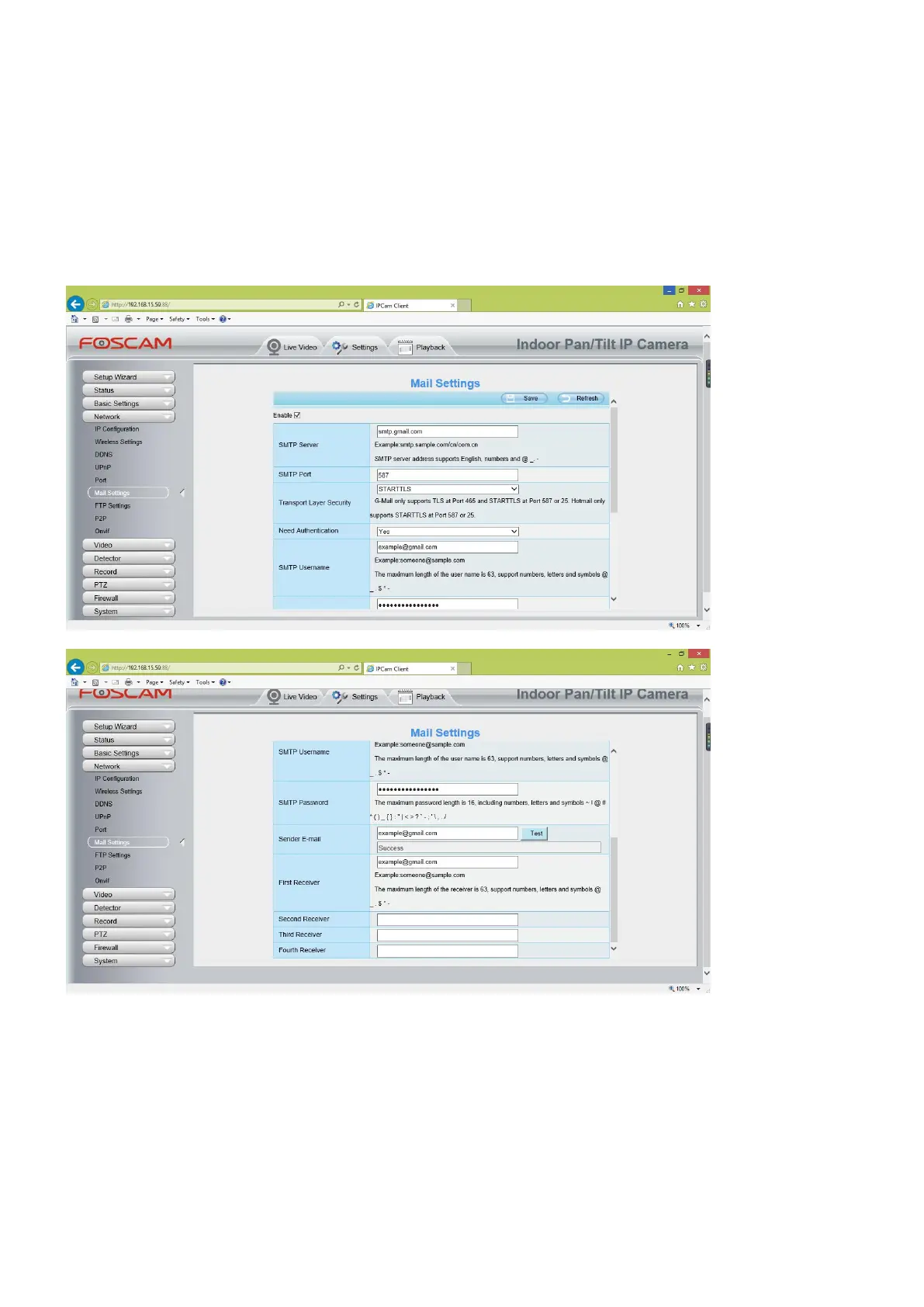
Step 1: Setup Mail Settings
Before you set, please make sure that your email for sender enabled SMTP. And get your Email SMTP server,
SMTP port, TLS information ready.
Please go to Settings > Network > Mail Settings menu to setup your email firstly.
Note:
(1) Please make sure that your sender email supports SMTP;
(2) Please click on Save before you click on Test;
(3) Make sure the test result is success.
(4) After succeed, you will receive a test email in the mailbox of Sender.
Step 2: Setup the Motion Alarm Settings
Please go to Settings > Alarm > Motion Detection menu:



 To Next Page