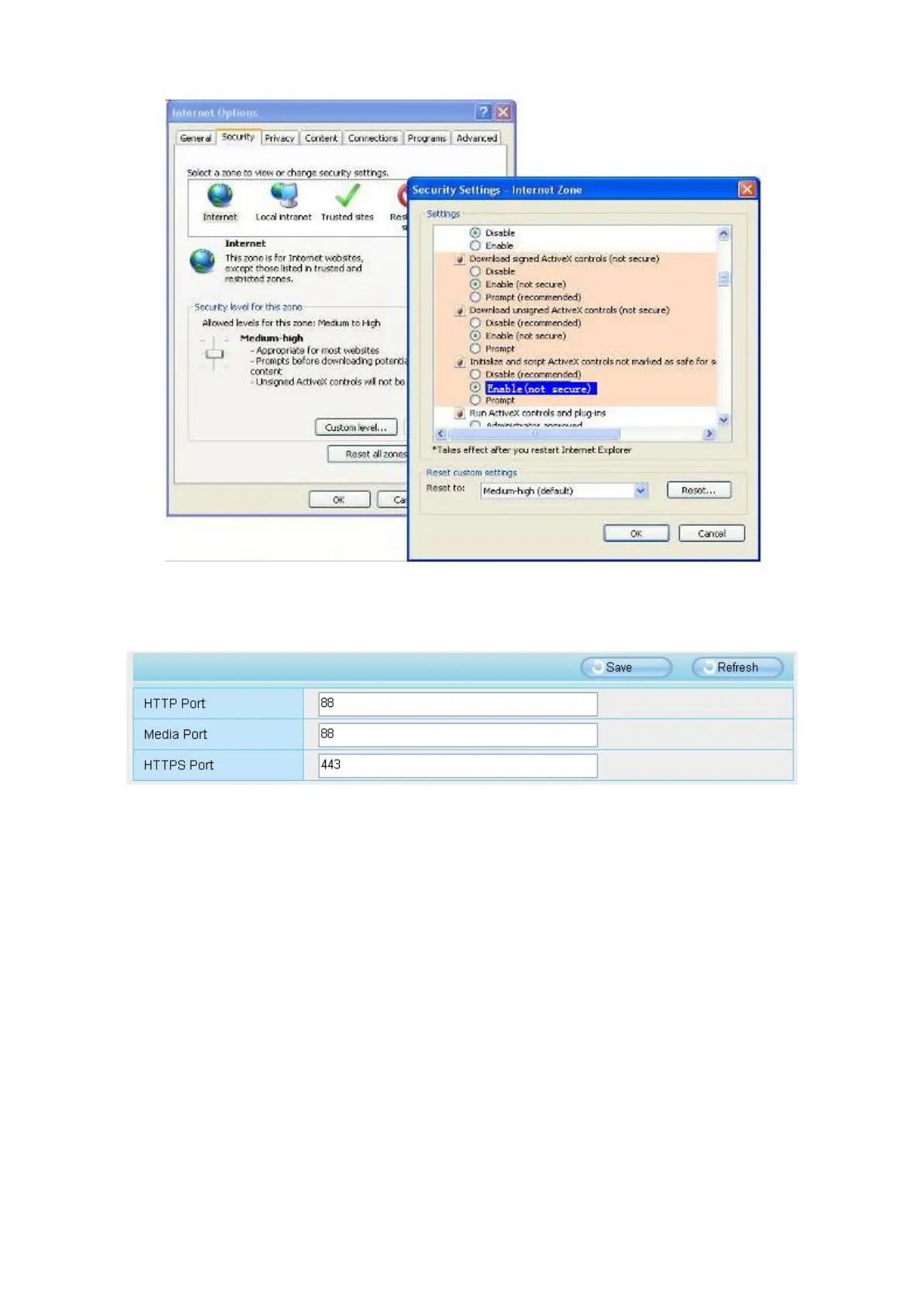
If you allow the ActiveX running, but still could not see living video. Please change another port number to try.
Don't use port 8000.
NOTE: Make sure that your firewall or anti-virus software does not block the camera or ActiveX. If you could
not see video, please shut down firewall or anti-virus software to try again.
6.1.7 Can't Access IP Camera in Internet
There are some reasons:
1. ActiveX controller is not installed correctly
2. The port which camera used is blocked by Firewall or Anti-virus software. Please change another port
number and try again.
3. Port forwarding is not successful.
Check these settings and make sure they are correct.
6.1.8 UPnP Always Failed
UPnP only contains port forwarding in our recent software. Sometimes, it may be failed to do port forwarding
automatically because of firewall or anti-virus software. It also has much relation with router's security settings.
So we recommend you do port forwarding manually. You can view your camera in internet successfully after



 To Next Page