EasyManua.ls Logo

Foster EP700G - User Manual

Foster EP700G
16 pages
Print Icon
To Next Page IconTo Next Page
Loading...
User Manual
EP700H, EP700M, EP700L, EP700G, EP700F, EP700P,
EP700SH, EP700SL, EP1440H, EP1440M, EP1440L,
EP1440G, EP700HH, EP700HL, EP700LL, EP700H2,
EP700L2, EP700LW, EP700L2MD, EP820HU,
EP820MW, EP1440LG, EP1440HSTB.
Cabinets

Other manuals for Foster EP700G

Questions and Answers

Summary

Getting to Know Your New Foster Appliance

Safety Warnings and Information

Details critical safety warnings, danger signs, and helpful information for users.

Climate Class, Electrical and General Safety

Details on climate ratings, electrical safety, and overall operational precautions.

Disposal Requirements

Guidelines for the environmentally responsible disposal of the appliance.

Installation

Removal of Packaging

Instructions for safely unpacking the appliance and necessary tools.

Cabinet Installation Procedures

Step-by-step guides for installing single and double door cabinet models.

Start-Up and Test Sequence

Procedures for initial setup, appliance placement, and testing before use.

Using the Appliance

Display Icons and Buttons Overview

Explanation of the control panel's icons, buttons, and their functions.

Set Point and Keypad Security

Instructions on adjusting temperature set points and securing the control panel.

Defrost and Loading Guidelines

Information on defrost functions and best practices for loading products.

Door Lock and Internal Light

Instructions for operating the door lock and internal light features.

Maintenance

Cleaning and General Maintenance

Detailed procedures for cleaning the appliance, including safety precautions.

Component Cleaning Procedures

Procedures for cleaning condenser air grill, condenser, gasket, and shelves.

Regular Servicing and Troubleshooting

Information on professional servicing, alarms, warnings, and common fault diagnosis.

Summary

Getting to Know Your New Foster Appliance

Safety Warnings and Information

Details critical safety warnings, danger signs, and helpful information for users.

Climate Class, Electrical and General Safety

Details on climate ratings, electrical safety, and overall operational precautions.

Disposal Requirements

Guidelines for the environmentally responsible disposal of the appliance.

Installation

Removal of Packaging

Instructions for safely unpacking the appliance and necessary tools.

Cabinet Installation Procedures

Step-by-step guides for installing single and double door cabinet models.

Start-Up and Test Sequence

Procedures for initial setup, appliance placement, and testing before use.

Using the Appliance

Display Icons and Buttons Overview

Explanation of the control panel's icons, buttons, and their functions.

Set Point and Keypad Security

Instructions on adjusting temperature set points and securing the control panel.

Defrost and Loading Guidelines

Information on defrost functions and best practices for loading products.

Door Lock and Internal Light

Instructions for operating the door lock and internal light features.

Maintenance

Cleaning and General Maintenance

Detailed procedures for cleaning the appliance, including safety precautions.

Component Cleaning Procedures

Procedures for cleaning condenser air grill, condenser, gasket, and shelves.

Regular Servicing and Troubleshooting

Information on professional servicing, alarms, warnings, and common fault diagnosis.

Overview

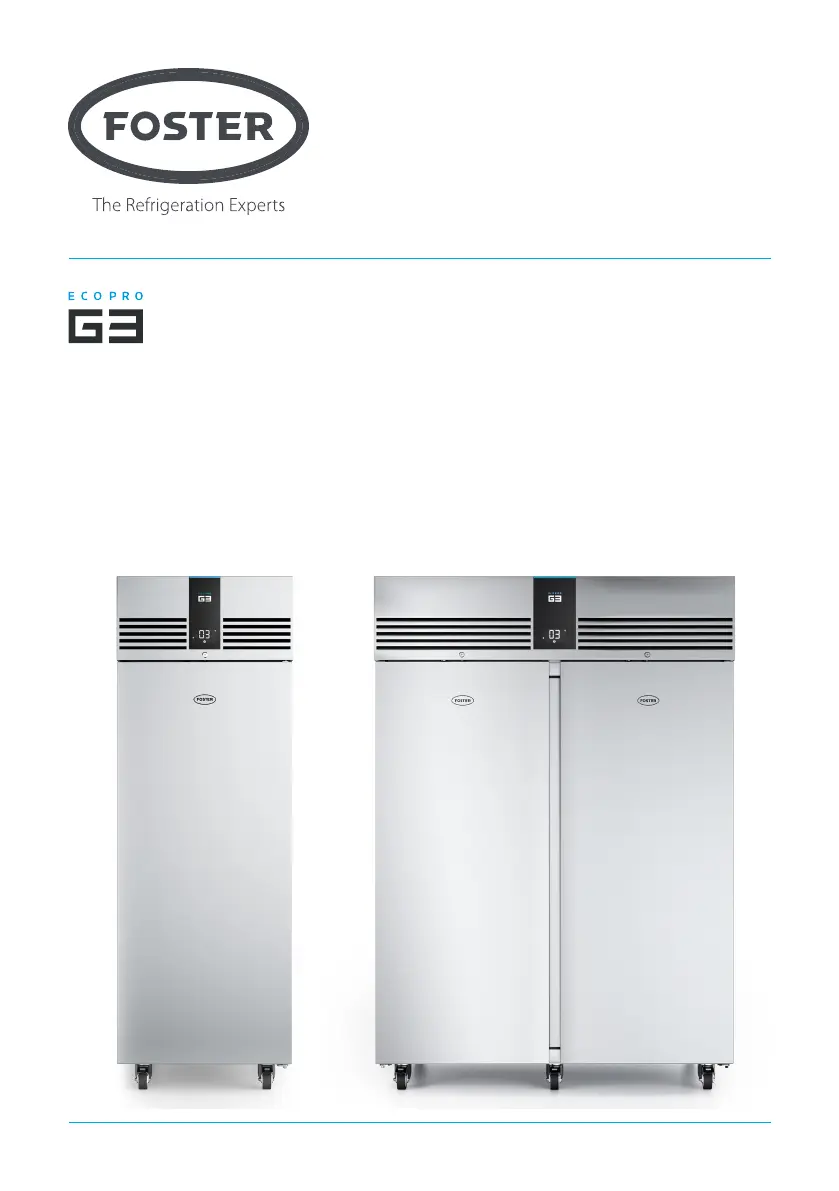
The Foster G3 Cabinets are commercial refrigeration units designed for professional use, offering a range of models including single and double-door configurations. This user manual provides comprehensive instructions for installation, operation, and maintenance to ensure optimal performance and extend the appliance's lifespan.

Function Description:

The Foster G3 Cabinets are designed to store food products at controlled temperatures, maintaining freshness and safety. They feature an internal refrigeration system that automatically regulates temperature and includes a defrost function to prevent ice buildup. The units are equipped with adjustable, removable shelves and trayslides, allowing for flexible storage configurations. Airflow management is a critical aspect of their design, ensuring even temperature distribution and energy efficiency. The cabinets are suitable for various commercial kitchen environments, with models tested for climate classes 4 (30°C ambient, 55% relative humidity) and 5 (40°C ambient, 40% relative humidity).

Important Technical Specifications:

  • Climate Class:
    • Class 4: 30°C ambient temperature, 55% relative humidity
    • Class 5: 40°C ambient temperature, 40% relative humidity
  • Electrical Safety: Requires connection to an electrical supply protected by a Residual Current Device (RCD), such as an RCCB type socket or an RCBO supplied circuit. Replacement fuses must match the value stated on the serial label.
  • Sound Level: Emitted sound level is not greater than 70dB(A).
  • Shelf Capacity: Each shelf is capable of holding up to 40kg of product, evenly distributed.
  • Ventilation: Requires adequate ventilation, with minimum clearances of 100mm at the rear and 50mm on the sides for warm air dissipation.
  • Weight: Single-door appliances weigh up to 150kg (empty), and double-door appliances weigh up to 230kg (empty).
  • Internal Light: Applicable to models EP700G and EP1440G, operated via a dedicated button on the display.

Usage Features:

  • Display Icons and Buttons: The appliance features a digital display with various icons and buttons for monitoring and control:
    • Icon 1 (Compressor running): Indicates when the compressor is active.
    • Icon 2 (Keypad locked): Shows when the keypad security is engaged.
    • Icon 3 (Evaporator fans running): Indicates fan operation.
    • Icon 4 (Defrost in progress): Illuminates during the defrost cycle.
    • Icon 5 (Alarm): Flashes to indicate an alarm condition.
    • Icon 6/7 (Display units): Shows whether the temperature is displayed in Centigrade or Fahrenheit.
    • Icon 8 (Auxiliary output operation): Indicates auxiliary output activity.
    • Button 1 (Information menu): Accesses additional information.
    • Button 2 (Increase value): Used to increase numerical settings.
    • Button 3 (Standby/Exit/Confirm): Toggles standby mode, exits menus, or confirms selections.
    • Button 4 (Decrease value): Used to decrease numerical settings.
    • Button 5 (Light - if fitted): Controls the internal light.
  • Standby Mode: Pressing button 3 for 3 seconds toggles the unit between on and standby. In standby, only button 3 is displayed.
  • Set Point Adjustment: The internal temperature set point can be viewed and adjusted using buttons 1, 2, 3, and 4. Changes are saved by pressing button 3.
  • Keypad Security Settings: A security function can be activated to prevent unauthorized adjustments to the appliance's operating temperature. This is accessed by pressing button 3, then button 1, then button 4, and then using buttons 2 and 4 to select "Yes" to lock or "No" to unlock, confirming with button 3.
  • Defrost Function: The appliance has an automatic periodic defrost function. A manual defrost can be initiated by pressing and holding button 3 for 5 seconds until icon 4 illuminates.
  • Loading and Air Flow: Products should be loaded to allow adequate air circulation, with a minimum of 25mm space between the top of the product and the shelf above. Products should not be placed directly on the base of the appliance without appropriate shelves and spacers.
  • Door Lock: Doors can be locked and unlocked using a key, requiring a 90° turn.

Maintenance Features:

  • Cleaning and Maintenance:
    • General Cleaning: All internal and external surfaces should be cleaned periodically with a mild liquid detergent, rinsed with clean water, and dried thoroughly. Abrasive materials, wire wool, or high-acid/alkaline cleaning agents should not be used.
    • Condenser Air Grill: Loose dust and dirt should be removed from the condenser air grill using a soft brush or vacuum.
    • Condenser: Regular cleaning of the condenser (located behind the air grill) by a competent engineer every 6 to 12 months is recommended to maintain energy efficiency and prolong appliance life.
    • Gasket: Door gaskets should be inspected regularly for damage and cleaned with a warm damp soapy cloth, then rinsed and dried.
    • Shelves: Shelves are removable and dishwasher safe. Vertical supports should be cleaned with warm soapy water.
  • Troubleshooting (Alarms/Warnings): The display provides indicators for various operational issues:
    • hi: Internal temperature is too high. Check door closure and airflow obstruction.
    • Lo: Internal temperature is too low. Check product loading temperature.
    • do: Appliance door is open. Close the door to clear the alarm.
    • tA: Internal temperature probe has failed. Contact service; remove products and switch off the appliance.
    • tE: Evaporator probe has failed. Contact service.
    • PF: Mains power has been restored after an outage. Press button 3 to clear.
    • HC: Condenser temperature is too high. Reduce ambient temperature or contact service.
    • Cnd: Condenser clean period has expired. Contact service.
    • Icon 5 (Alarm) will illuminate during any alarm condition.
  • Service and Spares: Contact details for Foster Refrigerator's service and parts departments are provided for technical assistance and ordering replacement components. It is recommended to quote the model and serial number (found on the inside right-hand wall, starting with 'E') when requesting service.

Foster EP700G Specifications

General IconGeneral
BrandFoster
ModelEP700G
CategoryRefrigerator
LanguageEnglish

Related product manuals