13
Model VM88 Owner’s Manual
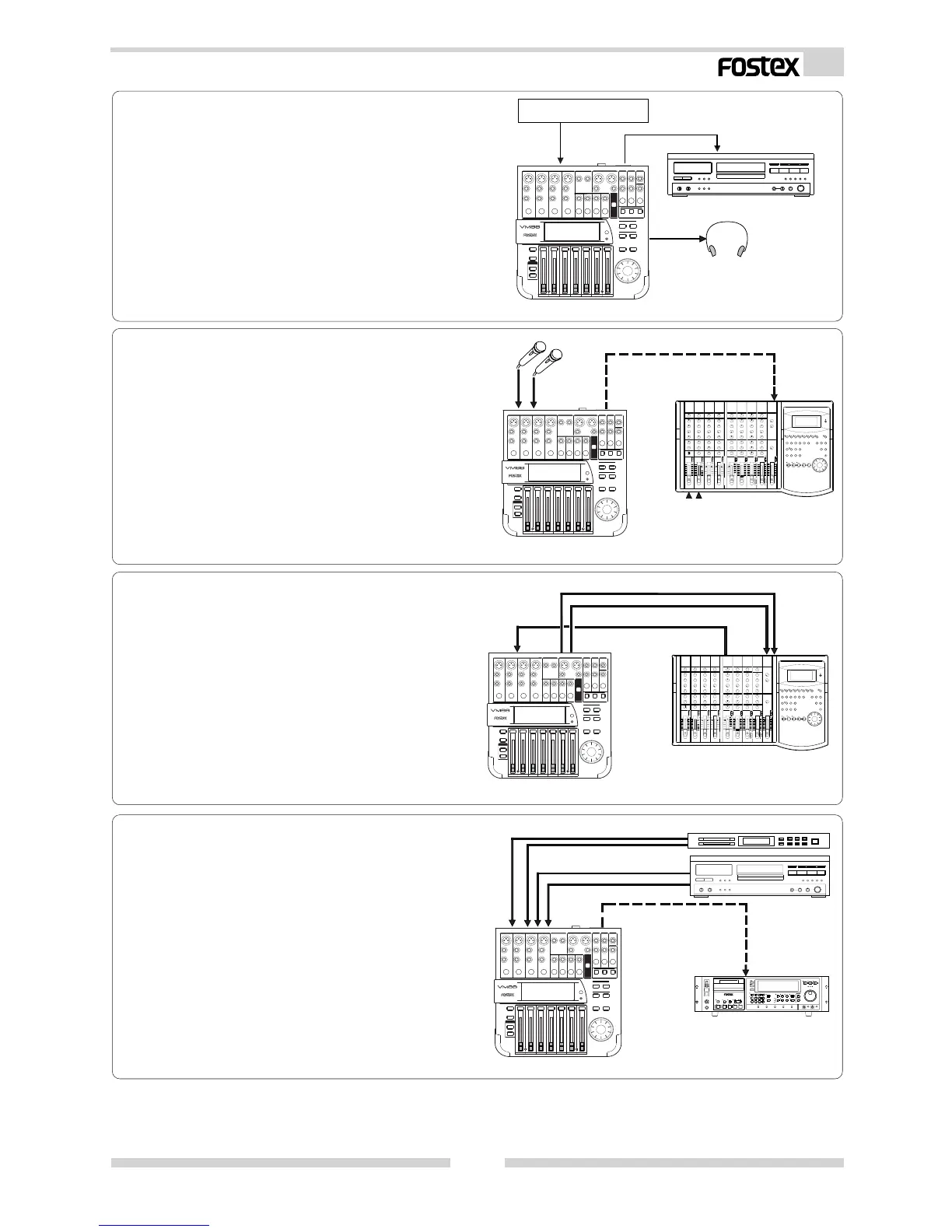
<Example-8>
To produce original remix
You can send the remixed sound of the Sam-
pler and CD player with the internal digital
effect to a DAT recorder via the S/P DIF.
<Example-6>
To expand the FD-8 analog simultaneous record-
ing channel
The FD-8 analog simultaneous recording track
can be extended to “4” by connecting the FD-
8 DATA IN connector to the VM88 DIGITAL
OUT connector.
You can also take advantage of the high qual-
ity DSP multi-effects contained in the VM88
when recording.
<Example-7>
To use as a MONO IN/STEREO OUT effects
The VM88 internal DSP multi-effects can be
utilized for high quality external processing
by connecting the VM88 ST OUT L, R to the
FD-8 AUX RTN L, R jack.
If the input channel fader is set “0” and the
EFF BUSS is sent via the pre-fader, the effects
sound only can be output from ST OUT.
< Example 5 > :
As a recording mixer (mixdown) for an ADAT
recorder
Sound sources (Ch 1 ~ Ch 8) recorded in the
ADAT recorder can be mixed in the VM88 and
digitally mixed down to external digital
equipment such as DAT.
Digital Recorder
D-108
ADAT
S/P DIF
DAT
Headphone
VM88
ANALOG IN
FD-8
DATA IN
S/P DIF
DIGITAL OUT
VM88
DAT
S/P DIF
CD player
Sampler
VM88
INPUT ST OUT L, R
AUX SEND
AUX RTN L/R
FD-8
VM88



 To Next Page