
 Need help?
Do you have a question about the Foxconn 45GMX and is the answer not in the manual?
Details motherboard components and features like CPU, Chipset, Memory, LAN, and connectors.
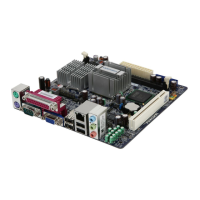
Illustrates the physical arrangement of motherboard components and connectors with numbered labels.
Describes the ports available on the rear of the motherboard, including PS/2, USB, LAN, and audio.
Step-by-step guide for installing the CPU and its cooling solution.
Instructions for installing DDR2 DIMM modules into motherboard slots, including dual channel configuration.
Guide for installing PCI Express and PCI expansion cards into motherboard slots.
Explains connection of power supply, USB, audio, IDE, SATA, and front panel headers.
Details configuration of jumpers for various motherboard functions, including CMOS clear.
Procedure to access the BIOS setup utility from the computer's boot screen using DEL key.
Overview of the BIOS main menu options, navigation, and item explanations.
Configuration of system date, time, IDE/SATA drives, and installed memory.
Settings for CPU, FSB, DRAM frequencies, and voltage regulation for performance tuning.
Advanced system settings including boot order, security options, APIC mode, and CPU features.
Configuration options for VGA, PCI Express, and memory allocation for graphics.
Settings for onboard devices like IDE, SATA controllers, USB, serial, parallel, and audio ports.
Configuration of ACPI states, wake-up events, and power saving features.
Monitoring and control of system voltages, temperatures, and fan speeds for hardware health.
Resets BIOS settings to factory defaults for system optimization.
Establishes a password for system or setup access, providing higher security.
Establishes a password for system access only, requiring a supervisor password first.
Saves current BIOS configuration changes to CMOS and exits the setup utility.
Exits the BIOS setup utility without applying any modifications.
Lists drivers and software utilities included on the motherboard's utility CD for system enhancement.
Guides on installing essential drivers and useful software utilities from the CD.
Details the FOX ONE utility for system monitoring and performance tuning, including CPU and fan control.
Explains the FOX LiveUpdate utility for backing up and updating system BIOS, drivers, and utilities.
Utility for backing up, changing, and deleting the boot time logo displayed during POST.
Tool for viewing and analyzing Desktop Management Interface data for system analysis.
 General
| Brand | Foxconn |
|---|---|
| Model | 45GMX |
| Category | Motherboard |
| Language | English |











 To Next Page