Chapter 3 BIOS Description
39
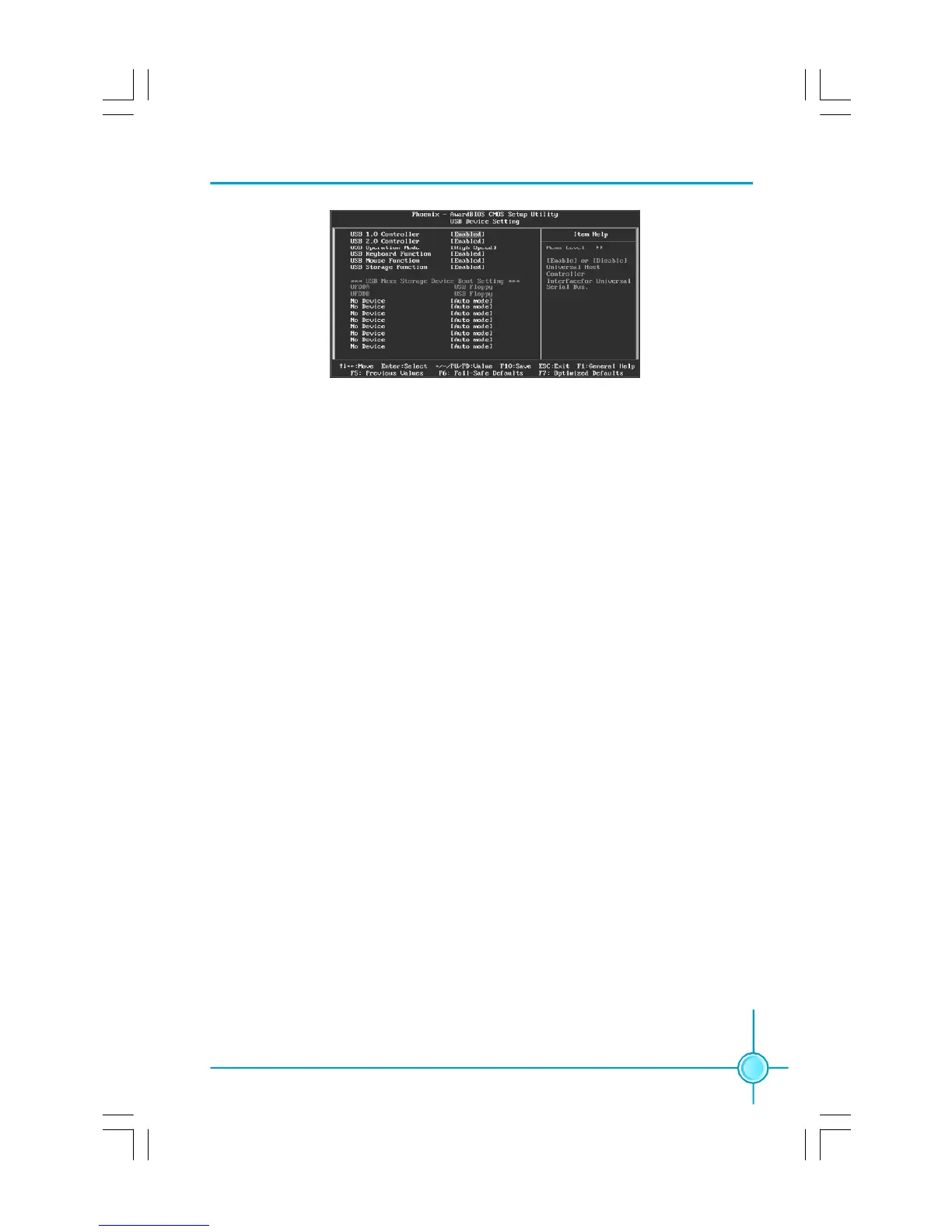
USB Device Setting Menu
vUSB 1.0 Controller
This option is used to set whether the USB 1.0 Controller is enabled. The
available setting values are: Disabled and Enabled.
vUSB 2.0 Controller
This option is used to set whether the USB 2.0 Controller is enabled.
vUSB Operation Mode
This item is used to set the operation mode of USB.
vUSB Keyboard Function
This option is used to set whether the USB keyboard controller is enabled.
vUSB Mouse Function
This option is used to set whether the USB mouse controller is enabled.
vUSB Storage Function
This option is used to set whether the USB storage controller is enabled.
vUSB Mass Storage Device Boot Setting
This option is used to set the simulation mode when boots from USB device.
PDF 文件使用 "pdfFactory" 试用版本创建 Æ Æ www.fineprint.com.cn









 To Next Page