
 Need help?
Do you have a question about the Foxconn G41MD and is the answer not in the manual?
Detailed specifications of the motherboard's components and features.
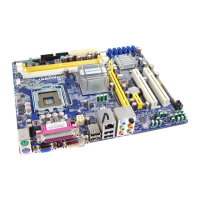
Visual diagram identifying key components and connectors on the motherboard.
Description and function of ports located on the rear of the motherboard.
Step-by-step guide for installing the central processing unit and its cooling solution.
Instructions for installing RAM modules and configuring dual channel memory.
Procedure for installing expansion cards, such as graphics cards, into PCI Express slots.
Guidance on connecting internal power and data cables to motherboard headers.
Explanation of jumper functions and how to configure motherboard settings using jumpers.
Process for installing essential device drivers from the provided CD.
Guide to installing optional software utilities for system enhancement.
Method to access the system's BIOS configuration utility during startup.
Overview of the primary menu structure and navigation options within the BIOS.
Displays current system configuration details like BIOS version and hardware status.
Settings for optimizing system performance and boot behavior through advanced BIOS options.
Access to proprietary Foxconn features, including CPU frequency and voltage adjustments.
Configuration options for North and South bridge chipsets to fine-tune system performance.
Management of onboard devices like SATA controllers, audio, and USB ports.
Options for configuring system power saving modes and ACPI states.
Real-time monitoring of system temperatures, fan speeds, and voltages.
Settings for securing the system with supervisor and user passwords.
Restores BIOS settings to factory defaults for optimal system performance.
Saves current BIOS configuration changes and exits the setup utility.
Exits the BIOS setup utility without applying any modifications.
 General
| Memory channels | Dual-channel |
|---|---|
| Number of memory slots | 2 |
| Supported memory types | DDR3-SDRAM |
| Maximum internal memory | 8 GB |
| Supported memory clock speeds | 800, 1066, 1333 MHz |
| Processor socket | LGA 775 (Socket T) |
| Processor manufacturer | Intel |
| Compatible processor series | Intel Celeron, Intel Pentium Dual-Core |
| Processor system buses supported | 533, 800, 1066, 1333 MHz |
| CPU fan connector | Yes |
| Number of SATA II connectors | 3 |
| Number of Parallel ATA connectors | 1 |
| USB 2.0 ports quantity | 4 |
| Firewire (IEEE 1394) ports | 0 |
| Component for | PC |
| Power source type | ATX |
| Motherboard chipset | Intel® G41 |
| Audio output channels | 5.1 channels |
| Motherboard form factor | micro ATX |
| Motherboard southbridge | Intel ICH7 |
| Supported storage drive interfaces | SATA II |
| Graphics card | GMA 4500 |
| Parallel processing technology support | Not supported |
| Networking features | Gigabit Ethernet |
| BIOS memory size | 64 Mbit |
 Weight and Dimensions
| Width | - mm |
|---|






 To Next Page