5
1
5
1. PS/2 Mouse Port
Use the upper port (green) to connect a PS/2 mouse.
2. PS/2 Keyboard Port
Use the lower port (purple) to connect a PS/2 keyboard.
3. Serial Port
This is output of RS232 COM1 port.
4. VGA Port VGA Port
To connect with external display devices, such as monitor or LCD display.
5. USB Ports
The USB port supports the USB 2.0/1.1 specication. Use this port for USB devices such as an
USB keyboard/mouse, USB printer, USB ash drive and etc.
6. Audio Ports
For the denition of each audio port, please refer to the table below :
7. RJ-45 LAN Port
The Ethernet LAN port provides Internet connection at up to 10/100/1000Mb/s data rate.
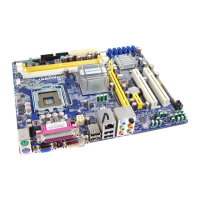
1-3 Back Panel Connectors
USB Ports
LAN Port
PS/2 Keyboard Port
PS/2 Mouse Port
Serial Port
Audio Ports
7
1
4
5
2
3
VGA Port
6
Line Out
Microphone In
Line In
Port 2-channel 4-channel 5.1-channel
Blue Line In Rear Speaker Out* Rear Speaker Out*
Green Line Out Front Speaker Out Front Speaker Out
Pink Microphone In Microphone In Center/Subwoofer Out*







 To Next Page