
 Need help?
Do you have a question about the Foxconn G41M Series and is the answer not in the manual?
Details the technical specifications of the motherboard components and features.
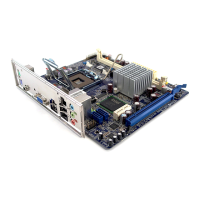
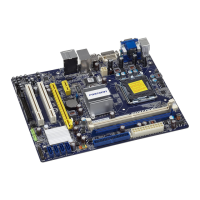
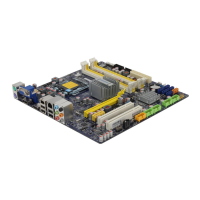
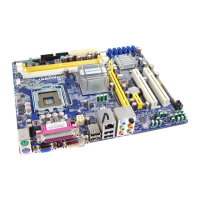
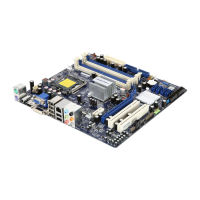
Identifies and illustrates the placement of various connectors and components on the motherboard.
Describes the connectors available on the rear panel of the motherboard for external devices.
Step-by-step guide for installing the CPU and its cooling solution on the motherboard.
Instructions for correctly installing RAM modules into the motherboard's memory slots.
Procedures for installing various expansion cards into the motherboard's slots.
Guide for connecting essential internal power and data connectors to the motherboard.
Explains the function and configuration of jumpers on the motherboard for system settings.
Instructions on how to access the system's BIOS setup utility during the boot process.
Overview of the primary options and navigation within the BIOS setup utility.
Displays detailed hardware and BIOS configuration information of the system.
Configuration options for advanced system performance and boot settings.
Access to proprietary features like overclocking and system control settings.
Settings to optimize and configure the motherboard's chipset for performance.
Configuration options for onboard devices like audio, LAN, and USB controllers.
Settings related to system power saving modes and ACPI features.
Monitors system temperatures, voltages, and fan speeds for hardware health.
Options for setting supervisor and user passwords to protect BIOS settings.
Resets BIOS settings to factory optimal values for stable system operation.
Saves current BIOS configuration changes and exits the setup utility.
Exits the BIOS setup without saving any modifications.
Lists the software and drivers included on the motherboard's utility CD.
Guides on how to install drivers and software utilities from the CD.
Utility for monitoring and adjusting system performance settings like CPU and fan speeds.
Utility for updating system BIOS, drivers, and software utilities.
Utility to customize the boot screen logo displayed during system startup.
A tool for viewing and analyzing system hardware information through DMI data.
 General
| Form Factor | Micro ATX |
|---|---|
| Socket Type | LGA 775 |
| Maximum Memory | 8GB |
| Audio Chipset | Realtek ALC662 |
| LAN | 10/100/1000 Mbps |
| Memory Slots | 2 |
| PCI Express x16 Slots | 1 |
| PCI Express x1 Slots | 1 |
| PCI Slots | 2 |
| SATA Ports | 4 |
| IDE Ports | 1 |
| USB Ports | 8 (4 rear, 4 via headers) |
| Graphics | Intel GMA X4500 |
| Chipset | Intel G41 Express Chipset |






 To Next Page