
 Need help?
Do you have a question about the Foxconn G41MX and is the answer not in the manual?
Detailed specifications of the motherboard's hardware components and features.
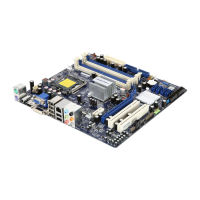
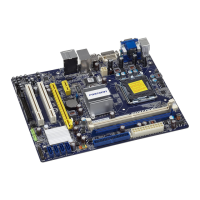
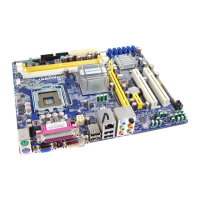
Diagram illustrating the physical arrangement of components and connectors on the motherboard.
Description and function of all ports and connectors located on the motherboard's rear panel.
Step-by-step guide for installing the CPU and its associated cooling solution.
Instructions for correctly installing DDR2 DIMM modules into the motherboard sockets.
Procedure for installing various expansion cards like graphics or network cards.
Guide to connecting internal power and data connectors to the motherboard.
Explanation of jumper settings for modifying motherboard functions and clearing CMOS.
Procedure for accessing the BIOS setup utility upon system startup.
Overview of the main BIOS menu structure and navigation controls.
Displays detailed system configuration, BIOS version, and hardware information.
Configuration options for advanced system performance and boot settings.
Settings for proprietary features like CPU frequency and PCI Express clock adjustment.
Adjustments for CPU-related features such as C1E support and virtualization.
Settings for controlling DRAM and other system voltages for performance tuning.
Configuration for North and South bridge chipsets, memory, and graphics settings.
Settings for Dynamic Video Memory Technology (DVMT) and fixed memory allocation.
Configuration options for SMBUS controller and Active State Power Management (ASPM).
Configuration for IDE, SATA, onboard audio, LAN, and other peripheral devices.
Enabling or disabling onboard audio, LAN controllers, and LAN boot ROM.
Configuration for serial ports, parallel ports, and infrared (CIR) ports.
Settings for legacy USB support, USB controllers, and USB storage configuration.
Configuration for ACPI sleep states, wake-up events, and power management features.
Monitoring system temperatures, fan speeds, voltages, and setting warning/shutdown thresholds.
Setting supervisor and user passwords, and enabling boot sector virus protection.
Loading default BIOS settings for optimal performance or troubleshooting.
Saving current BIOS settings and exiting the setup utility.
Exiting the BIOS setup utility without saving any modifications.
Lists the drivers and software utilities available on the included motherboard CD.
Step-by-step guide for installing system drivers and software from the CD.
Guide to using FOX ONE for system monitoring and performance adjustment.
Instructions for updating BIOS, drivers, and utilities using FOX LiveUpdate.
Utility for customizing the boot logo displayed during Power-On Self-Test.
Tool for viewing and analyzing Desktop Management Interface (DMI) data.
 General
| Form Factor | Micro ATX |
|---|---|
| Chipset | Intel G41 |
| Socket | LGA 775 |
| Memory Type | DDR3 |
| Maximum Memory | 8 GB |
| Integrated Graphics | Intel GMA X4500 |
| Expansion Slots | 1 x PCIe x16, 1 x PCIe x1, 2 x PCI |
| USB Ports | 8 x USB 2.0 |
| Audio | Realtek ALC662 6-Channel HD Audio |
| Supported CPU | Intel Core 2 Quad, Core 2 Duo, Celeron |
| Memory Slots | 2 |
| Storage Interfaces | 4 x SATA 3Gb/s |






 To Next Page