20
2
20
Install driver and utility
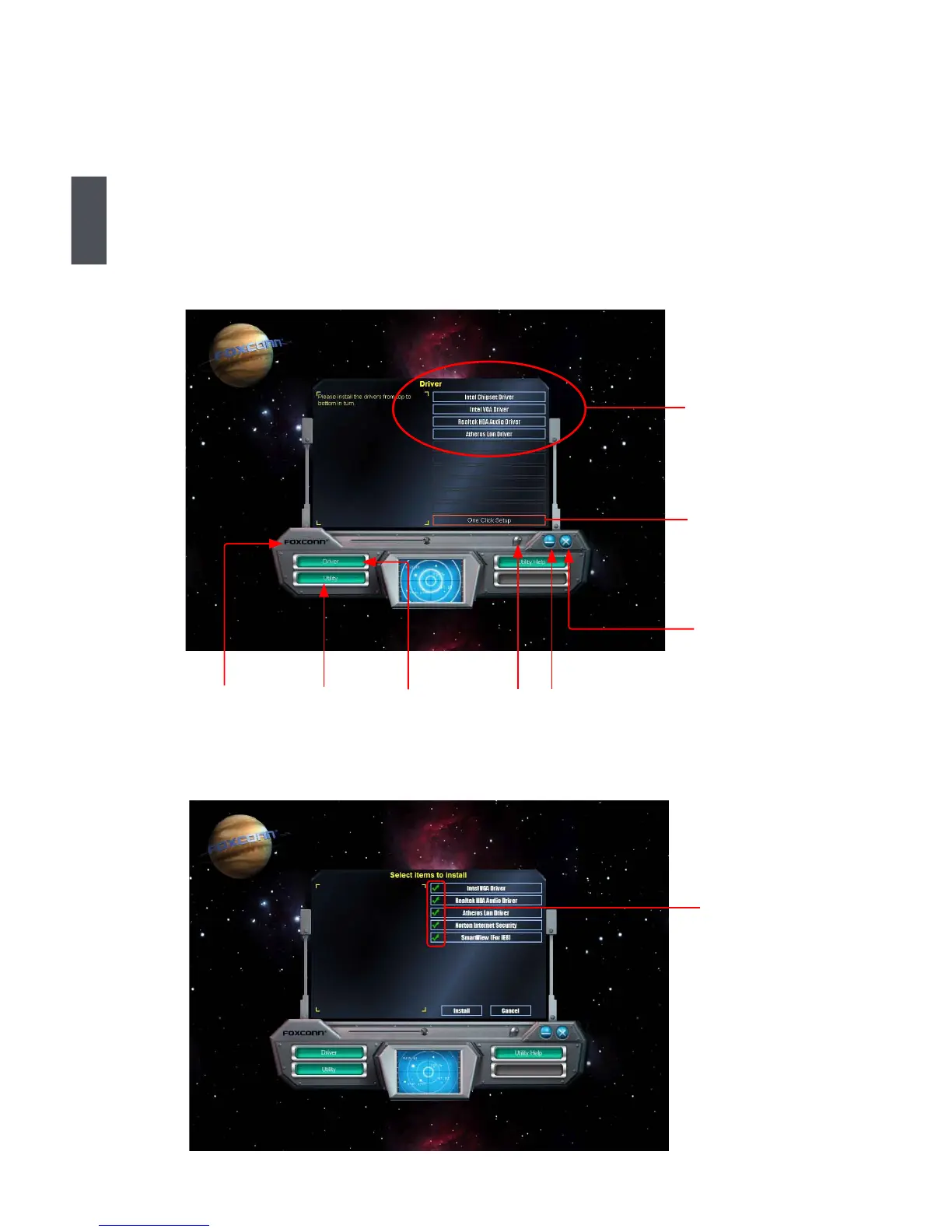
This motherboard comes with one Utility CD, after installing the Operating System,You can simply
put it into your CD/DVD-ROM drive, and the main menu will be displayed on your PC screen to
guide you how to install.
1. Driver
Use these options to install all the drivers for your system. You must click "Intel Chipset Driver" to
install it rst. After that, you can click "One Click Setup" and then choose the items you want to
install, or you can click on each individual driver to install it manually.
Manual Instal-
lation Step by
Step
Automatic
Installation by
One Click.
Select
to Install
Utilities
Select
to Install
Drivers
Click to visit
Foxconn's
website
Browse CD
Exit the
program
Drop to
System Tray
Choose the
items you want
to Install







 To Next Page