
 Need help?
Do you have a question about the Foxconn G33M and is the answer not in the manual?
Controls basic system configuration, time, and date.
Configures system ports like parallel, serial, and IDE devices.
Manages FOXCONN specific features like voltage and CPU overclocking.
Controls PC's power saving features and ACPI settings.
Displays real-time system temperatures, voltages, and fan speeds.
Install drivers, software, and visit the FOXCONN website.
Open socket lever, load plate, and align CPU with socket pins.
Place CPU into socket, then remove protective cover carefully.
Close load plate to engage socket lever and secure the CPU.
Mount heatsink/fan and connect CPU fan/power cables to motherboard.
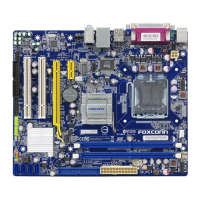
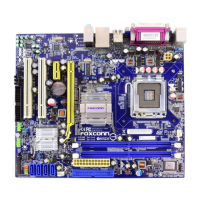
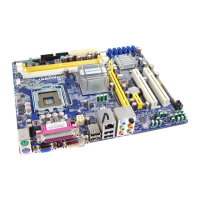
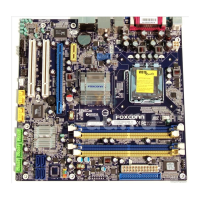
Identifies all ports and connectors on the motherboard's rear panel.
Details various internal connectors like PCI, DIMM, USB, and power headers.
 General
| Form Factor | Micro ATX |
|---|---|
| Socket Type | LGA 775 |
| Memory Type | DDR2 |
| Maximum Memory Supported | 8 GB |
| Storage Interface | 4 x SATA 3Gb/s, 1 x IDE |
| Onboard Video | Intel GMA 3100 |
| Video Outputs | VGA |
| Chipset | Intel G33 |
| Supported CPU | Intel Core 2 Quad, Core 2 Duo, Pentium, Celeron |
| Memory Slots | 4 |
| Expansion Slots | 1 x PCIe x16 |
| Audio | Realtek ALC888 |
| LAN | Realtek RTL8111B Gigabit Ethernet |
| USB Ports | 8 x USB 2.0 (4 via headers) |







 To Next Page