3
23
System Information
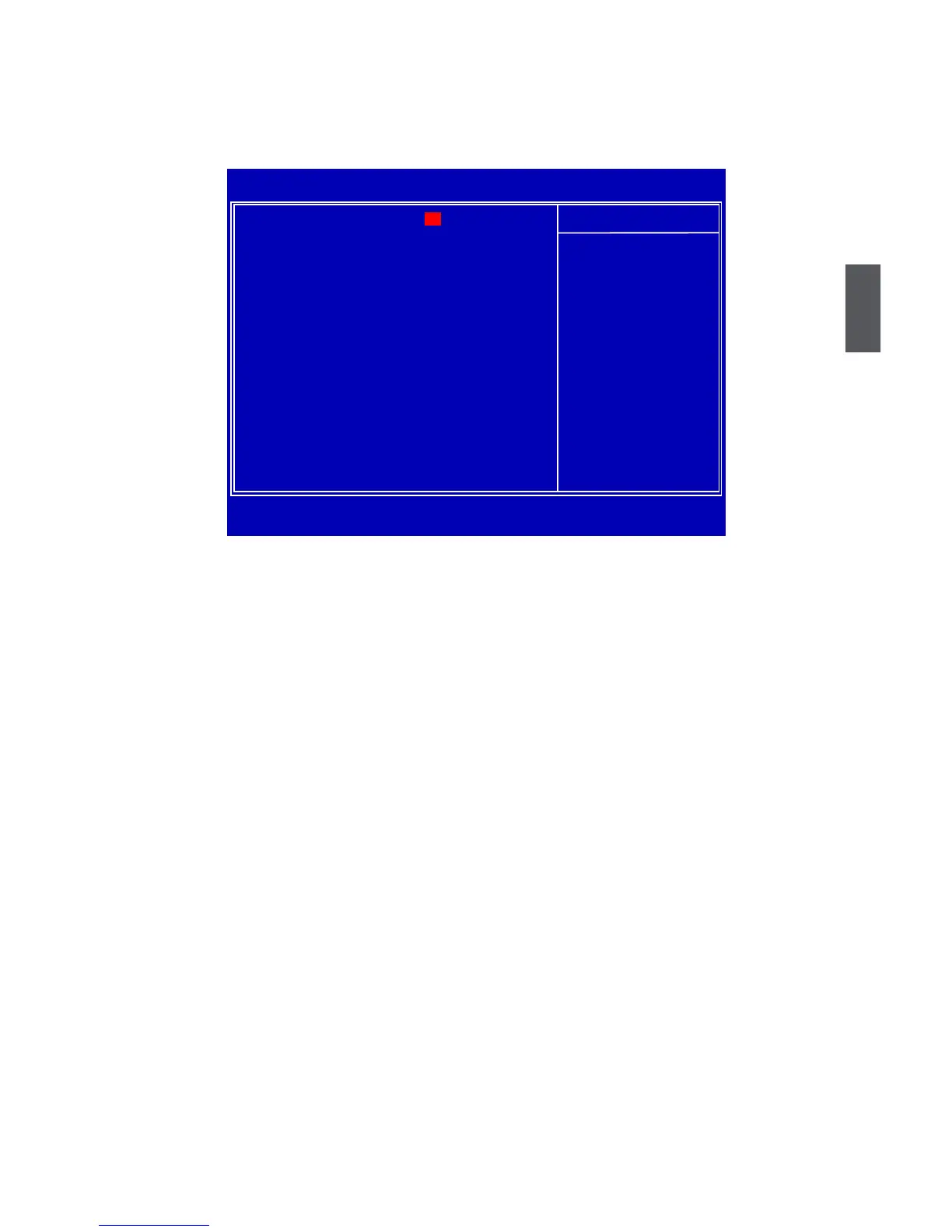
This sub-menu is used to set up the standard BIOS features, such as the date, time, memory and
so on. Use the arrow up/down keys to select an item, then use the <+> or <-> keys to change the
setting.
► System Time
This item allows you to congure the desired time. Use [ENTER], [TAB] or [SHIFT-TAB] to
select a eld. Use [+] or [-] to input the value.
The three elds of the setting are <hour> : <minute> : <second> respectively.
► System Date
<weekday><month><date> <year> format.
Day—weekday from Sun. to Sat., this message is automatically displayed by BIOS (Read
Only).
Month—month from 1 to 12.
Date—date from 1 to 31.
Year—year, set up by users.
Use [ENTER], [TAB] or [SHIFT-TAB] to select a eld. Use [+] or [-] to input the value.
► SATA 1/2/3/4/5/6
While entering setup, BIOS automatically detects the presence of SATA devices. This item
displays the drive information of SATA devices.
► Halt On
This category determines whether or not the computer will stop if an error is detected during
powering up.
[All Errors] : All errors can result in system halt.
[All Errors But...] : All errors but keyboard or mouse can result in system halt. The halt condi-
tion can be enabled/disabled in the next three settings.
► Keyboard
The system boot will not stop for a keyboard error if you enabled this item.
► Mouse
The system boot will not stop for a mouse error if you enabled this item.
► Model Name
CMOS Setup Utility - Copyright (C) 1985-2009, American Megatrends, Inc.
System Information
System Time [15 : 40 : 49] Help Item
System Date [Mon , 10/26/2009]
Use [Enter], [TAB]
► SATA 1
[Not Detected] or [SHIFT-TAB] to
► SATA 2 [Not Detected]
select a eld.
► SATA 3 [Not Detected]
► SATA 4 [Not Detected]
Use [+] or [-] to
► SATA 5 [Not Detected]
congure system time.
► SATA 6
[Not Detected]
Halt On
[All Errors, But ...]
Keyboard [Enabled]
Mouse [Disabled]
Model Name : H55MXV
BIOS Version : 9A1F1D07
Memory : 2048MB
MAC Address : 8E-00-00-00-8E-8E
↑↓←→:Move Enter:Select +/-/:Value F10:Save ESC:Exit F1:General Help
F9:Optimized Defaults
09










 To Next Page