3
25
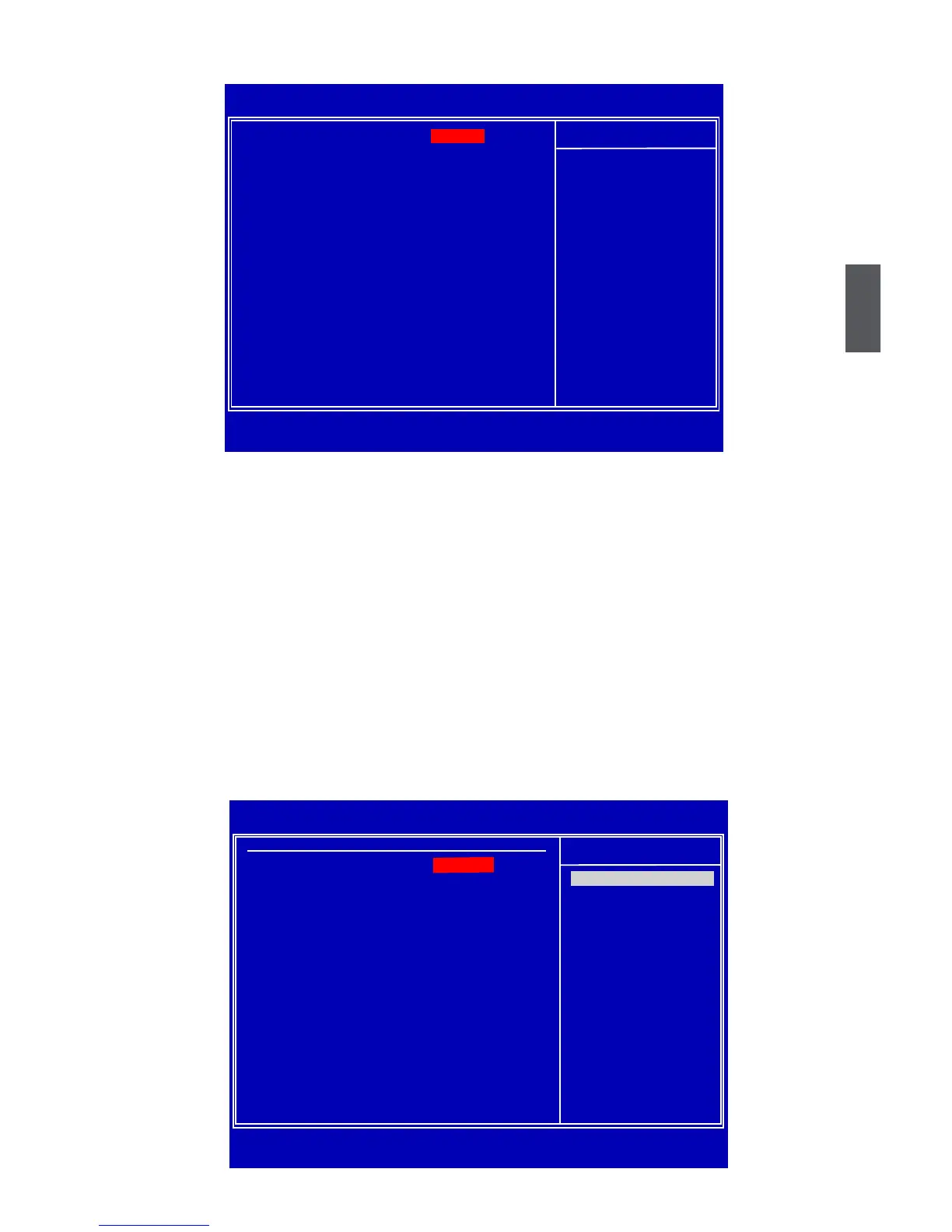
Advanced BIOS Features
CMOS Setup Utility - Copyright (C) 1985-2009, American Megatrends, Inc.
Advanced BIOS Features
Quiet Boot [Enabled Help Item
Bootup Num-Lock [On]
PCI Latency Timer [64]
► Intel VT-d Conguration
[Press Enter]
► Trusted Computing [Press Enter]
↑↓←→:Move Enter:Select +/-/:Value F10:Save ESC:Exit F1:General Help
F9:Optimized Defaults
[Enabled]
Disabled: Displays
normal POST messages.
Enabled: Displays OEM
Logo instead of POST
messages.
► Quiet Boot
This item is used to enable/disable the quiet boot.
[Disabled] : Displays the normal POST messages.
[Enabled] : Displays OEM customer logo instead of POST messages.
► Bootup Num-Lock
This item denes if the keyboard Num Lock key is active when your system is started. The
available settings are: On (default) and Off.
► PCI Latency Timer
This item is used to set the value in units of PCI clocks for PCI device latency timer register.
► Intel VT-d Conguration/Trusted Computing
Press <Enter> to go to relative submenu.
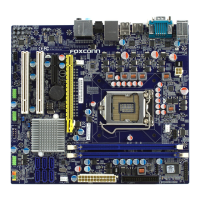
Intel VT-d Conguration
CMOS Setup Utility - Copyright (C) 1985-2009, American Megatrends, Inc.
Intel VT-d Conguration
Help Item
Intel VT-d
Disabled
Enabled
↑↓←→:Move Enter:Select +/-/:Value F10:Save ESC:Exit F1:General Help
F9:Optimized Defaults
[Disabled]
Options










 To Next Page