EasyManua.ls Logo

Foxconn nT-i1200 - User Manual

Foxconn nT-i1200
37 pages
Print Icon
To Next Page IconTo Next Page
Loading...
nT-i1000 Series Nettop
Users Manual
Question and Answer IconNeed help?

Do you have a question about the Foxconn nT-i1200 and is the answer not in the manual?

Summary

Introduction of NETTOP

Top View

Provides a detailed view of the top surface and its components.

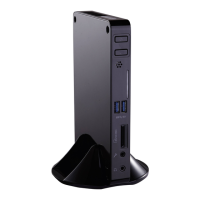
Front Side View

Illustrates the front panel, showing ports and indicators.

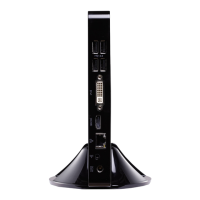
Back Side View

Details the rear panel, including all connectivity ports.

Bottom View

Depicts the underside of the device, showing mounting features.

Placement and connection of NETTOP

Placement of NETTOP

Explains how to position the Nettop, such as on a desk or VESA mounted.

Connection of NETTOP

Guides users on connecting external devices like monitors and peripherals.

BIOS Setup

Enter BIOS Setup

Instructions on how to access the BIOS setup utility.

Main Menu

Overview of the main BIOS screen and system information.

Advanced

Configuration options for advanced system features in BIOS.

Power

Settings related to power management and ACPI functions.

Security

Options for setting BIOS passwords and system security.

Boot Options

Configuration of the system's boot sequence and devices.

Save & Exit

Procedures for saving settings, discarding changes, and exiting BIOS.

Install Windows OS

Install Windows 7

Comprehensive guide for installing the Windows 7 operating system.

Install Drivers in Windows 7

Steps to install essential hardware drivers after OS installation.

FOX WinFlash

Utility for managing and updating the system BIOS.

Summary

Introduction of NETTOP

Top View

Provides a detailed view of the top surface and its components.

Front Side View

Illustrates the front panel, showing ports and indicators.

Back Side View

Details the rear panel, including all connectivity ports.

Bottom View

Depicts the underside of the device, showing mounting features.

Placement and connection of NETTOP

Placement of NETTOP

Explains how to position the Nettop, such as on a desk or VESA mounted.

Connection of NETTOP

Guides users on connecting external devices like monitors and peripherals.

BIOS Setup

Enter BIOS Setup

Instructions on how to access the BIOS setup utility.

Main Menu

Overview of the main BIOS screen and system information.

Advanced

Configuration options for advanced system features in BIOS.

Power

Settings related to power management and ACPI functions.

Security

Options for setting BIOS passwords and system security.

Boot Options

Configuration of the system's boot sequence and devices.

Save & Exit

Procedures for saving settings, discarding changes, and exiting BIOS.

Install Windows OS

Install Windows 7

Comprehensive guide for installing the Windows 7 operating system.

Install Drivers in Windows 7

Steps to install essential hardware drivers after OS installation.

FOX WinFlash

Utility for managing and updating the system BIOS.

Foxconn nT-i1200 Specifications

General IconGeneral
RAM2GB DDR3
Storage320GB HDD
GraphicsIntel GMA 3650
Form FactorMini PC
ChipsetIntel NM10
Memory TypeDDR3
Memory Slots1
Maximum Memory4GB
AudioRealtek ALC662
Ethernet10/100/1000 Mbps
Wireless802.11 b/g/n
SATA1 x SATA 3Gb/s
USB Ports6 x USB 2.0
Video OutputHDMI, VGA
PortsHDMI, VGA, USB 2.0
Power Supply65W Adapter
NetworkGigabit Ethernet
Dimensions190mm x 135mm x 38mm

Related product manuals