Chapter 3 BIOS Description
27
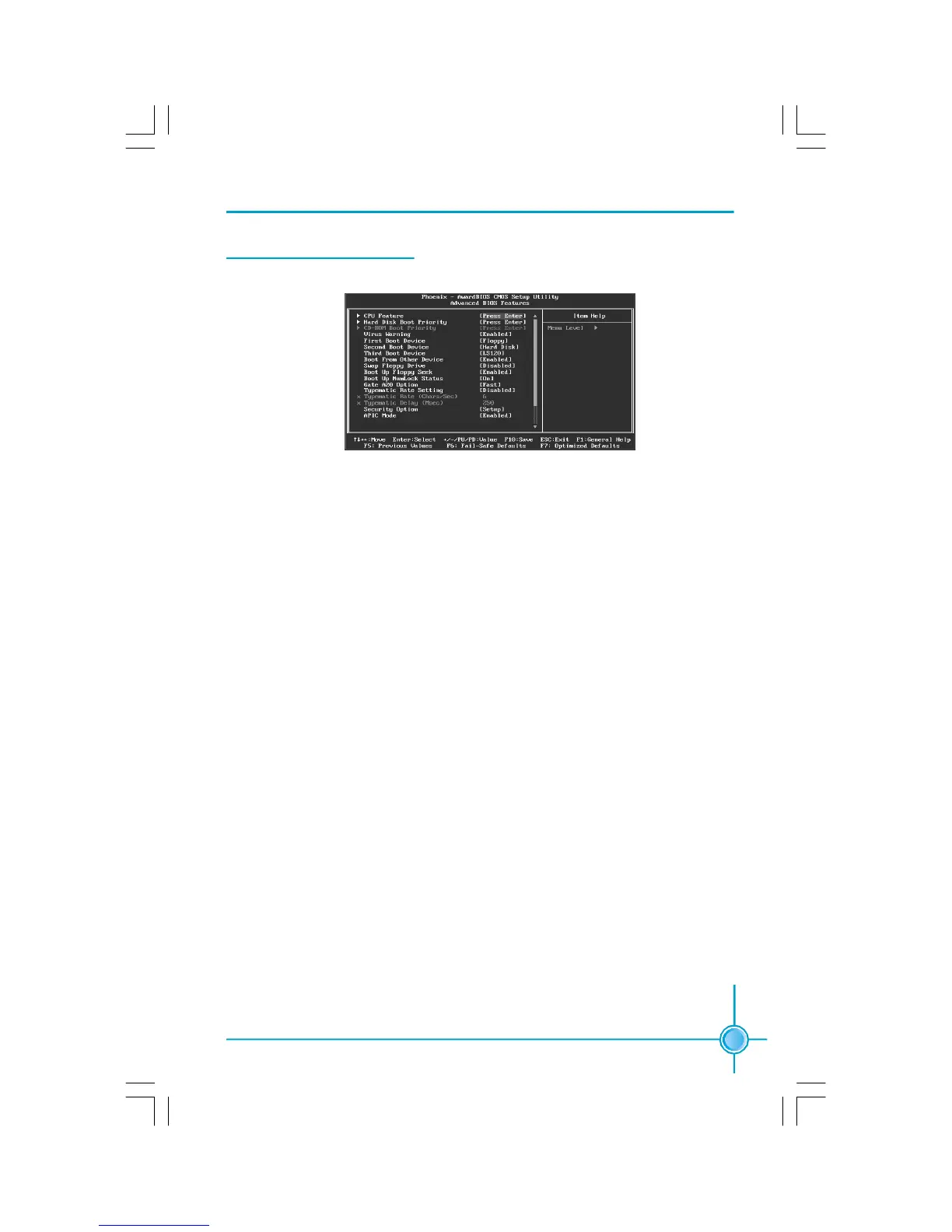
Advanced BIOS Features
vCPU Feature
Press enter to set the items of CPU feature.
vHard Disk Boot Priority
This option is used to select the priority for HDD startup. After pressing
<Enter>, you can select the HDD using the <PageUp>/<PageDn> or Up/
Down arrow keys, and change the HDD priority using <+> or <->; you can
exit this menu by pressing <Esc>.
vCD-ROM Boot Priority
This option is used to select the priority for CD-ROM startup. After pressing
<Enter>, you can select the CD-ROM using the <PageUp>/<PageDn> or Up/
Down arrow keys, and change the CD-ROM priority using <+> or <->; you can
exit this menu by pressing <Esc>.
vVirus Warning
This option is used to set up the virus warning message for the IDE HDD boot
sector.
Note: Such function provides protection to the startup sector only;it does
not protect the entire hard disk.
vFirst/Second/Third Boot Device
This option allows you to set the boot device’s sequence.
vBoot From Other Device
With this function set to enable, the system will boot from some other de-
vices if the first/second/third boot devices failed. The setting values are: Dis-
abled and Enabled.
Advanced BIOS Features Menu
PDF 文件使用 "pdfFactory" 试用版本创建 www.fineprint.com.cn







 To Next Page