EPS Box -TP Series User Manual www.fox-ess.com P a g e | 9
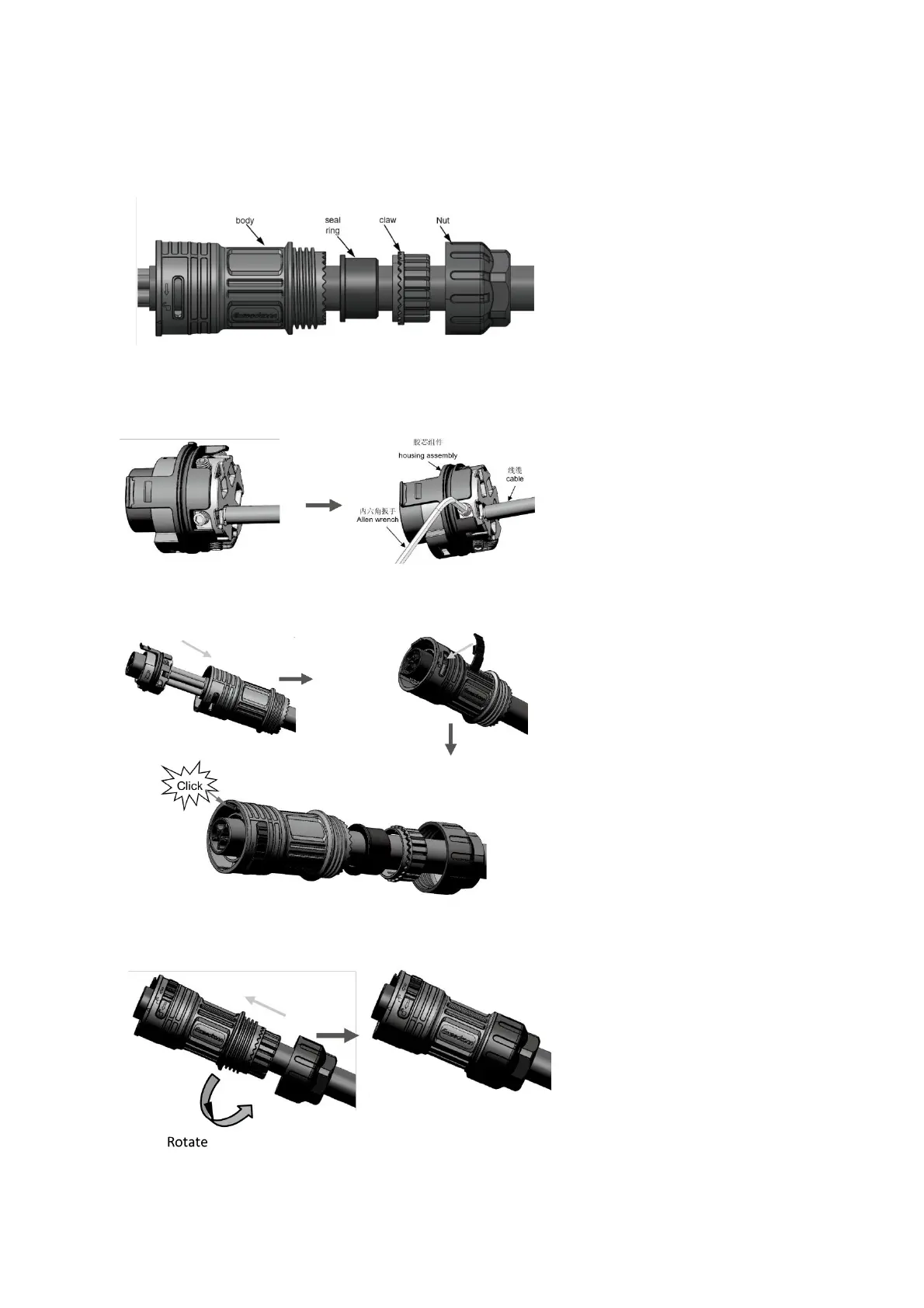
Installation of cable end connector
Step 1:Set the parts on the cable.
Step 2:Wire crimping cord end terminal can be inserted into the housing quickly according to the sign ,
torque 1.0+/- 0.1N·m.
Step 3:The housing is inserted into socket, then the unlock key is inserted into socket.
Step 4: Insert Seal and Clamp Finger into socket ,then tighten the nut , torque 8+/-2N·m.


 To Next Page