EPS Box-TP Series User Manual www.fox-ess.com P a g e | 8
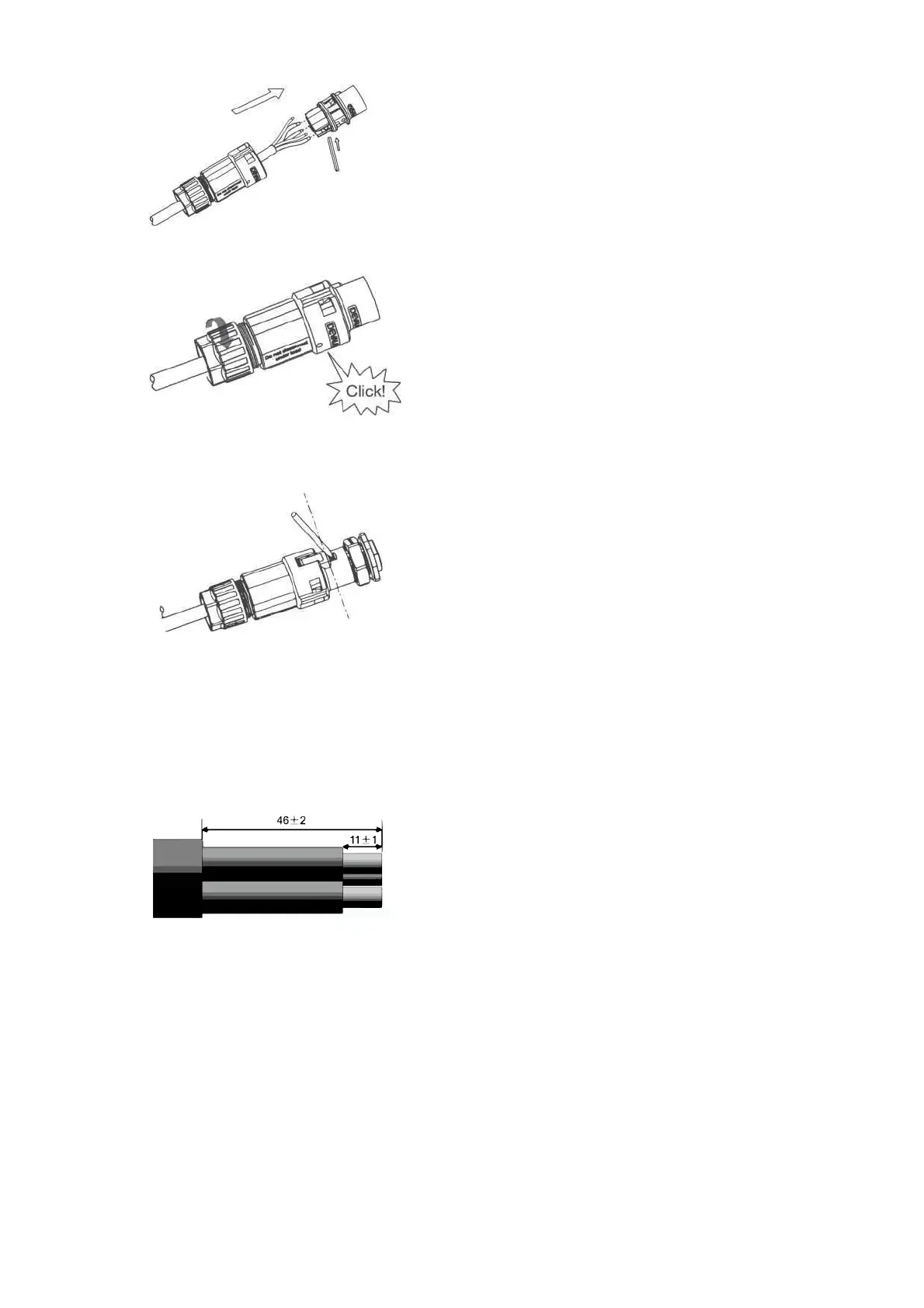
Slide the cable nut and then Install the back shell onto the cable.
Push the threaded sleeve into the socket, tighten up the cap on the terminal.
Remove the ON-GRID connector: Press the bayonet out of the slot with a small screwdriver or the unlock
tool and pull it out, or unscrew the threaded sleeve, then pull it out.
C.Load Wiring
Wire Stripping


 To Next Page