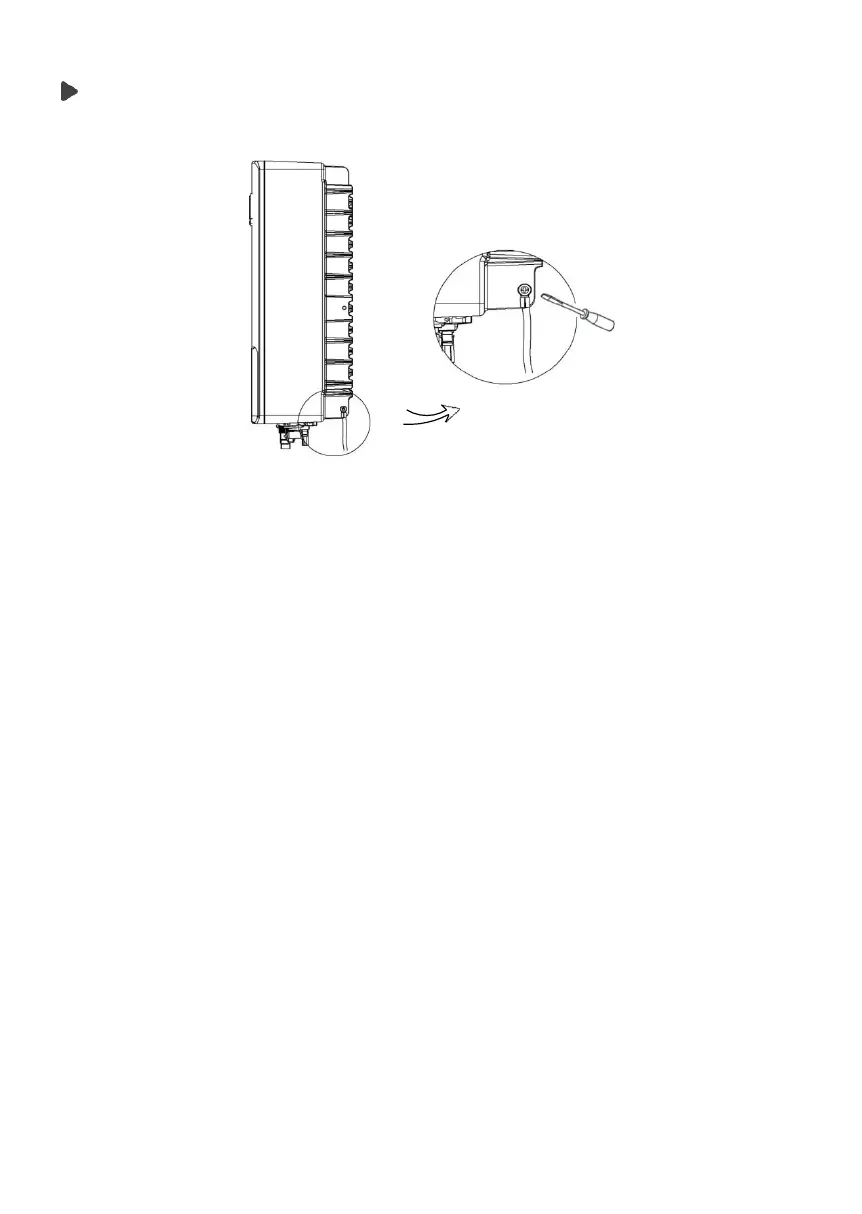
Earth Connection
Screw the ground screw with a Phillips screwdriver shown below:
5.5.2
Communication interface
This product has a series of communication interfaces: such as WIFI, RS485/Me-
ter, DRM and USB for upgrading for human and machine communication.
Operating information like output voltage, current, frequency, faulty informa
tion,
etc., can be delivered to PC or other monitoring equipment via these
interfaces.
(1).
WiFi
This inverter provides a WiFi port which can collect information from inverter
including status, performance and update information to monitoring website
via connecting WiFi device (purchase the product from supplier if needed).
Connection steps:
1.Plug the WiFi device into “WiFi” port at the bottom of the inverter.
2.Connect the WiFi with the local router.
3.
Set the site account on the FoxESS web(please check the WiFi device
user manual for more details).



 To Next Page