EasyManua.ls Logo

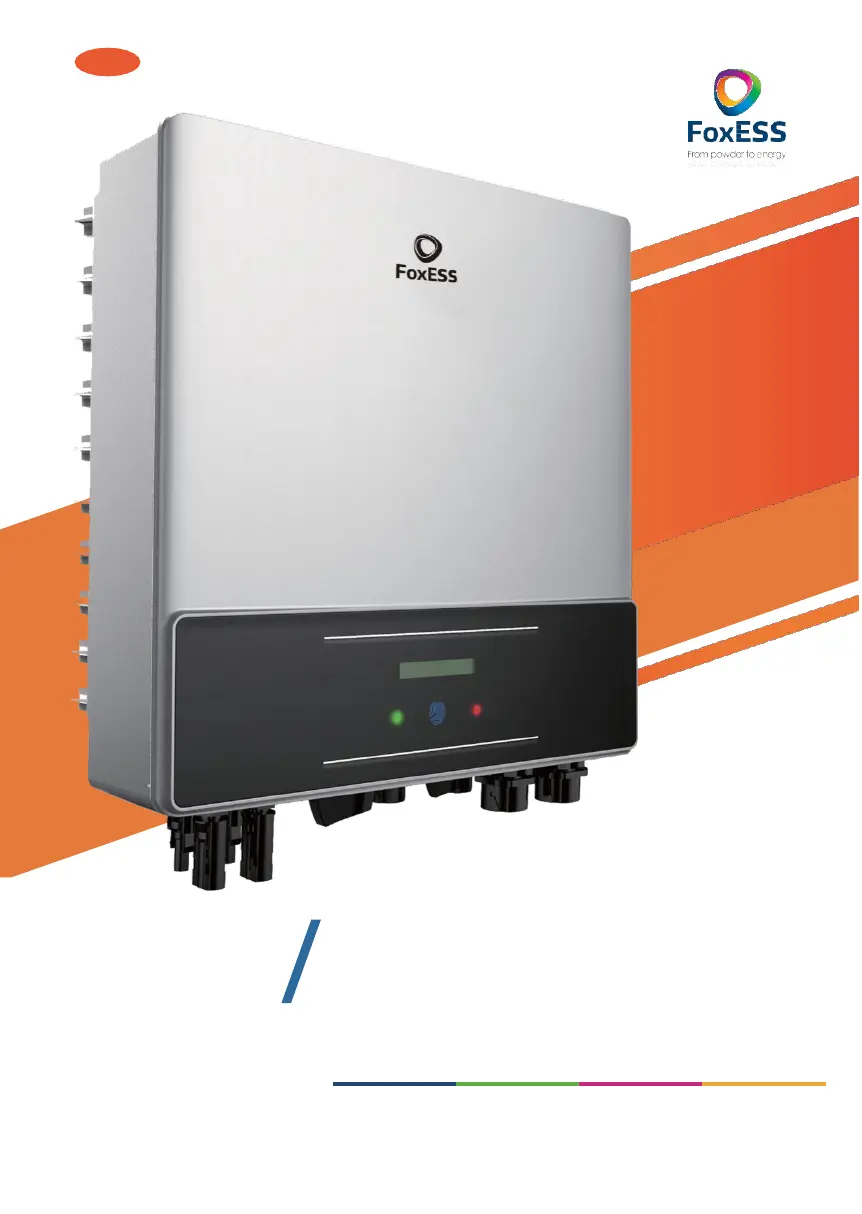
FoxESS F6000 - User Manual

FoxESS F6000
47 pages
Print Icon
To Next Page IconTo Next Page
Loading...
EN
3-6kW
E
FSERIES
UserManual
Copyright Declaration
The copyright of this manual belongs to Maitian Energy Co., Ltd. Any corporation or individual should not plagiarize,
partially
or fully copy (including software,etc.), and no reproduction or distribution of it in any form or by any means
is permitted. All rights reserved. Maitian Energy Co., Ltd. reserves the right of final interpretation.

Questions and Answers

  • B
    Beth EnglishAug 17, 2025
    What to do if my FoxESS F6000 shows a Ground Fault?
    • A
      Amy FordAug 17, 2025
      If your FoxESS Inverter shows a Ground Fault, first check the voltage between neutral and PE. Next, inspect the AC wiring. If the error persists after restarting the inverter, further assistance may be needed.
  • K
    Kelly MillerAug 20, 2025
    What to do if my FoxESS Inverter displays an Over Temp error?
    • D
      Dillon MillerAug 20, 2025
      If your FoxESS Inverter is showing an 'Over Temp' error, check whether the environment temperature exceeds the allowable limit. If the temperature is within limits and the issue persists, further assistance may be needed.
  • B
    Barbara SpencerAug 22, 2025
    What to do if my FoxESS F6000 Inverter has a Grid Lost Fault?
    • M
      Marcus PrestonAug 22, 2025
      If your FoxESS Inverter reports a Grid Lost Fault, check the grid connection, including wires and the interface. Also, verify the grid's usability. If problems persist, further assistance may be needed.
  • A
    Amanda JohnsonAug 25, 2025
    What to do if my FoxESS F6000 shows Grid Volt Fault or Grid Freq Fault?
    • D
      Diana FrancoAug 26, 2025
      If your FoxESS Inverter displays a Grid Volt Fault or Grid Freq Fault, wait one minute to see if the grid returns to normal. Ensure the grid voltage and frequency comply with standards. If the problem continues, further assistance may be needed.
  • T
    Thomas SmithAug 27, 2025
    What should I do if my FoxESS F6000 Inverter displays a DCI Fault?
    • D
      Dr. Joseph MyersAug 27, 2025
      If your FoxESS Inverter is showing a DCI Fault, wait one minute after the inverter reconnects to the grid. If that doesn't work, disconnect PV (+) and PV (-) with DC. After the LCD switches off, reconnect and check again. If the fault persists, further assistance may be needed.
  • M
    Michael BraunAug 29, 2025
    How to fix a GFC Fault on a FoxESS F6000 Inverter?
    • N
      Nicole RothAug 30, 2025
      If your FoxESS Inverter is showing a GFC Fault, disconnect the DC and AC connectors and check the surrounding equipment on the AC side. Reconnect the input connector and check the state of the inverter after troubleshooting. If the problem persists, further assistance may be needed.
  • A
    Antonio Manning MDSep 1, 2025
    What to do for SPI Comm Lost on FoxESS F6000?
    • T
      Tyler RichardsonSep 1, 2025
      If your FoxESS Inverter shows a SPI Comm Lost error, disconnect PV (+) and PV (-) with DC. After the LCD switches off, reconnect and check again. If the problem continues, further assistance may be needed.
  • J
    jonathan11Sep 4, 2025
    How do I fix a Comm Lost error on my FoxESS Inverter?
    • E
      Edward LeeSep 4, 2025
      If your FoxESS Inverter shows a Comm Lost error, disconnect and reconnect PV+ and PV-. If the problem persists, further assistance may be needed.
  • J
    james78Sep 6, 2025
    How to troubleshoot a Consist Fault on a FoxESS Inverter?
    • C
      Connie BrownSep 6, 2025
      If your FoxESS Inverter displays a Consist Fault, disconnect PV (+) and PV (-) with DC. After the LCD switches off, reconnect and check again. If the problem continues, further assistance may be needed.
  • D
    David CruzSep 9, 2025
    What should I do if my FoxESS F6000 is showing SPS Fault?
    • G
      Gregory GreenSep 9, 2025
      If your FoxESS Inverter displays an SPS Fault, turn off the PV and grid, and then reconnect them. If the problem persists, further assistance may be needed.

Summary

Safety Instructions

Important Safety Warnings

Provides critical safety warnings regarding live components, qualified personnel, and handling damaged inverters.

Technical Specifications

DC Input Parameters

Lists key DC input parameters like max power, voltage, current, and MPPT ranges for different models.

AC Output Parameters

Details AC output specifications including rated power, voltage, current, THD, and power factor.

Efficiency and Protection Features

Presents efficiency ratings and lists built-in safety and protection features like reverse polarity and overvoltage.

Installation Guide

Installation Site Precautions

Outlines environmental and mounting requirements for safe and optimal inverter installation.

Physical Installation Steps

Provides a step-by-step guide for physically mounting the inverter bracket and the unit.

Inverter Connection Procedures

Operation Methods

Control Panel Layout

Describes the inverter's physical interface including the LCD screen, indicator LED, and touch key functions.

Operating the LCD Interface

Details how to navigate and operate the inverter settings using the LCD screen and touch key.

Troubleshooting Guide

Identifying and Resolving Faults

Offers procedures for identifying and resolving common inverter faults and issues.

Routine Maintenance Procedures

FoxESS F6000 Specifications

General IconGeneral
Number of MPPTs2
Rated AC Output Power6000 W
Max. AC Apparent Power6600 VA
AC Voltage Range180 V - 280 V
Rated Grid Frequency50 Hz / 60 Hz
THDI< 3%
Protection DegreeIP65
Rated AC Voltage230V
Operating Temperature Range-25°C to 60°C

Related product manuals