45
Adding new client
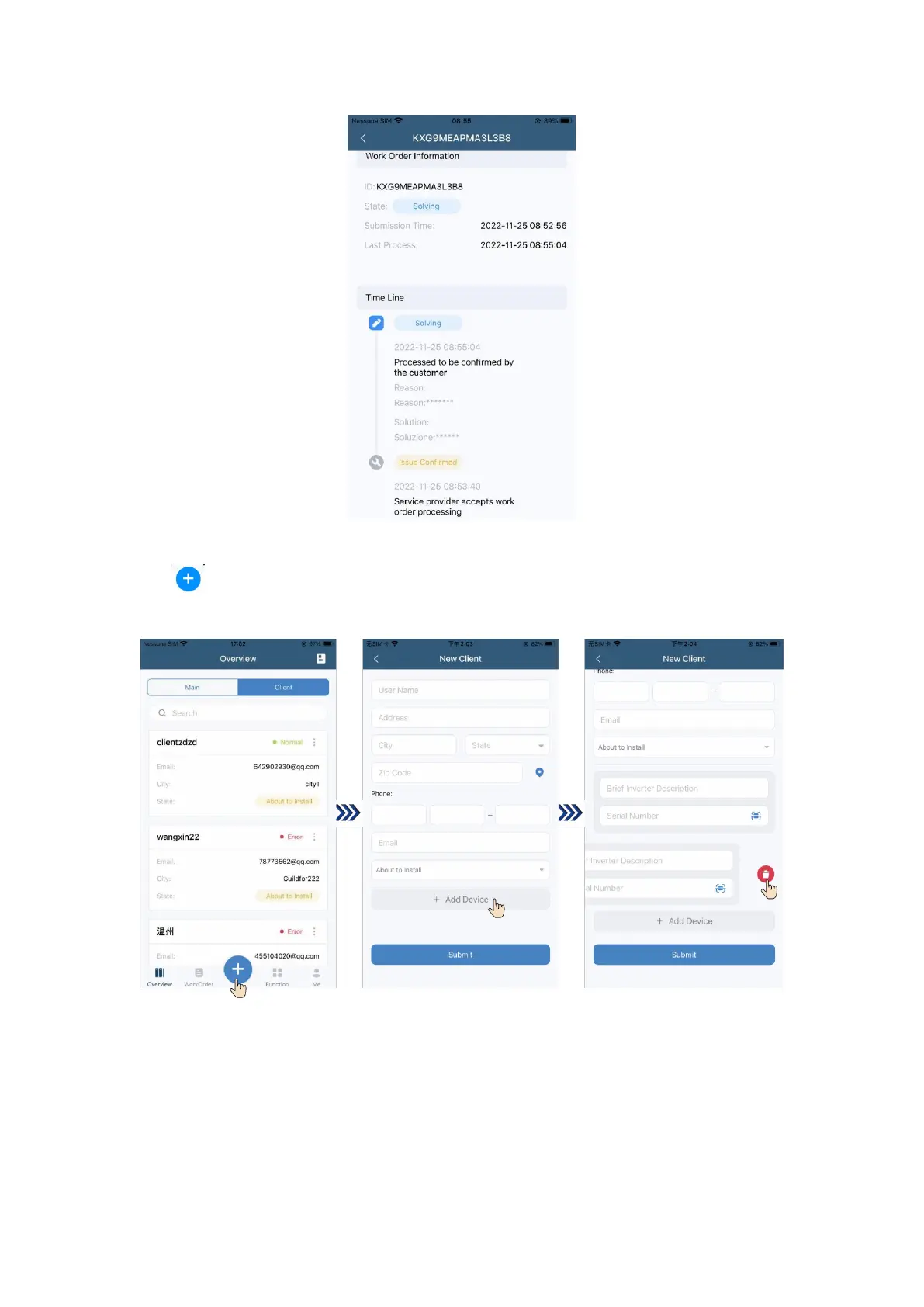
Tap “ ” at the bottom to add a new client, enter new client’s information, adding a device by tapping
“+ Add Device”, and slide leftward to delete the device.
Logging out of the App and canceling the account
The page of “Me” exhibits App version, user agreement, log out, and account cancellation.
① Tap “Log Out” to log out of the current account.


 To Next Page