48
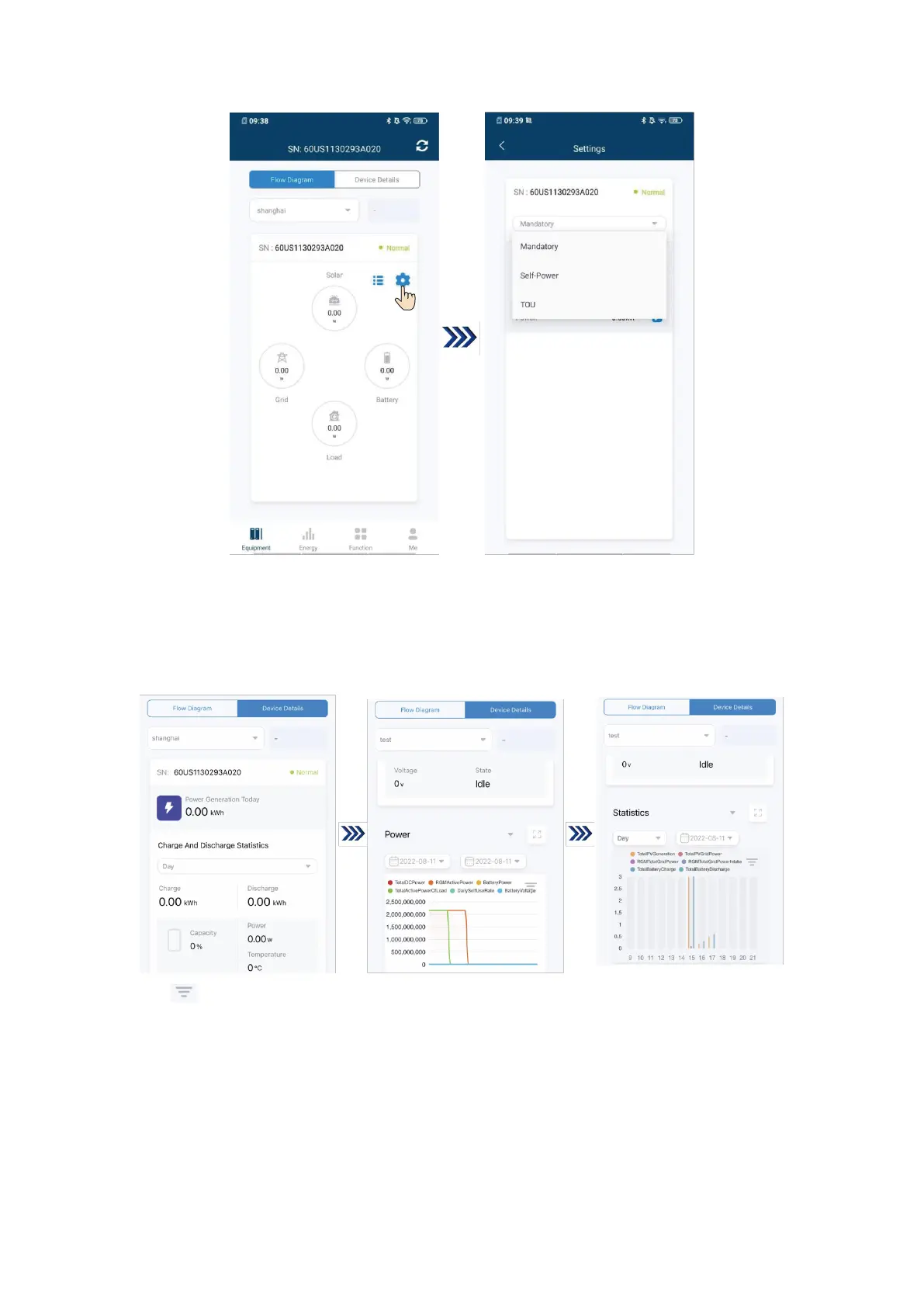
Tap “Device Details” in “Equipment” to exhibit power generation today, year/month/day charge and
discharge statistics, SOC/battery charge and discharge status, power, and statistics, wherein “Power”
exhibits the day power condition of the inverter, and the end user can screen dates to query historical
power curves; “Statistics” exhibits a total/day/month/year generation power histogram, and the end user
can screen dates to query historical generation power curves.
Tap “ ” to query other variables in “Power/Statistics”.


 To Next Page