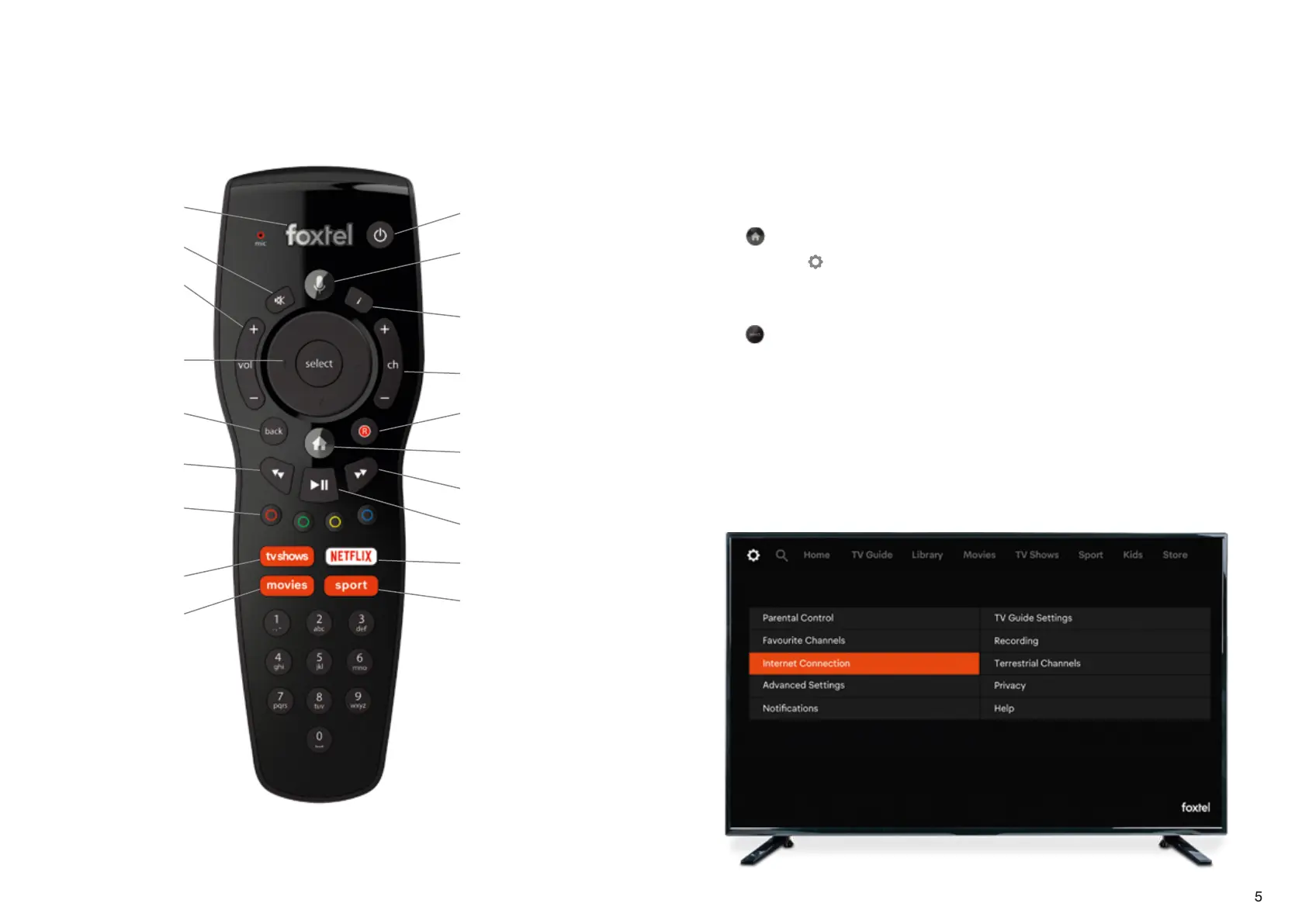
Return to live viewing
Mute
Volume buttons
Navigate menus
and select
Go back to
previous screen
Rewind
Colour buttons – watch
out for these buttons
on your screen
Stream TV shows
Stream Movies
Power on/standby
Search for an
actor or show
Extra show
information
Channel buttons
Record
Home
Fast forward
Play/pause
Netflix
Sport – to watch live
or download and
watch later
54
Connect your iQ3 to the internet
Unlock hours of On Demand entertainment included in
your pack to enjoy anytime. Connecting to the internet
will allow you to experience all of iQ3’s smart features
There are two ways to connect – depending on your internet strength:
1. Via WiFi
• Press
on your remote
• Scroll across to
• Select ‘Internet Connection’ and then ‘WiFi’
• Find your WiFi network in the list
• Press
once you’ve highlighted it
• Enter your WiFi password (if you have one) and press ‘Done’
2. Via an Ethernet cable
This is better if your WiFi isn’t strong where your iQ3 is positioned. Just connect one
end of an Ethernet cable into your iQ3 Ethernet port (located on the back panel),
and the other into an Ethernet port in your modem. Then you’re all done.
For further troubleshooting, head to foxtel.com.au/iq3connect
Your Foxtel Remote
To pair your remote via Bluetooth visit foxtel.com.au/remotepairing



 To Next Page