98
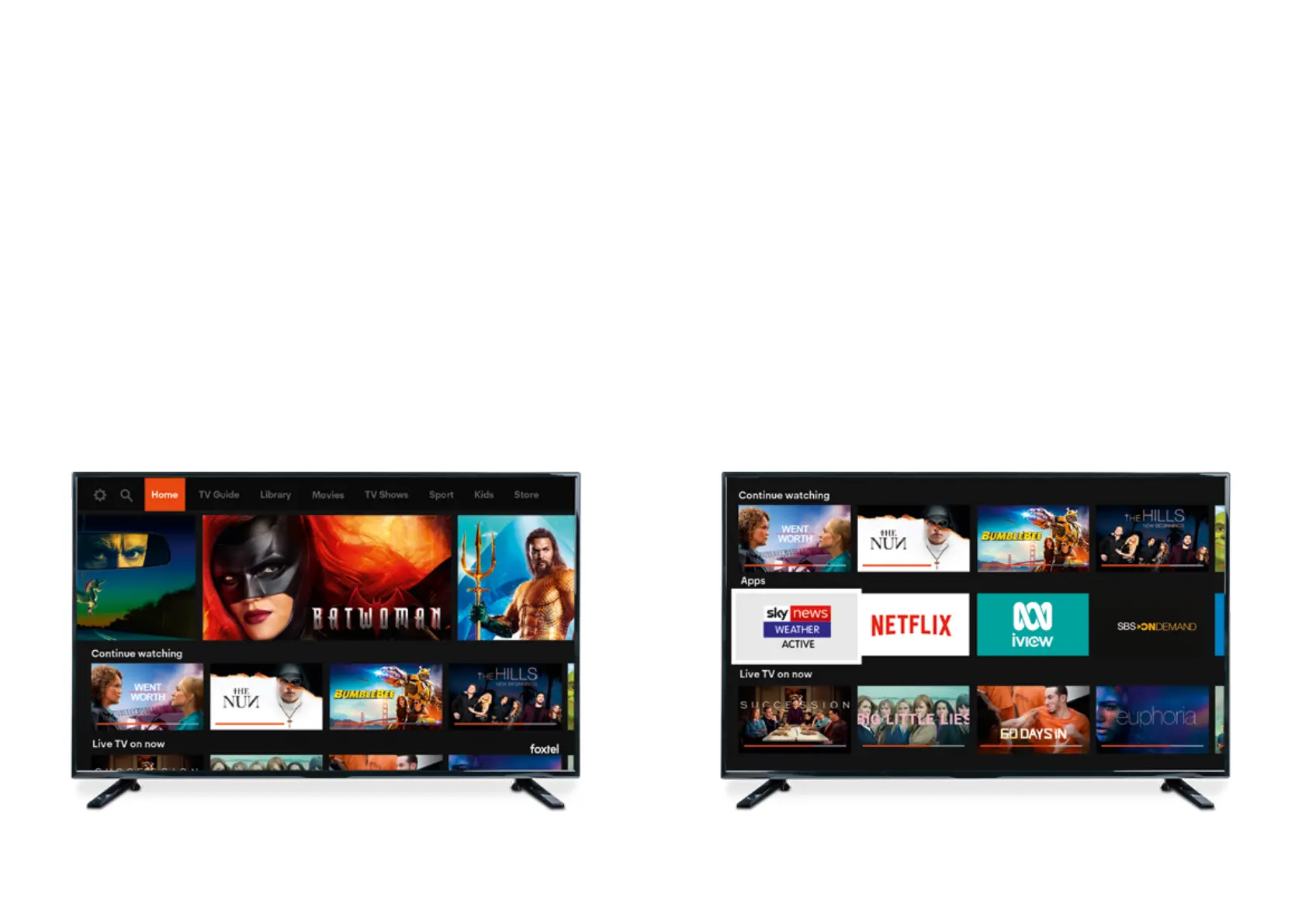
Looking for something to watch? ‘Home’ is your go-to destination to explore
the best of what’s in your pack, discover what’s new or resume watching a program.
We’re consistently updating your ‘Home’ screen with the latest shows, movies,
curated content and top picks for you.
The iQ3 delivers the ultimate entertainment experience bringing all your favourites
to the one place. Not only can you access all your favourite Foxtel shows, movies and
sport from your subscription, you can also access apps like Netflix
1
, SBS On Demand
2
& ABC iView
2
. No more flicking between devices. Once connected to the internet,
scroll down on the ‘Home’ screen to find the app section.
For support, head to foxtel.com.au/onboxapps
Home screen
Where you’ll find the best of your subscription
– all in the one place
Apps on your iQ3
A whole new world of entertainment
1
Requires Netflix subscription & internet connected iQ3.
2
Requires a valid account and internet connected iQ3.



 To Next Page