35
NT530 Multi-System Scanner Manual_English_V1.02
Figure 8-11 Sample FoxAssist Main Screen
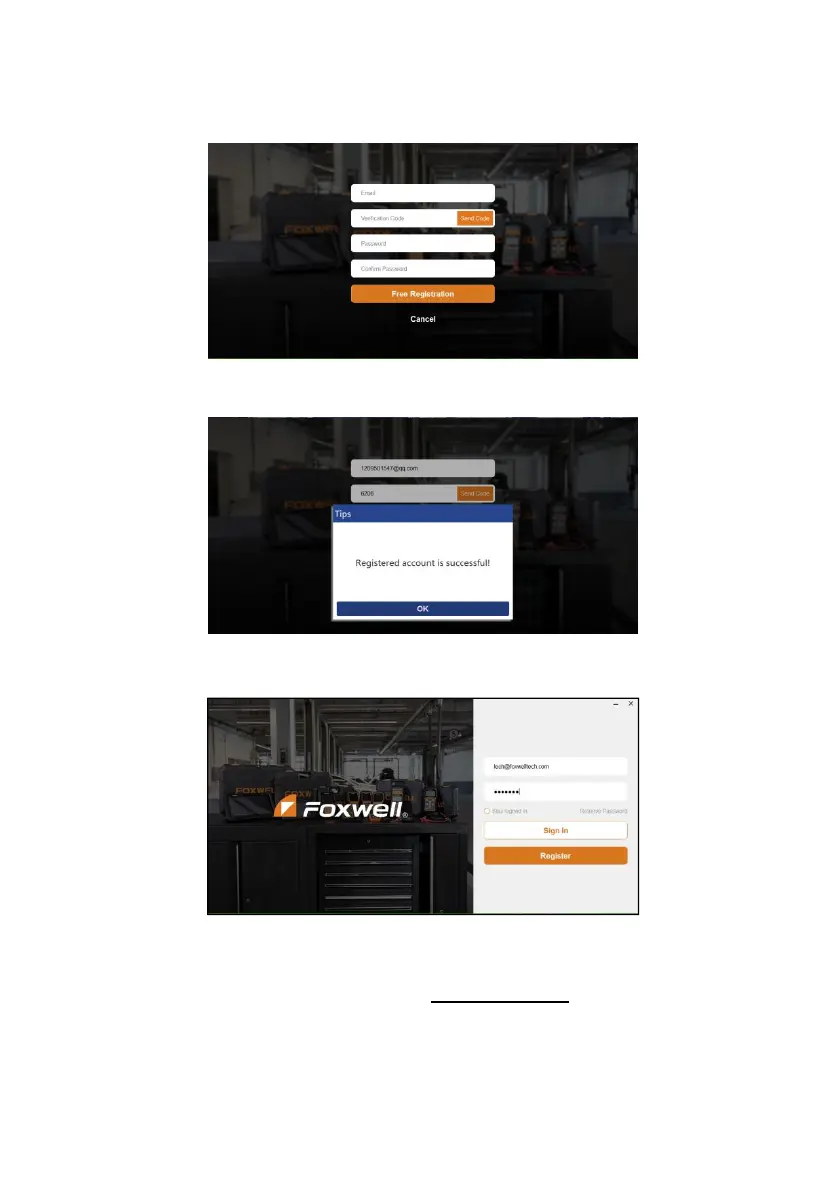
4. Click Register button, a Register window will pop up. Enter your own email address and click
“Send code” to find the verification code in your mailbox . Create a unique password, confirm
password and then click “Free registration” to complete.
Figure 8-12 Sample Register Screen
5. A Registered account is successful message will appear if you registered successfully.
Figure 8-13 Sample Registration Success Screen
6. Click OK. It skips to the login page automatically. You can input your FOXWELL ID and Password
to sign in.
Figure 8-14 Sample Sign in Screen
8.2 Register Your Scanner
To register a scanner , you can either register on www.foxwelltech.us or by the update PC application
FoxAssist.



 To Next Page