25
NT630 Pro ABS & Airbag Reset Tool Manual_English_V1.01
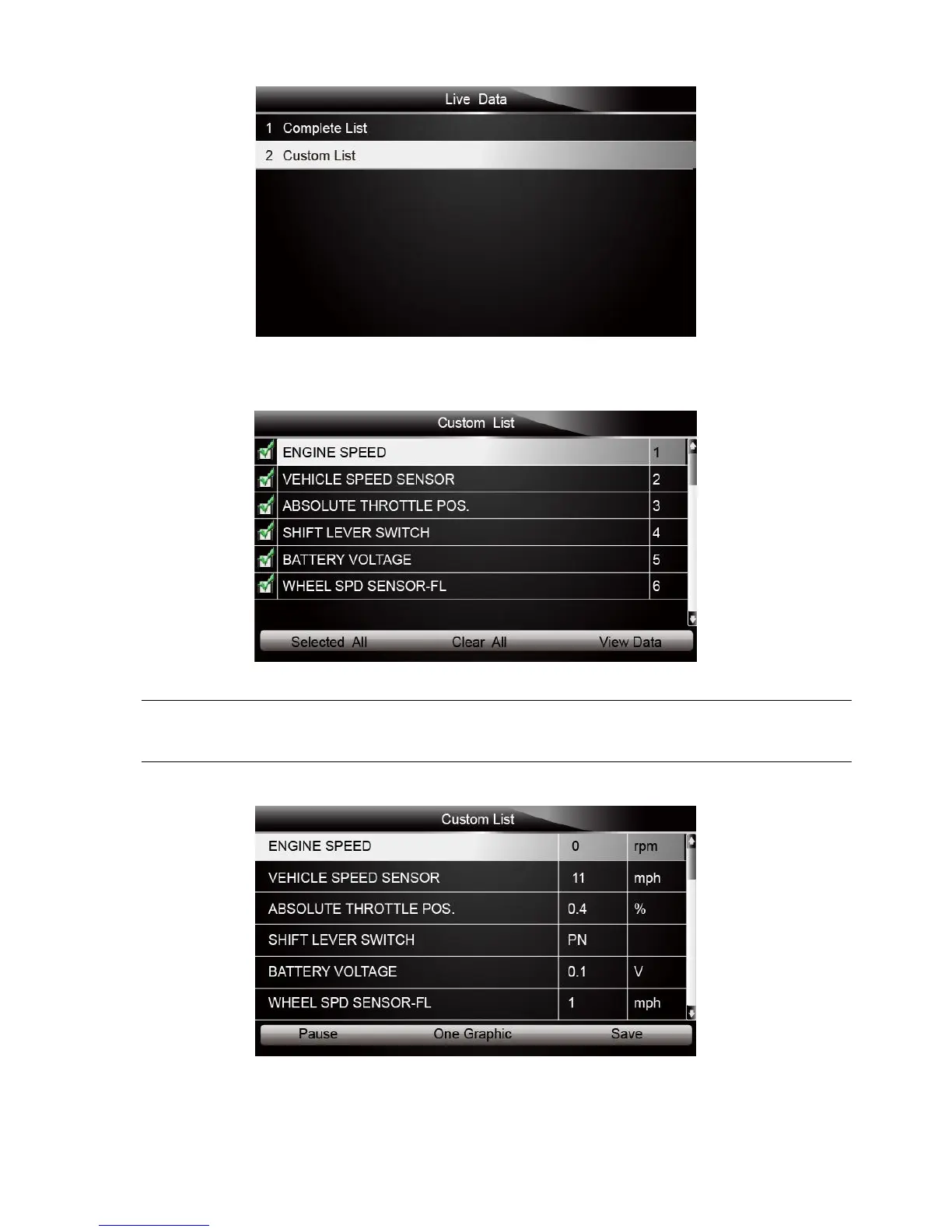
Figure 4-31 Sample Live Data Screen
2. The custom datastream selection screen displays. Scroll with the up and down arrow keys to
highlight a line, press the ENTER key and then repeat the action to make more selections.
Figure 4-32 Sample Custom List Selection Screen
To deselect an item, select it again and then press the ENTER key. Alternatively, use the function
keys SELECT ALL and CLEAR ALL to select or deselect all items at once.
3. When finished selection, use the function key VIEW DATA to display selected items.
Figure 4-33 Sample Datastream Screen



 To Next Page