53
NT630 Pro ABS & Airbag Reset Tool Manual_English_V1.01
If you are new to FOXWELL, please register the scanner first. All of your scanners can be
registered on One Foxwell ID.
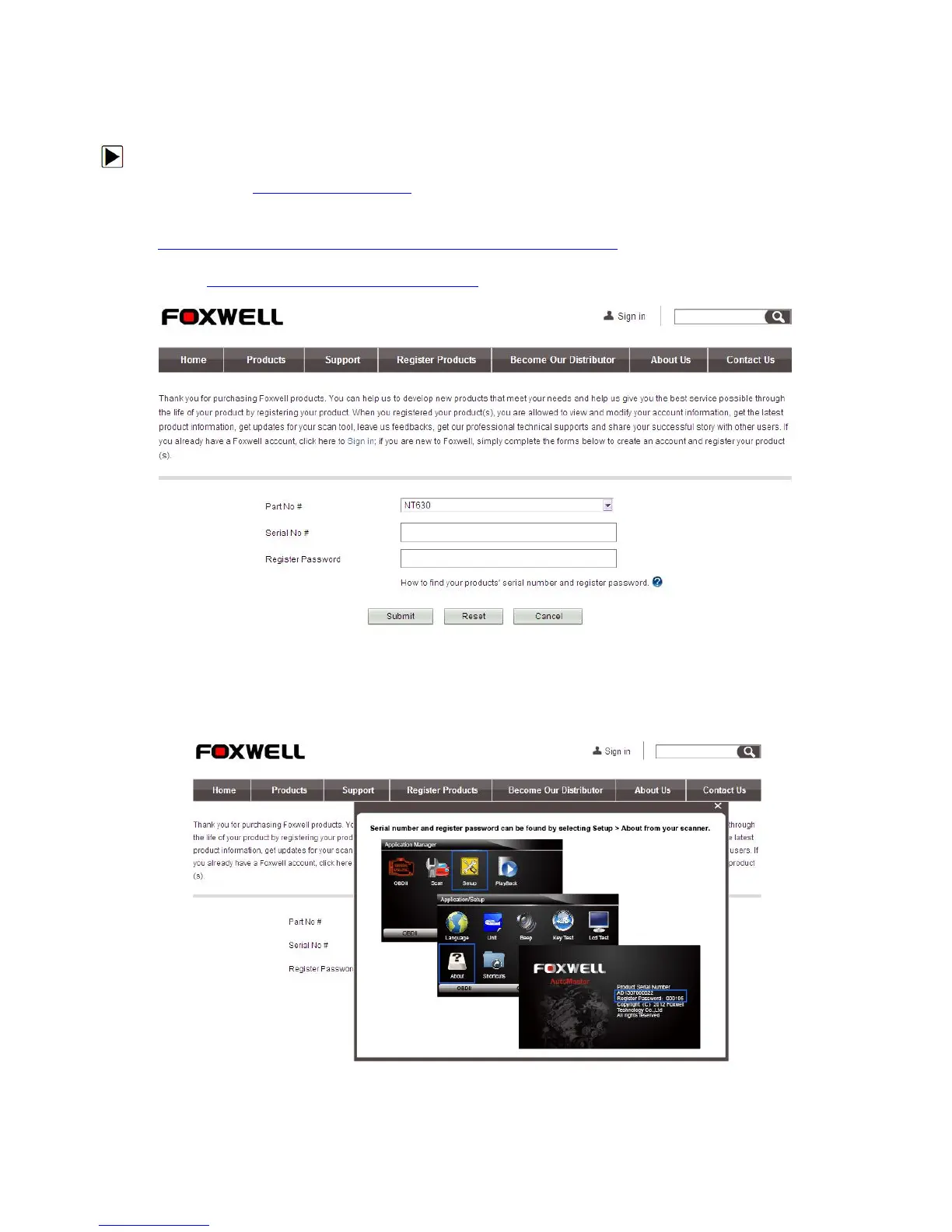
1. Visit our site www.foxwelltech.com and then select Register Products to create a Foxwell ID
and register your scan tool. Alternatively, please visit our website and then select
Support>Updates>Professional Scanner
http://www.foxwelltech.com/support3.php?id=supportUpdate_5 to download the update tool
DiagMate to complete the registration. If you have already had a Foxwell ID, just click the Sign
in link http://www.foxwelltech.com/login.php at the top right of the website to login.
Figure 8-1 Sample Register Products Screen
2. Select your scanner part number, enter your serial number and initial register password which
can be found by turning on your scan tool and selecting Setup>About, and click Submit to
Figure 8-2 Sample Serial No. & Password Entering Screen



 To Next Page