27
NT630 Pro ABS & Airbag Reset Tool Manual_English_V1.01
●
System Identification – displays information about the brake system, the vehicle, and the
●
TCS Test – allows to control the pump motor in order to apply fluid pressure to the front wheel
●
Traction Control System (TCS) Manual Control Tests – allows to perform motor tests and
an adjuster assembly control test.
●
Voltage Load Test – “loads” the ABS battery supply circuit to test for adequate battery
To perform special tests on a vehicle:
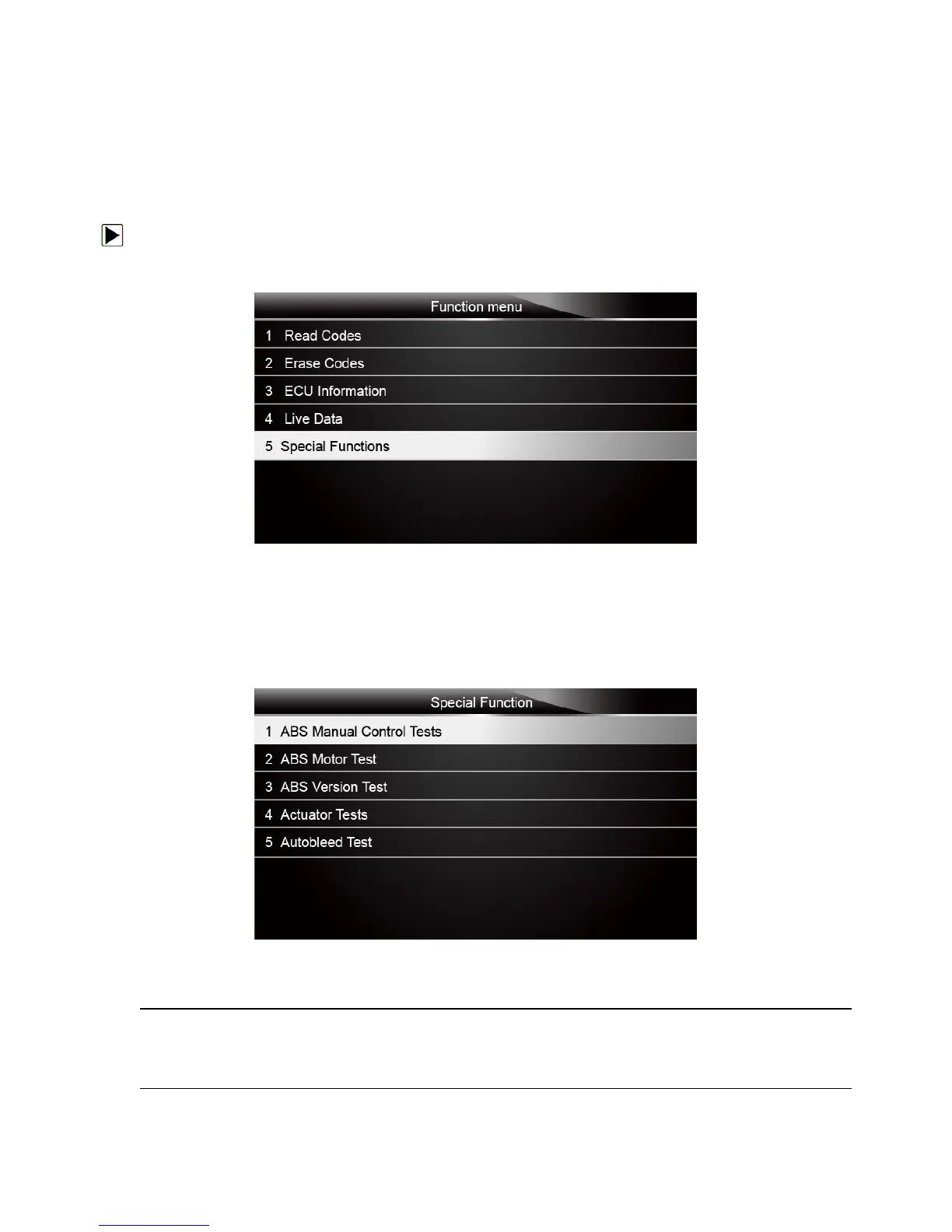
1. Scroll with the arrow keys to highlight the special function test you want to perform from the
menu and press the ENTER key.
Figure 4-34 Sample Function menu screen
2. A group selection screen, test selection screen, several step-by-step instruction screens, or
bi-directional control screen may appear. Read the screens and follow all instructions. If
necessary, use the function keys to perform commands or answer any questions. If more than
3 function keys displays, use the Up/Down arrow keys to select a command and press the
Figure 4-35 Sample Special function screen
3. When completed, press the BACK key to return to previous screens.
Not all function options listed above are applicable to all vehicles. Available options may vary by
the year, model, and make of the test vehicle. A “The selected mode is not supported!” message
displays if the option is not applicable to the vehicle under test.



 To Next Page